
Your Tesla has two climate systems — and most owners only know about one. While you’re adjusting cabin temperature, a separate glycol coolant loop is quietly keeping your battery cells between 20–35°C. Drift outside that window and you’ll face throttled charging, accelerated degradation, and range you’ll never get back. Understanding exactly how Tesla manages battery heat — and cold — permanently changes how you charge and drive.
How Tesla’s Active Thermal Management Actually Works
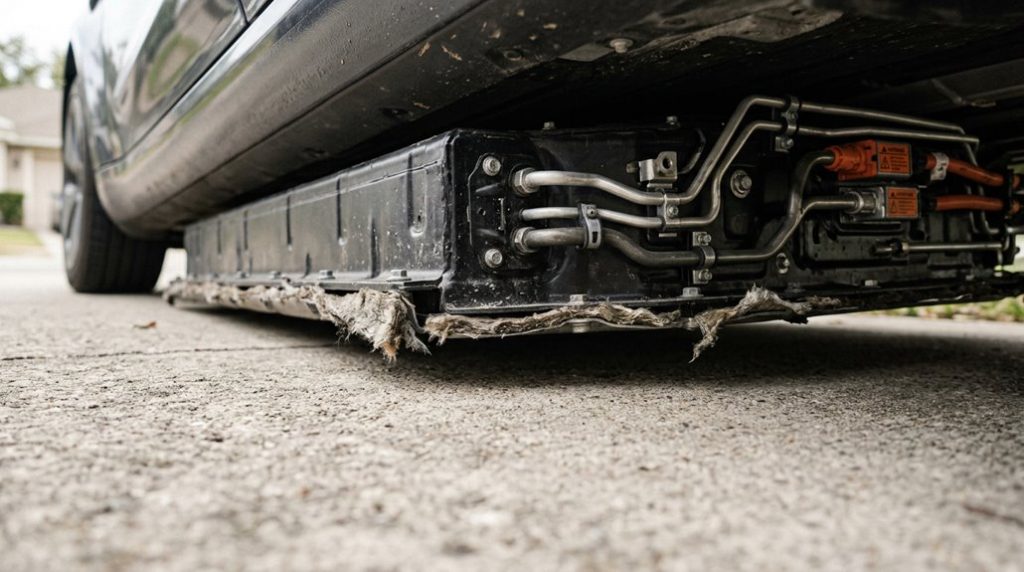
Tesla’s active thermal management system doesn’t just cool your battery — it keeps every high-voltage cell operating within a narrow thermal window that directly governs range, charging speed, pack longevity, and safety. Glycol-based coolant circulates through dedicated channels embedded in the pack structure, pulling heat away during discharge and fast charging while simultaneously feeding data back for thermal diagnostics.
Here’s what makes this genuinely clever: the system works both directions. When cells drop below efficient operating temperatures, the same loop adds heat rather than removing it — restoring usability faster after a cold overnight soak.
Battery balancing depends on consistent cell temperatures, and Tesla’s thermal framework treats thermal control as the most critical loop in the entire vehicle. The pump speed adjusts adaptively based on battery, motor, cabin, and ambient readings (not a single fixed setting), balancing cooling demand against energy consumption and long-term component wear. When navigating to a Supercharger, the system engages battery preconditioning automatically, raising pack temperature to enable faster charging ramp-up upon arrival. Unlike passive thermal systems that rely solely on ambient temperature and basic insulation, this active approach intervenes with both heating and cooling precisely when conditions demand it.
The Octovalve and Heat Pump: How Tesla Moves Heat Across the Car
At the center of Tesla’s thermal architecture sits the Octovalve, an eight-port manifold driven by a stepper motor that rotates an internal disk up to 270° across five discrete flow configurations — effectively one compact component doing the job that would otherwise require multiple dedicated valves.
Rather than generating heat electrically (the way a traditional PTC resistive heater burns stored energy), Tesla’s heat pump acts as a heat transporter, using refrigerant phase change to move thermal energy that already exists somewhere in the vehicle. You get a system that can scavenge waste heat from the drive unit, redirect it to the cabin or battery pack, and switch routing modes without installing a separate valve for every thermal loop — which is as mechanically clever as it sounds. Complementing the Octovalve is the Supermanifold, an integrated module that consolidates heat pump components and uses a dual-layer PCB to manage both refrigerant and coolant flows simultaneously, cutting the overall component count from as many as 15–20 parts down to just a few. This thermal efficiency matters even more given that Tesla’s shared hardware platform means identical battery cells are used across trim levels, making consistent temperature management critical to preserving both performance and longevity regardless of which variant a driver owns.
Octovalve System Explained
Buried beneath Tesla’s center console lies a component most owners never think about—the Octovalve, an eight-port thermal manifold that functions as the circulatory hub for the entire vehicle’s heating and cooling design.
A stepper motor rotates an internal disk through roughly 270° of travel, selecting between five discrete flow configurations.
You’re fundamentally carrying a smart plumbing switchboard.
Here’s what that switchboard controls simultaneously:
- Battery temperature stabilization — warming cold cells or chilling hot ones
- Cabin climate delivery — redirecting waste heat from electronics to your heater core
- Drive unit cooling — protecting high-voltage powertrain components under load
- Refrigerant coordination — synchronizing coolant loops with heat pump circuits
Elon Musk himself compared the overall complexity of the Octovalve and heat pump design to a printed circuit board for cooling circuits. Octovalve maintenance and actuator diagnostics both require Tesla-specific software, since the system operates as one unified thermal network rather than isolated subsystems. One practical benefit of this unified design is that the Octovalve enables battery preconditioning, automatically warming the pack via route guidance so cells reach optimal temperature before arriving at a Supercharger.
Heat Pump Energy Routing
The heat pump doesn’t generate warmth—it steals it from somewhere else and drops it where you need it. Rather than burning electricity to create heat (like a resistive heater does at roughly COP 1), Tesla’s system moves existing thermal energy using refrigerant as the carrier. That distinction matters enormously.
Thermal routing algorithms decide the sourcing in real time—pulling from ambient air, the drive unit, or the battery pack depending on conditions. This is waste heat harvesting working practically: motor inefficiency becomes cabin comfort instead of atmospheric loss. The payoff is a COP between 2–4, meaning you’re getting two to four units of heat per electrical unit consumed. For a Model 3, that translates to roughly 31 additional winter miles—physics doing the work your battery doesn’t have to. Tesla’s over-the-air updates can refine thermal management logic and routing behavior without any physical intervention, pushing efficiency improvements directly to the vehicle as software evolves. The octovalve directs coolant flow through up to 12 operational modes, autonomously selecting the right configuration based on ambient conditions and vehicle state.
Why Tesla Uses Liquid Cooling to Handle Supercharging Heat
When DC fast charging pushes hundreds of amperes into Tesla’s battery pack, the cells generate heat fast enough to overwhelm any passive or air-based cooling strategy.
Liquid coolant chemistry — typically a glycol-water mixture — gives Tesla’s system the thermal conductivity and heat capacity needed to pull that energy away quickly.
Cable flow behavior matter too; coolant circulates inside the Supercharger cable itself, keeping connectors from becoming the bottleneck.
Here’s what that system actually accomplishes:
- Absorbs cell heat through narrow tubes running directly alongside battery modules, preventing hotspots from forming
- Transfers heat outward toward radiators or chillers, releasing it safely into ambient air
- Cools the charging cable so higher current flows without melting insulation or throttling power
- Maintains 20–35°C battery temperature, preserving charging speed and reducing long-term cell degradation
Without liquid cooling, Supercharging would simply be slower — and far less safe. This thermal management system also works alongside Tesla’s onboard software, which draws on collective cloud data from the broader fleet to continuously refine how the vehicle prepares its battery before and during charging sessions.
How Tesla Warms a Frozen Battery Pack in Cold Weather
Supercharging heat is one problem; a battery that’s fundamentally a frozen brick is the opposite one — and Tesla handles both ends of that thermal range with the same underlying design.
Cold temperatures thicken electrolyte additives inside each cell, slowing ion movement and cutting usable capacity noticeably. Battery insulation helps retain heat, but it can’t generate it.
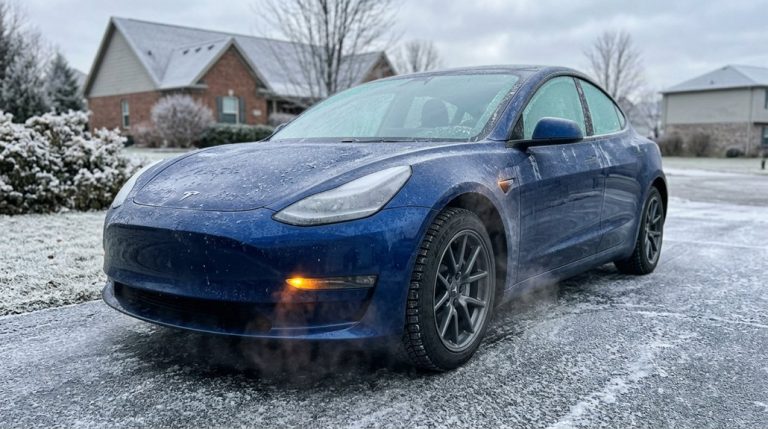
That’s where preconditioning earns its value. When you activate Climate or Defrost Car through the Tesla app roughly 30–45 minutes before departure, the system routes warm coolant through the battery loop, raising cell temperature before you touch the accelerator.
Setting a cabin temperature simultaneously warms the pack as a byproduct — two outcomes, one command. If you’re plugged in, that heating energy draws from the charger, not your range. A warm battery also recovers regenerative braking faster, meaning you’re not just comfortable — you’re driving efficiently from the first mile. Cold weather is one of several environmental factors that, alongside hills and larger wheels, can push real-world range noticeably below EPA-rated figures.
How Cold and Heat Affect Tesla Battery Range and Charging Speed
Battery chemistry doesn’t care about your road trip plans — it slows down when it’s cold and works harder when it’s hot, and both conditions pull directly from your usable range. Below freezing, ion flow, conductivity, and diffusivity all drop, shrinking your effective capacity fast.
Here’s what that looks like in real numbers:
- A Tesla Model 3 Long Range (rated 358 miles) realistically delivers 215–285 miles below freezing — that’s a 20–40% hit before you’ve touched the heater.
- At 20°F, AAA-cited data shows a 10–12% range reduction from temperature alone — cabin heating pushes that toward 40%.
- Charging times can nearly triple in cold conditions (Idaho National Labs data via Recurrent), because rising impedance throttles current acceptance.
- Above 95°F, efficiency drops noticeably — not from battery damage, but from cooling load.
One effective strategy to recover usable range in either extreme is to precondition your battery while still plugged in before a drive, so the thermal energy needed to warm or cool the pack comes from the grid rather than drawing down your charge.
Accurate range forecasting requires treating temperature as a primary variable, not a footnote.
Tesla’s battery heating and cooling system only performs at its best when the car can stay consistently plugged in. Relying on random public chargers or slow outlets can leave your battery struggling to maintain ideal conditions. Keep control of your charging and support proper thermal management with this Tesla-compatible portable EV charger so your battery always has the power it needs.
How to Precondition Your Tesla Battery Before Winter Driving
Starting your Tesla’s preconditioning session 30–45 minutes before you plan to leave gives the thermal management system enough lead time to bring battery cells up to an efficient operating temperature (which can take closer to 60 minutes if the pack is deeply cold from overnight outdoor parking).
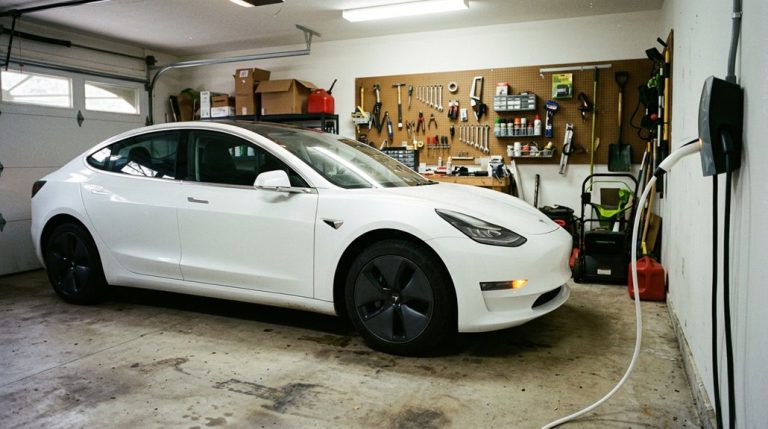
You’ll want the vehicle plugged into a Level 2 charger during this window, because drawing heat energy from the grid preserves the state of charge you’ll actually need for driving — running preconditioning on battery power alone is technically functional but quietly self-defeating.
Kick off the session through the Tesla app’s Climate tab or set a Scheduled Departure in advance so the system handles the timing without requiring you to remember at the last minute. You can confirm your vehicle’s current software version and any climate-related feature updates by navigating to the car icon → Controls → Software, where the build number displayed tells you which OTA release is governing your thermal management behavior.
Tesla’s heating and cooling system works quietly in the background, but most owners never see how temperature swings actually affect efficiency. If you want clearer insight into what’s really happening with your battery during those cycles, this OBD2 Bluetooth scanner can catch temperature-related efficiency changes before they turn into avoidable range loss.
Starting Precondition Early
When winter temperatures hover near freezing, giving your Tesla’s battery at least 30–60 minutes to warm up before you drive makes a measurable difference in range and performance.
Cold cells resist energy flow, so early departure planning isn’t optional—it’s smart battery scheduling in action.
Here’s what timing actually looks like in practice:
- One hour early: Tesla recommends starting preconditioning roughly 60 minutes before charging in freezing conditions
- 30 minutes minimum: Mild cold still demands half an hour for meaningful thermal gain
- Morning commutes: Your battery sits coldest overnight, making early activation critical
- Colder climates: Sub-freezing environments require longer warm-up windows than near-freezing ones
Start earlier than you think you need to—your range numbers will prove the point. Winter tire setups, such as a Model Y 19-inch Pirelli package, can further protect your cold-weather range by offering better traction without compounding the thermal efficiency losses already working against you in freezing conditions.
Plugging In Before Departure
Timing matters, but so does your power source. When you precondition while plugged into home charging, Tesla pulls energy from grid power instead of your high-voltage battery pack. That distinction matters more than most owners realize. Cold cells already carry reduced electrochemical capacity, so draining them further to generate heat before you’ve even left the driveway compounds your range loss.
Leaving your car connected overnight lets the thermal management system work without touching your stored charge. You arrive at your destination with a fully warmed battery and a full state of charge — not a warmed battery that’s already 8–12% depleted from self-heating. It’s a simple habit with a measurable payoff. Plug in, schedule your departure, and let the grid do the heavy lifting. Upgrading to a dedicated Tesla wall connector improves charging ergonomics and ensures your vehicle is consistently ready for scheduled preconditioning across all models.
Frequently Asked Questions
Does Tesla’s Thermal System Affect the 12V Auxiliary Battery in Winter?
Tesla’s thermal system doesn’t directly target your 12V battery, but winter charging, cold start demands, and auxiliary load from heating and defrosting can accelerate 12V degradation by increasing low-voltage system stress markedly.
Can Powerwall’s Thermal Management Integrate With a Tesla Vehicle’s Climate System?
You won’t find that kind of thermal handshake here—Powerwall and your Tesla operate as friendly neighbors, not roommates. Their vehicle integration paths and grid coordination goals remain structurally separate, each managing temperature independently.
What Happens to Thermal Management When a Tesla Software Update Installs Overnight?
When your Tesla installs an overnight update, thermal management stays active. The system runs scheduled conditioning to protect your battery, and the update can improve overnight recalibration logic without changing any cooling hardware.
Does Range Mode Disable Battery Heating or Only Limit Cabin Climate Control?
Range Mode doesn’t fully disable battery heating—it mainly enforces climate limits on your cabin’s HVAC intensity. Your battery heating can still activate during preconditioning, making Range Mode an efficiency strategy rather than a complete thermal shutdown.
How Does Cabin Overheat Protection Interact With the High-Voltage Battery Temperature?
Cabin Overheat Protection doesn’t always trigger HV battery coupling—battery cooling only activates when thermal logic demands it. At 105°F, you’ll notice cabin preheat coordination kicks in, but battery interaction depends entirely on your selected mode.