
Tesla doesn’t just build cars—it builds computers that happen to have wheels. Eight cameras replace radar entirely. Software locks features already embedded in your hardware. Updates rewrite your vehicle’s brain while you sleep. Most owners never question any of it. But once you understand how these systems genuinely interconnect—the neural networks, the compute power, the deliberate feature restrictions—you’ll never evaluate your Tesla the same way again.
What Makes Tesla Different From Every Other Automaker
When every legacy automaker was busy optimizing combustion engines and protecting dealer franchise agreements, Tesla was rebuilding the car from the ground up — not just the powertrain, but the entire business model wrapped around it. Direct sales eliminated dealership markup and negotiation theater entirely. Minimalist interiors replaced decades of button-cluttered dashboards with a single touchscreen design, and drivers can even access real-time data like tyre pressure on-screen without leaving the driver’s seat. The charging ecosystem — a proprietary Supercharger network spanning continents — solved range anxiety before competitors acknowledged the problem existed. Software updates arrive over the air, meaning your car genuinely improves after purchase.
That combination of hardware engineering, vertical integration, and brand loyalty built around a sustainability mission creates something legacy automakers still struggle to replicate: a vehicle that behaves more like a connected platform than a depreciating appliance. Tesla’s broader vision extends beyond cars, encompassing Powerwall, solar panels, and energy storage products as part of a sustainable energy ecosystem.
Why Tesla Dropped Radar and Bet Everything on Cameras
That bet on software-first engineering didn’t stop at the business model — it cut straight into the sensor stack. In 2021, Tesla pulled radar from new Model 3 and Model Y vehicles entirely, betting that cameras alone could outperform a mixed-sensor system.
The radar controversy wasn’t cosmetic. Tesla argued that sensor fusion creates contention when radar and cameras disagree on object identity, and that disagreement becomes a liability, not a safety net. Radar also struggles with stationary objects, thin profiles, and reflective surfaces like overpasses (hence phantom braking incidents).
Vision reliability, Tesla claimed, scales better because roads are already designed around visual cues — markings, signals, signs. A camera interprets meaning. Radar just measures geometry and bounces signals back without comprehending what it’s actually seeing. Tesla’s eight-camera system constructs a 3D vector-space representation of the surrounding environment, giving the vehicle a unified world model without relying on any additional sensor hardware.
How Tesla’s Eight Cameras Cover Every Blind Spot
Pulling out radar left one question sitting on the table: what fills the gap? Eight cameras, strategically placed, answer that directly. You’ve got rear, pillar, windshield, front-fender, and front-fascia positions working together, creating overlapping fields that stretch up to 250 meters forward. That camera redundancy means no single lens carries the full perceptual load — if one angle gets blocked, adjacent views compensate.
When you flip your turn signal, the Automatic Blind Spot Camera activates, pulling the relevant side repeater feed onto your driver screen, flagging detected vehicles with a red vertical bar. Night vision isn’t native here, but the overlapping coverage geometry remains consistent regardless of lighting. It’s 360 degrees of layered awareness, not a single forward stare. Tesla Vision reconstructs the car’s environment with greater reliability than classical techniques, giving the system a perceptual foundation that goes well beyond what any single sensor approach could achieve.
How Tesla’s Neural Networks See and Interpret the Road
Cameras collect light, but light alone doesn’t drive a car — neural networks do the actual interpretive work. Your Tesla’s vision stack converts raw image frames into structured, machine-readable road models using semantic segmentation, object detection, and monocular depth estimation simultaneously.
| Network Task | What It Produces |
|---|---|
| Semantic Segmentation | Lane lines, road edges, drivable zones |
| Object Detection | Vehicles, pedestrians, traffic signals |
| Depth Estimation | 3D position without lidar |
Temporal coherence ties sequential frames together, so objects don’t mysteriously teleport between moments. Visual occlusion — a truck blocking a cyclist — gets handled through motion parallax and learned size priors. Birds-eye-view outputs then organize everything into a top-down spatial map, giving the system a complete, continuously updated depiction of your surroundings. These networks are trained on millions of miles of real-world driving data, allowing them to learn from experience rather than relying on explicitly defined rules.
What Tesla’s Birds-Eye-View Processing Actually Does
When Tesla’s bird’s-eye-view system processes your surroundings, it isn’t stitching together raw camera feeds the way a traditional 360-degree system does — instead, it’s actively building a vector-space model of everything around the car, converting pixel data into a synthetic 3D scene populated with detected vehicles, pedestrians, lane markings, traffic cones, and static infrastructure.
Every object the perception stack identifies gets mapped into this rendered environment, which means the display you’re watching during a tight parking maneuver is actually a software-constructed spatial model, not a live overhead photograph.
The system combines input from all exterior cameras simultaneously (up to eight on Hardware 4 vehicles), cross-referencing each feed against the broader FSD perception pipeline to produce a coherent, geometry-accurate representation of exactly where your car sits relative to curbs, walls, and moving obstacles. This capability is exclusive to vehicles equipped with FSD hardware version 3.0 and above, as the feature depends entirely on the processing power and perception architecture those platforms provide.
Combining All Camera Feeds
Most drivers assume Tesla’s bird’s-eye view works like a typical parking-camera system—four lenses, some geometric stitching, and a tidy top-down image on the screen. It doesn’t.
Tesla’s camera fusion pipeline processes each exterior camera individually first, extracting learned feature maps before any cross-camera communication happens. Then a dedicated neural-network stage merges those separate feature maps into one unified scene interpretation. That’s top-down inference, not pixel compositing.
The system even folds time into the equation, cross-checking roughly eight consecutive frames to keep the resulting scene stable and coherent. Some cameras contribute more heavily than others to the final output—the dominance isn’t equal.
What you’re actually seeing represents geometry, depth, and object relationships that the network inferred, not simply reflected. Andrej Karpathy’s talk at Scaled ML in February 2020 has been identified as one of the most significant recent sources publicly describing the architectural direction behind this kind of multi-camera neural processing at Tesla.
Mapping Roads And Infrastructure
From the moment Tesla’s neural network finishes parsing those individual camera feeds, it doesn’t hand you a photograph—it hands you a reconstruction. Real time localization of lane markings, curbs, and road edges happens continuously, projected into that overhead vector space you’re now looking at.
| Element | Detection Method | BEV Output |
|---|---|---|
| Lane markings | Neural classification | Geometric boundary lines |
| Curb detection | Spatial inference | Hard edge markers |
| Stop signs | Visual recognition | Infrastructure overlay |
| Adjacent vehicles | Object tracking | Scaled position blocks |
| Drivable space | Scene reasoning | Open-zone shading |
The system isn’t reading a prebuilt map—it’s rebuilding the road around you in real time. Every sign, cone, and painted line gets reconstructed from camera data alone, frame by frame. However, camera-only reconstruction has a known weakness: when parallax fails against textureless walls and very-near objects, the system loses reliable distance measurement, which is precisely the gap that parking sensors were designed to fill.
Tesla’s built-in screen handles most things well, but daily driving still revolves around your phone for calls, secondary navigation apps, and quick interactions that you don’t want buried in menus. That’s when the small inconvenience of glancing down or repositioning your phone starts to feel more distracting than it should. Keep a MagSafe wireless charging phone mount ready so your phone stays charged, visible, and fixed in place without pulling attention away from the road.
Detecting 3D Surrounding Objects
Forget the stitched-together parking camera grid you’ve seen on other vehicles—Tesla’s bird’s-eye view isn’t a mosaic of fisheye lenses sewn into a top-down composite. It’s a vector-space, neural-network-built spatial mapping of your actual surroundings.
Each exterior camera feeds per-camera networks that run monocular depth estimation, semantic segmentation, and object detection simultaneously. Where camera viewpoints overlap, stereo cues sharpen distance accuracy. Vehicle odometry stabilizes the model over time, compensating for drift.
The system detects vehicles, pedestrians, lane markings, traffic signs, and low-speed obstacles like cones. Occlusion handling matters here—partially hidden objects still generate confidence metrics, flagging uncertainty rather than silently dropping detections.
Shift into reverse, and the visualization rotates top-down. No LiDAR required (or present). The entire perception stack runs on Tesla’s FSD computer, which houses custom NPUs and GPUs purpose-built for this level of real-time inference.
How Autopilot Works on Highway Driving
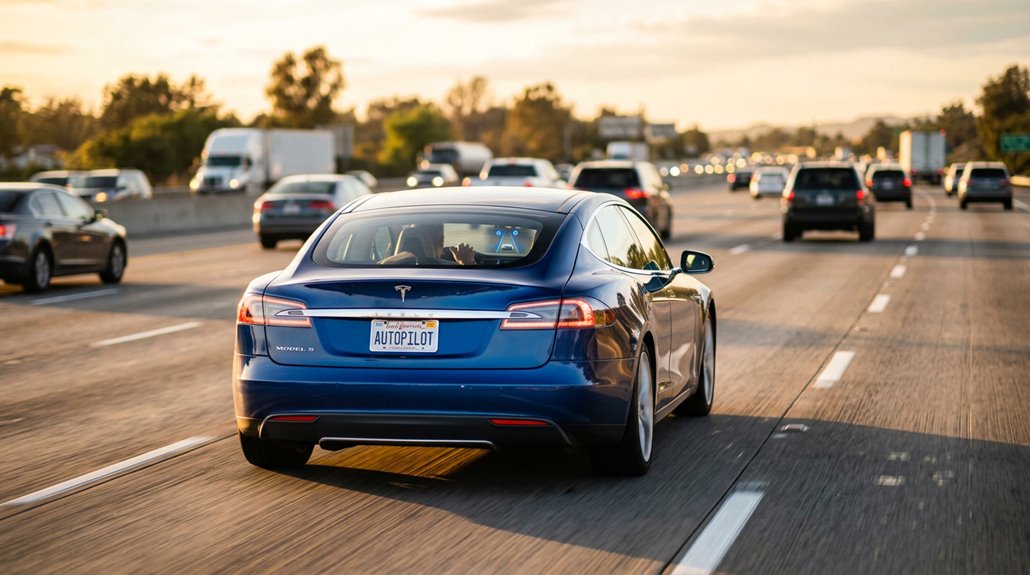
Pilot on Autopilot handles four core functions:
Pilot on Autopilot manages four essential driving functions, keeping you safer and more in control on every highway mile.
- Lane-centering — continuous steering correction keeps you positioned between markings
- Speed harmonization — your pace adjusts automatically to surrounding traffic flow
- Lane-change assistance — signal engagement triggers adjacent-lane verification before movement
- Exit behavior — the system repositions you ahead of your designated off-ramp
Driver handoff remains non-negotiable. Hands-off-wheel alerts escalate to gradual deceleration if ignored. Poor markings, covered sensors, or complex interchanges can trigger disengagement. Autopilot assists; it doesn’t replace your judgment. Navigate on Autopilot has accumulated over 1 billion miles driven, demonstrating its widespread use across real-world highway conditions.
How Traffic-Aware Cruise Control Differs From Regular Cruise
Autopilot handles the steering side of highway driving, but speed management runs through a separate system entirely — Traffic-Aware Cruise Control, or TACC.
Standard cruise control holds a fixed speed and ignores whatever’s happening ahead. You brake manually, adjust manually, repeat. TACC eliminates that cycle. It uses sensor fusion — combining radar, cameras, and ultrasonic data — to detect a lead vehicle and match its speed automatically.
When traffic slows, TACC slows. When it clears, TACC accelerates back to your set speed. Distance damping keeps following gaps smooth rather than abrupt, which matters in stop-and-go conditions where TACC can bring you to a complete stop and resume movement.
You set it between roughly 18 and 85 mph. The system handles the rest. TACC requires clear road markings to function correctly on both highways and city streets.
Tesla’s software-heavy setup works smoothly on its own, but once you start relying on dashcams, Sentry Mode storage, and charging multiple devices at once, the limited USB ports quickly become noticeable in everyday use. What feels like a minor limitation at first can turn into constant unplugging and swapping when everything needs power at the same time. Keep a Tesla USB hub and multi-port expansion dock ready so your dashcam, storage, and charging setup all run together without compromise.
What Full Self-Driving (Supervised) Can and Can’t Do
Full Self-Driving (Supervised) — the name alone has caused more confusion than almost any other feature in Tesla’s lineup. It handles real complexity, but driver supervision isn’t optional.
The name “Full Self-Driving” misleads — supervision isn’t a suggestion, it’s a requirement baked into every mile.
Here’s what it actually does:
- Guides through city streets, multi-lane roads, and residential areas
- Stops at traffic lights, stop signs, and reacts to pedestrians
- Maintains speed and following distance from vehicles ahead
- Activates from a standstill at speeds below 85 mph
System limitations are real, though. It can’t replace your eyes, your judgment, or your hands when conditions deteriorate. NHTSA recalled 362,758 vehicles equipped with FSD Beta in February 2023, citing safety concerns from crashes and fatalities.
Tesla’s cabin camera monitors your attentiveness and issues escalating warnings if you disengage mentally. Think of it as a highly capable co-pilot — one that still needs a licensed pilot.
How Tesla Software Locks Limit Features You Already Have
Your Tesla may already contain the hardware for features you haven’t paid for — heated rear seats, acceleration boost, and even expanded battery capacity can sit dormant inside your vehicle, gated behind a software switch Tesla controls.
Standard Range Model S and Model X variants reportedly used the same physical battery pack as Long Range versions, with roughly 21% of usable capacity locked through software rather than any difference in cells or wiring.
Tesla’s approach lets it manufacture one unified platform while segmenting the market through code, which is efficient engineering on their end — though it means the gap between what your car *can* do and what it *will* do depends entirely on what you’ve purchased (or what Tesla decides to enable next). During emergencies, Tesla has shown willingness to act on that flexibility, having temporarily unlocked software-locked batteries for drivers in areas affected by natural disasters.
What Software Locks Do
Tesla builds most of its vehicles on a shared hardware platform—meaning the wiring loom, seat hardware, and battery cells are often identical across trim levels—then uses software to decide what you can actually use. That hidden hardware sits dormant, waiting.
Here’s what software locks actually do:
- Disable installed components without removing them
- Create trim tiers from one production line
- Lower entry pricing without new physical tooling
- Enable features later through OTA updates or in-car purchases
This is upgrade economics made literal—Tesla sells you the hardware once, then monetizes access incrementally. Your Standard Range Model 3 may contain rear seat heating elements that simply aren’t switched on. The capability exists. The permission doesn’t. Activating a dormant feature can be as simple as a few lines of code delivered over Wi-Fi, making the cost to enable it minimal compared to the price charged for access.
Features Behind Paywalls
What was once bundled into the base purchase price has quietly become a recurring line item. New Model 3 and Model Y orders no longer include Basic Autopilot as standard, meaning Autosteer (the lane-centering function) now sits behind a $99/month Full Self-Driving (Supervised) subscription. That’s $1,188 annually for something previously included at purchase. Traffic-Aware Cruise Control remains standard, but lane-keeping assistance does not.
The subscription friction here isn’t accidental—it’s design. Tesla removed the $8,000 one-time FSD purchase option entirely, replacing capital expenditure with recurring monetization that compounds indefinitely. What analysts describe as a “functional gap” is really a deliberate nudge. You’re not missing hardware. You’re missing permission to use what’s already installed. For context, lane-keeping assistance is now a standard feature on far less expensive vehicles like the Toyota Corolla and Honda Civic.
Unlocking Hidden Capabilities
The subscription wall is only half the story. Your Tesla already carries hardware it hasn’t fully introduced itself yet. Software locks control what you can access—and some releases require nothing more than knowing where to look.
Four ways to surface hidden capabilities:
- Long-press buttons to trigger secret menus and situation-specific controls
- Use gesture shortcuts to remap scroll wheels and reduce menu-diving
- Monitor firmware updates, since features activate by software version, not model year
- Connect third-party integrations through the API to extend functionality beyond the touchscreen
Tesla ships cameras, sensors, and processors before their software counterparts arrive. That hardware sits dormant until an update flips the switch. Once an update is ready, you can install software updates directly from the app without ever touching a computer.
You’re not waiting for new equipment—you’re waiting for permission.
What You Actually Get With Tesla’s FSD Subscription
At $99 a month, Tesla’s FSD (Supervised) subscription hands you a specific suite of driver assistance tools — not a chauffeur. Monthly pricing keeps commitment low, but feature limits are real. You’re getting piloting on Autopilot, auto lane changes, traffic light and stop sign control, Autopark, and Summon — useful tools, not magic.
Driver responsibilities don’t disappear because you’re paying. Active supervision is mandatory, always. The system still needs you watching, hands ready, brain engaged.
Trial mechanics work simply: new direct-delivery owners receive 30 days free (non-transferable, non-cashable). Third-party purchases don’t qualify.
One practical upside — Tesla Insurance rewards miles driven with FSD engaged, potentially reducing your premium. That’s a measurable return beyond the convenience factor. Elon Musk has confirmed the monthly subscription cost will rise as FSD’s capabilities improve, meaning that $99 figure is not a permanent ceiling.
How Dojo Trains Tesla’s Autonomous Driving Brain
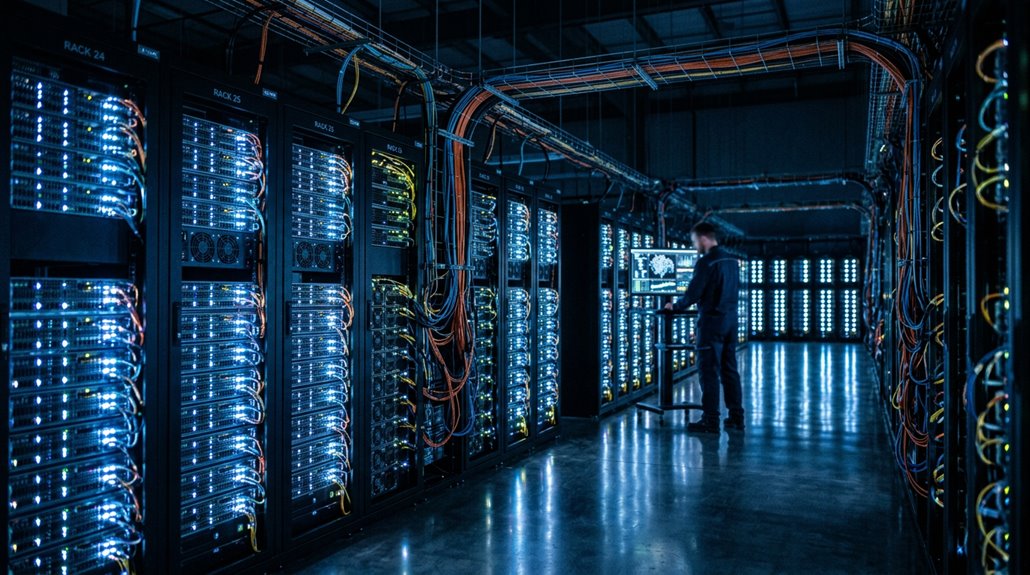
Behind every FSD update that makes your Tesla a little smoother at a four-way stop sits a machine most people have never heard of — Dojo. It’s Tesla’s custom-built supercomputer, and its entire job is training neural networks faster than conventional GPU clusters can manage.
Here’s how the pipeline actually works:
- Fleet telemetry streams real-world camera footage from millions of Teslas globally
- One dataset alone contained 1.5 petabytes across one million ten-second clips
- Objects get labeled — cars, pedestrians, signs — then fed into training models
- Compute scaling through Dojo targets 1+ exaflop capacity, accelerating model iteration dramatically
Your car isn’t learning. Dojo learns for it, then pushes improved models down to your vehicle. Trained models produce driving instructions that are sent back to the cars, where vehicles implement the learned behaviors and collect even more real-world data to feed the next training cycle.
What It Actually Takes to Train Tesla’s Self-Driving Networks
Training a self-driving system isn’t a matter of feeding a neural network some dashcam footage and calling it done — it’s one of the most computationally brutal engineering challenges in the automotive industry. Dataset curation and label pipelines are the unglamorous backbone of everything FSD does on public roads.
| Requirement | Reality |
|---|---|
| Dataset scale | Petabyte-level coverage |
| Training duration (1 GPU) | Up to 9.1 years |
| Label types | Depth, segmentation, course |
| FSD v11 legacy code | 300,000+ lines of C++ |
| FSD v12 approach | End-to-end neural decisions |
Raw footage means nothing without structured labels. Tesla’s offline networks generate segmentation masks and depth maps, which algorithmic pipelines then hone into clean training targets — because static datasets get outdated fast. A single complete training cycle demands 70,000 GPU hours and consumes over 1.5 petabytes of driving data sourced from a global fleet of more than four million vehicles.
How Millions of Teslas Train the FSD System Together
Every time you drive your Tesla, you’re contributing to one of the most ambitious AI training programs ever assembled — a fleet of roughly 4 to 6 million vehicles continuously streaming camera footage, steering inputs, braking data, and throttle positions back to Tesla’s central servers.
That scale matters because rare driving events (an emergency vehicle running a red light, a construction zone with missing lane markings, an unusually aggressive merge) appear constantly somewhere across millions of daily trips, giving Tesla’s neural networks repeated exposure to the exact edge cases that small controlled test fleets simply never encounter.
Tesla then retrains its FSD models against that labeled data and pushes improved software back to the entire fleet via over-the-air updates, creating a compounding feedback loop where better models generate better data collection, which generates better models still. When a driver takes over from FSD, the system logs exactly what failed, and those edge case interventions are sent back to Tesla’s servers to directly inform the next round of retraining.
Fleet Data Collection
Collecting useful autonomy data at scale turns out to be one of the most underappreciated engineering advantages Tesla has built into its fleet. Millions of vehicles continuously gather camera footage, steering inputs, braking events, and disengagement moments across every conceivable road condition.
Here’s what makes this architecture genuinely powerful:
- Campaign targeting lets Tesla request specific scenarios like roundabouts or cut-ins
- Anonymized clips address privacy concerns without sacrificing training value
- Opt-in controls help maintain regulatory compliance across global markets
- OTA updates push improved models back to vehicles after validation
You’re fundamentally looking at a distributed sensing network capturing tens of billions of miles annually — an edge-case library no controlled test fleet could realistically replicate. Training datasets have reached on the order of 1.5 petabytes, sourced from approximately one million clips cited across public technical talks and AI Day recaps.
Iterative Neural Network Improvement
Retraining a neural network on millions of real-world edge cases sounds straightforward until you realize the sheer coordination that requires — data pipelines, compiler rewrites, validation loops, and fleet-wide rollouts all running in near-continuous cycles.
Tesla’s hard clip mining process targets the rarest, highest-value failures: unusual traffic light behavior, small animals, low-visibility conditions. These aren’t curiosities — they’re the training signals that actually move the needle. Reward shaping strategies then guide reinforcement learning toward better decisions at complex intersections, curved roads, and school bus encounters.
FSD v14.3’s MLIR compiler rewrite delivered roughly 20% faster reaction time, tightening the gap between perception and control output. End-to-end neural design absorbs these improvements without manual code patches — the model simply gets smarter each cycle. MLIR originated at Google and is now maintained under the LLVM Foundation, giving Tesla’s compiler stack a battle-tested open standard beneath its proprietary training infrastructure.
How Tesla’s AI Processes a Thousand Data Points Every Second
Somewhere between the moment you press the accelerator and the instant the car responds, Tesla’s onboard AI has already ingested, compressed, and acted on a dense stream of sensor data — all within a processing window of roughly 22 to 36 milliseconds.
Here’s what that pipeline actually involves:
- Sensor fusion combines multi-camera inputs totaling roughly 35–40 megapixels per frame
- Bandwidth optimization compresses effective pixel load down to 10–15 megapixels using difference-frame techniques
- Latency budgeting targets a 30–36 millisecond processing cycle to support real-time decisions
- Model pruning keeps inference lean enough to run continuously without thermal or computational overload
You’re effectively riding inside a mobile supercomputer — one that reprocesses your entire environment dozens of times per second without breaking a sweat. The models running inside your vehicle are trained externally on a cluster of 5,760 A100 GPUs capable of 1.8 exaFLOPS, processing a 1.5 petabyte dataset drawn from Tesla’s entire fleet.
How Tesla’s AI Turns Raw Camera Data Into Driving Decisions
| Processing Stage | Input | Output |
|---|---|---|
| Raw Ingestion | Pixel streams | Unstructured video frames |
| Object Detection | Video frames | Labeled agents (cars, pedestrians) |
| Semantic Segmentation | Labeled scene | Road zones, curbs, obstacles |
| Occupancy Mapping | Segmented data | Free vs. occupied space grid |
| Planning & Control | Occupancy grid | Steering, braking, acceleration commands |
Each layer builds on the previous one. Vision becomes comprehension. Comprehension becomes prediction. Prediction becomes a decision your car executes before you’d even react.
Tesla’s onboard Full Self-Driving Computer runs the neural networks that power every one of these processing stages, handling the complex AI computations required to translate raw camera input into real-time driving commands.
How the 4680 Battery Cell Changes Everything
When Tesla redesigned its battery cell from the ground up, it didn’t just tweak the chemistry — it rethought the entire energy equation.
The 4680 cell (46 mm wide, 80 mm tall) carries roughly 5.7 times the volume of the older 2170 cell, which means fewer cells per pack, fewer interconnects to assemble, and a direct path toward Tesla’s stated goal of cutting battery cost per kWh by up to 50%.
That combination of higher energy density and stripped-down manufacturing complexity isn’t a marginal upgrade — it’s the kind of structural shift that changes what an affordable long-range EV actually looks like. Its tabless design reduces internal resistance and improves thermal management, giving the cell a structural advantage that goes beyond size alone.
Revolutionary Energy Density
How do you pack more energy into a battery without simply making it bigger? Tesla’s answer involves electrode innovations that fundamentally change what fits inside a cell.
The 4680‘s gains come from four measurable improvements:
- Higher nickel content — roughly 81.6% nickel in the cathode
- Dry electrode processing — eliminates liquid solvents, enabling denser active material
- Tabless design — cuts internal resistance, improving current flow efficiency
- Larger format — 46mm × 80mm dimensions increase energy per cell to approximately 96–99 Wh
Gen 2 cells reportedly reach 272–296 Wh/kg, approaching territory once reserved for theoretical solid state batteries. That’s real-world parity with (or better than) the established 2170 cell — and it’s already in production vehicles. The 4680 cell also weighs approximately 355 grams, a figure that reflects the thicker steel can required to support its structural role within the battery pack.
Simplified Manufacturing Costs
Energy density improvements only matter if you can build the cell affordably at scale — and that’s where the 4680’s story gets genuinely interesting. Tesla’s Texas manufacturing team reportedly hit the lowest cost-per-kWh position inside Tesla’s entire battery portfolio by late 2024. That’s cell economies working exactly as designed.
| Cost Factor | Estimated Value |
|---|---|
| U.S. cell production cost | $104.7/kWh |
| China production cost | ~$78/kWh |
| Materials share of cost | 49% |
| CAM contribution | $54.4/kWh |
Production scale drives those numbers down further. Dry electrode manufacturing eliminates wet-coating steps, cutting process complexity meaningfully. Tesla’s internal cathode coating reduces imported-material exposure. At 100 million cells produced by September 2025, the cost curve is finally bending the right direction.
Elon Musk himself called the achievement impressive, noting that Tesla’s in-house team had surpassed specialized suppliers who focus almost exclusively on cell manufacturing while Tesla juggles multiple business sectors simultaneously.
Why the 4680 Design Increases Range by 16
The 4680 cell‘s name tells you exactly what you’re dealing with before you even crack open a spec sheet: 46 mm in diameter, 80 mm tall, a format that dwarfs the 2170 cells Tesla previously relied on. That cell geometry improvement alone accounts for roughly 16% range gain. Here’s how that breaks down:
- Larger diameter improves the jellyroll-to-casing ratio, reducing inactive material
- Tabless benefits cut internal resistance, meaning less heat and more usable energy
- Fewer total cells simplify pack layout without sacrificing capacity
- Structural integration eliminates heavy module bracing, recovering both mass and space
Tesla’s Battery Day figures drove these projections—worth noting these are engineering targets, not universal road-tested constants across every production configuration. The 4680 cell also claims a 5× energy capacity increase compared to predecessor cells, reinforcing why these engineering targets carry significant weight in the broader EV conversation.
How Tesla Stops Its Batteries From Degrading Prematurely
Building a bigger cell solves the energy density problem, but it doesn’t automatically solve longevity—and longevity is where battery engineering gets genuinely complicated.
Tesla attacks degradation from multiple directions simultaneously. You’ve got thermal shielding working to keep cells within safe temperature bands, because heat accelerates the chemical reactions that slowly destroy capacity. Cold isn’t innocent either—it temporarily suppresses performance, though that effect reverses once temperatures normalize.
Tesla’s battery management system monitors cell conditions continuously, balancing charge distribution and enforcing protective thresholds.
For battery preservation, daily charging limits matter considerably: Tesla recommends stopping around 80–90%, avoiding extended time at 100%. Staying above roughly 20% reduces cell stress further.
These aren’t arbitrary suggestions—they’re engineering limits disguised as recommendations, and respecting them genuinely extends your pack’s usable life. Frequent reliance on Supercharging accelerates degradation by forcing vast amounts of energy into the pack in a very short time, placing heavy strain on cells that home charging simply doesn’t replicate.
How Tesla’s Electric Motors Deliver Power Instantly
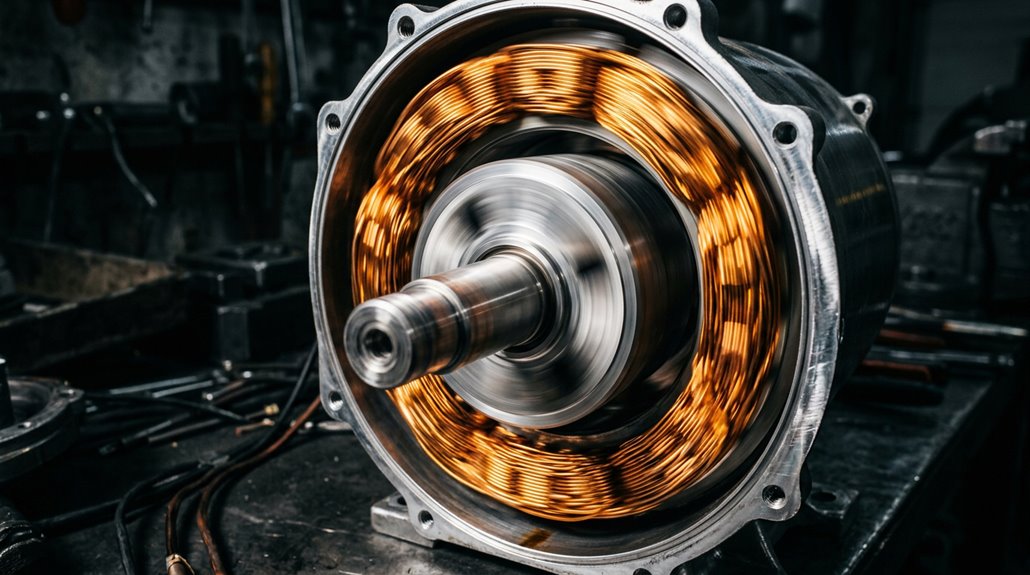
Forget everything you know about waiting for an engine to wake up. Tesla’s electric motors produce instant torque from exactly 0 RPM—no combustion cycle, no gear hunting, no hesitation.
Here’s why that matters mechanically:
- Current flows immediately, creating electromagnetic force before your foot finishes pressing the pedal
- The inverter adjusts motor output at microsecond intervals, making torque delivery smooth and repeatable
- Motor tuning enhances rapid torque onset specifically for launch performance
- Dual-motor AWD distributes that instant torque across multiple wheels simultaneously, eliminating wheelspin as the limiting factor
What actually limits your launch? Traction—not engine readiness. That’s a fundamental mechanical shift.
Electrical energy sits stored onboard, ready before you are. Software modes like Ludicrous and Plaid further optimize motor output to extract maximum performance during launch sequences.
How the Inverter Turns Battery Power Into Wheel Torque
Your Tesla’s traction battery outputs high-voltage DC (around 400 V in the Model 3), which is useless to a motor that needs three-phase AC to spin—so the inverter‘s entire job is bridging that gap, and it does so by rapidly switching 24 silicon carbide MOSFETs to generate a rotating AC waveform from raw DC.
Pulse-width modulation (PWM) governs how long each MOSFET stays open or closed per switching cycle, effectively controlling the voltage amplitude delivered to the motor windings and, by extension, how much current flows through them.
That current interacting with the stator’s magnetic field is what actually produces torque at the wheels, and because inverter control adjusts electrical conditions almost instantaneously, you feel the result the moment your foot moves. The MOSFETs are sourced from ST Microelectronics, each rated at 650 volts and 100 amperes, with four connected in parallel per switching position to handle the high currents demanded during acceleration.
DC to AC Conversion
Every electron stored in a Tesla battery pack travels as direct current (DC)—a one-directional flow that’s efficient for storage but useless for spinning a motor on its own. The inverter fixes that problem through a precise, high-speed process:
- High-voltage DC enters the inverter across the DC bus from the battery pack.
- Inverter topology switches transistors thousands of times per second, synthesizing three-phase AC.
- Motor synchronization matches AC frequency to rotor position in real time.
- Switching losses generate heat, making thermal management essential for sustained output.
Harmonic distortion gets filtered to keep current clean and motor-friendly. You’re not just flipping a switch here—you’re orchestrating electromagnetic fields with microsecond precision to produce instant, controllable torque.
Pulse Width Modulation Control
How the Inverter Turns Battery Power Into Wheel Torque
The inverter’s job—synthesizing three-phase AC from a flat DC source—sounds clean in principle, but the mechanism doing the actual work is less graceful than you’d expect. PWM fundamentals explain it: switches toggle fully on or fully off thousands of times per second, and the *average* voltage across each switching interval tracks the AC reference command. You’re not smoothly varying voltage—you’re chopping it fast enough that the motor’s inductance fills the gaps.
| Method | DC Bus Utilization | Harmonic Performance |
|---|---|---|
| Square Wave | Low | Poor |
| Sinusoidal PWM | Moderate | Moderate |
| Space Vector (SVM) | High | Excellent |
SVM advantages include superior bus utilization and lower harmonic distortion, which directly reduces torque ripple at the wheels.
Torque Delivery Dynamics
Torque doesn’t come from voltage—it comes from current, and the inverter‘s entire job is supplying that current at exactly the right moment. Rotor position feedback tells the inverter where to apply phase current for maximum torque production. That’s field-oriented control doing real work.
Here’s how current becomes wheel torque:
- Pedal input generates a torque request
- Algorithms resolve that request into a q-axis current command
- The inverter delivers three-phase AC at the correct electrical angle
- Motor shaft torque responds—documented gains reach +50 Nm through inverter calibration alone
Regen tuning applies identical logic in reverse, commanding negative torque during deceleration. One control path handles both acceleration and braking, seamlessly.
What Regenerative Braking Does to Range and Driving Feel
Slowing down in a Tesla isn’t wasted motion—the motors run in reverse as generators during deceleration, converting kinetic energy back into usable electricity rather than burning it off as brake heat. That recovered energy feeds directly back into the battery pack, improving overall range impact meaningfully depending on your route.
| Condition | Regen Benefit |
|---|---|
| Stop-and-go city traffic | Highest (10–15%) |
| Hilly terrain | Strong downhill recovery |
| Highway cruising | Minimal (few braking events) |
| Cold battery | Reduced until pack warms |
| Near-full charge | Severely limited |
The driving feel shift is equally significant. Lifting off the accelerator produces noticeable deceleration, enabling one-pedal driving in urban settings. Brake pads last remarkably longer too—some owners report 160,000 km with minimal pad wear.
How Supercharging Adds 200 Miles of Range in 15 Minutes
When you pull into a Supercharger stall with a depleted pack, the station pushes DC power directly into your battery at up to 250 kW (V3) or potentially 500 kW (V4), bypassing your car’s onboard AC charger entirely and supplying energy at a rate that can theoretically add 62.5 kWh in a single 15-minute window.
Tesla’s official claim of 200 miles added in 15 minutes is technically achievable, but it hinges on arriving with a low state of charge, a thermally preconditioned battery, and an unshared stall — conditions that align less often than the marketing suggests.
Real-world sessions on V3 hardware typically land closer to 130–141 miles in that same window, which still represents a charging rate fast enough to make cross-country driving genuinely practical rather than a logistical ordeal.
Rapid Charging Technology Explained
Pulling into a Supercharger with a near-empty battery and driving away 15 minutes later with 200 miles of added range sounds like marketing fiction—but the physics actually back it up.
Four factors determine whether you hit that headline number:
- Battery chemistry — cells accept higher current when partially discharged
- Thermal management — preconditioning warms the pack, enabling up to 25% faster charging immediately after plug-in
- Peak tapering — power deliberately drops above 80% to protect long-term cell health
- Charge etiquette — arriving below 20% and leaving near 80% captures the fastest portion of the curve
You’re effectively exploiting the battery’s natural acceptance window. The 325 kW maximum only lands during that sweet spot.
Real-World Range Benefits
Adding 200 miles of range in roughly 15 minutes isn’t a rounding error—it’s the actual upper-end result Tesla publishes for its V3 Supercharger network, and the physics cooperate when conditions align.
Real world charging performance depends on several converging variables. Your battery’s state of charge, ambient temperature, and pack age all influence delivered power. Route planning gets easier when you grasp where performance peaks.
| Condition | Charging Speed | Trip Comfort Impact |
|---|---|---|
| Low SOC, warm battery | Peak kW delivered | Shorter stops |
| Mid SOC, cold ambient | Reduced throughput | Longer seasonal range stops |
| Above 80% SOC | Notably slower | Minimal trip value added |
Precondition your battery before arriving. That single habit compresses stop duration and keeps your route planning honest.
Why the Supercharger Network Is Still a Competitive Advantage
Fast-charging infrastructure is only as good as its weakest link, and Tesla understood that long before most automakers were willing to admit EVs needed a serious answer to range anxiety. Network reliability and route density separate Tesla’s Supercharger network from fragmented competitors still patching broken hardware.
Here’s what actually makes it work:
- Over 2,200 U.S. stations covering major travel corridors
- V3 and V4 chargers supplying up to 250 kW per session
- Plug-and-charge authentication eliminating payment friction
- Real-time stall availability visible before you arrive
You’re not gambling on a working charger. You’re executing a plan. That predictability, built since September 2012, compounds into a structural advantage competitors can’t simply purchase overnight.
How Tesla’s Touchscreen Controls Nearly Everything in the Car
The Supercharger network gets you there, but once you’re parked and plugged in, you’re dealing with a completely different layer of Tesla’s engineering philosophy — the decision to replace nearly every physical button in the car with a single large touchscreen.
Climate, route guidance, media, lighting, and driving preferences all live here. You tap, swipe, long-press, or drag controls into your customized My Apps bar for faster access. Touchscreen ergonomics matter because reaching for buried menu layers while driving creates real cognitive load.
Tesla partially addresses this through voice commands and a search function that surfaces settings instantly. The privacy implications are worth noting too — your interaction history, preferences, and location data route through this interface.
It’s extraordinarily capable and occasionally humbling, depending on how deep the menu rabbit hole goes.
Why Tesla Eliminated Stalks, Buttons, and Instrument Clusters
When you climb into a modern Tesla, you’ll notice something’s missing — and that’s exactly the point.
Tesla’s minimalist design philosophy treats every physical switch, stalk, and gauge cluster as hardware worth eliminating, consolidating turn signals, drive modes, and vehicle data into the central touchscreen instead of scattering them across a traditional dashboard.
The result is a cleaner cabin (and a lower parts count), but it’s also a deliberate declaration that Tesla sees itself as a software company that happens to build cars.
Minimalist Design Philosophy
Strip away every stalk, button, and instrument cluster from a car’s interior, and you’re left with something that looks more like a spaceship cockpit than a traditional vehicle—which is exactly what Tesla intended.
Visual minimalism isn’t accidental—it’s a deliberate engineering and brand strategy built on four core principles:
- Fewer parts mean fewer failure points and lower warranty exposure
- Software-defined controls allow function reassignment without redesigning hardware
- Centralized control modules simplify wiring harnesses and supplier dependence
- Cleaner sightlines reduce cognitive clutter around the steering column
The tactile tradeoffs are real, though.
Drivers accustomed to muscle-memory controls—turn signals, wipers, gear selection—must relearn inputs.
Tesla’s bet is that smartphone-native users will adjust faster than skeptics expect.
Touchscreen Replaces Controls
Minimalism doesn’t stop at aesthetics—it rewires how you physically interact with the car. Tesla consolidates climate, media, and vehicle settings into one central touchscreen, eliminating traditional button clusters entirely. The latest Model 3 even removes indicator stalks, replacing column-mounted hardware with screen-based inputs and haptic feedback.
| Traditional Cars | Tesla Model 3/Y |
|---|---|
| Instrument cluster behind wheel | Center screen displays speed/nav |
| Physical stalks for signals/gear | Screen-based or simplified controls |
| Dedicated button arrays | Software menus and taps |
Critics argue touchscreen reliance demands more visual attention than physical knobs. Tesla faced a 2021 recall covering ~135,000 vehicles with failing NVIDIA Tegra 3 displays. Some owners pursue physical retrofit options, adding aftermarket clusters for direct line-of-sight data—essentially voting with their wallets.
Streaming, Games, and Live Traffic on the Tesla Screen
Tesla’s infotainment system does more than steer you and manage your climate — it runs a full entertainment stack that includes video streaming, arcade-style games, and live traffic overlays, all routed through the central touchscreen. Here’s what you’re actually working with:
Tesla’s infotainment system goes far beyond navigation — it’s a full entertainment hub built into your touchscreen.
- Streaming works through built-in apps, though availability varies by region and software version.
- Games shipped via over-the-air updates until NHTSA investigated roughly 580,000 vehicles for Driver Distraction risks.
- Mirror Workarounds using iPads and hotspot setups can push Netflix onto the display while moving — unsupported and legally questionable.
- Live traffic integrates directly into route guidance, updating routes and arrival times in real time.
Tesla later disabled motion-enabled “Passenger Play” through a mandatory software patch.
How Tesla Dog Mode Keeps Pets Safe While You’re Away
Few features reveal Tesla’s engineering priorities quite like Dog Mode — a climate control state that keeps the cabin at a user-defined temperature while the car sits parked, unattended, and running no combustion engine whatsoever. You activate it through the HVAC interface, and the touchscreen displays a reassurance message for concerned bystanders.
Pet safety here isn’t passive; the system actively heats or cools depending on conditions. Battery safeguards require charge above 20% before enabling the mode, and app alerts notify you when levels approach that threshold. Some Tesla app versions even support cabin camera access for live monitoring. Window controls disable automatically, preventing accidental animal interference. It’s genuinely clever engineering — assuming you’re not gone long enough to test its limits.
How Heated Rear Seats Get Unlocked Through Software
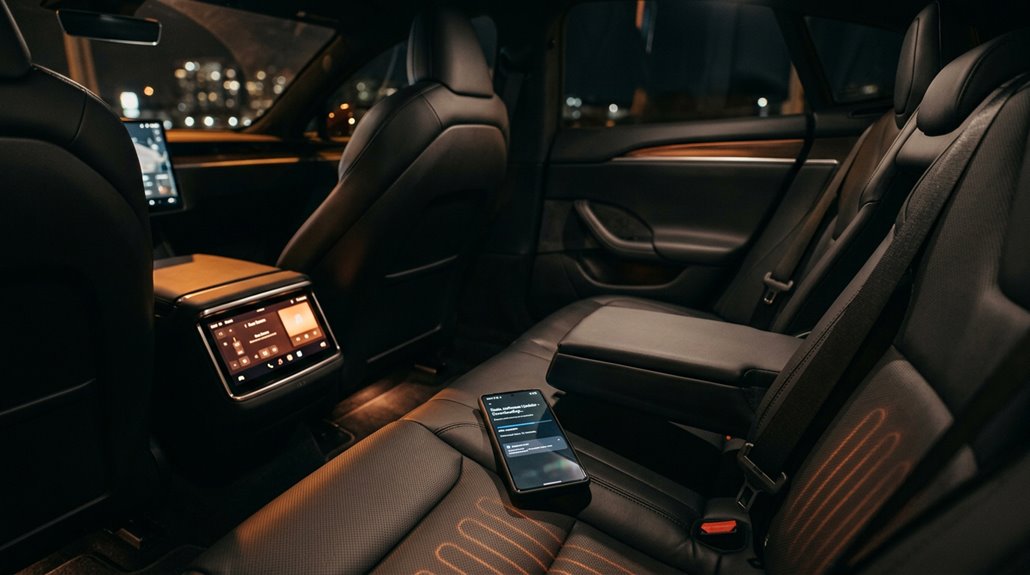
When Tesla sells you a Standard Range Model 3 without heated rear seats, the hardware—wiring, heating elements, connectors—is already physically installed in the car; the software simply ignores it. Tesla gates the feature behind a paywall ($300 originally, later dropped to $200), then delivers activation over-the-air through the Tesla app or your account, at which point the climate interface immediately surfaces individual rear-seat heater controls with three heat settings.
It’s a clean example of software-defined hardware, where the only thing standing between you and warm passengers is a purchase confirmation and a server-side permission flag.
Software Lock Mechanics
Buried inside your Tesla’s seat cushion is heating hardware that may already be active—just not visible to you yet. Software entitlements control what you see, not what’s physically there.
Here’s how the lock works:
- Your car checks entitlement status during boot integrity verification
- The Media Control Unit suppresses the UI control without authorization
- Purchase workflows push account-level authorization via over-the-air update
- Glitch mitigation protects these checks through hardware-level trust enforcement
Researchers demonstrated in 2023 that voltage-glitch attacks targeting AMD-based infotainment hardware could bypass these security checks—a problem difficult to patch purely through software since hardware timing behavior drives the vulnerability.
Tesla’s system is refined (and commercially convenient): one vehicle, multiple capability tiers, separated entirely by software state.
Unlocking Heated Seats
Tesla’s approach to rear heated seats turns a standard comfort feature into a software transaction—and the hardware’s already in your car whether you paid for it or not.
Hardware presence across affected Model 3 trims means the heating elements exist from the factory, regardless of trim level. Tesla simply used software to decide whether you could use them.
Unlocking works cleanly: purchase the upgrade through the Tesla app or your online account, and an OTA update activates the function. No technician visit, no seat swap. The price ran $300 originally, later dropping to $200 on some transactions.
German researchers even demonstrated unauthorized activation through a voltage-glitch exploit—proof the hardware sits dormant, waiting. Tesla’s model separates physical installation from feature access entirely.
What Other Features Tesla Gates Behind a Software Paywall
Slipping behind a software paywall isn’t just about driver-assist anymore — Tesla has quietly extended its monetization system deep into the vehicle’s creature comforts and performance envelope. Feature monetization now touches hardware you’ve already paid for, creating real subscription friction for everyday ownership.
Here’s what’s currently gated:
- Heated steering wheel — locked unless you purchase access through the software store
- Footwell lighting — interior ambiance treated as a premium add-on
- Acceleration Boost — approximately $2,000 enables faster 0–60 performance from existing motors
- Lane-keeping (Autosteer) — now requires the $99/month FSD (Supervised) subscription
The hardware sits dormant inside your car, fully installed, waiting on a purchase confirmation. That’s the design Tesla’s built — you own the shell, they control the switches.
What Tesla Sentry Mode Records and When It Activates
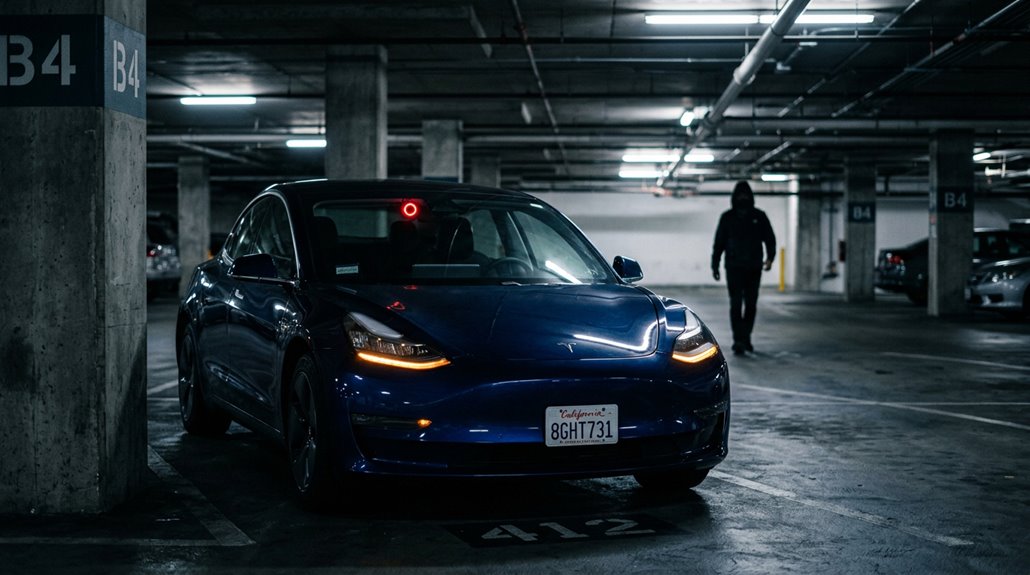
When your Tesla sits parked and unattended, Sentry Mode transforms every exterior camera into an active surveillance network, capturing footage from before, during, and after any triggering event — provided you’ve got a properly formatted USB drive installed with a TeslaCam folder at its root.
The system saves the last 10 minutes of footage surrounding a security event, meaning it doesn’t just catch the moment of impact but the full situation leading up to it (useful when someone clips your door and drives off, hoping nobody noticed).
You can enable or disable it via voice command or the Tesla mobile app, and the moment it triggers, you’ll get a push notification while the touchscreen warns potential troublemakers that cameras are rolling.
What Sentry Mode Records
Sentry Mode doesn’t just react to threats—it captures them with surgical precision using Tesla’s full exterior camera array, recording event-based clips that preserve footage from before, during, and after a trigger occurs.
Here’s exactly what gets recorded:
- Front, side, and rear cameras capture surrounding activity (not just the impact point)
- Pre-event buffer footage rolls into the saved clip automatically
- Roughly one minute of footage is bookmarked per event
- Clips write directly to your USB drive, never internal memory
Understanding the privacy implications and legal considerations matters here.
You’re effectively operating a multi-camera surveillance system in public spaces.
That footage is yours, stored locally, and available until overwritten—making it genuinely useful when something actually happens to your vehicle.
When Sentry Mode Activates
Parked and locked is the only state where Sentry Mode actually does anything useful—the system is strictly stationary by design, meaning it won’t run while you’re driving or even idling in a parking lot with the car still on.
Parking activation happens automatically once you exit and lock the vehicle, assuming you’ve enabled that setting beforehand. The system defaults to off, so you’re configuring this intentionally.
The battery cutoff is fixed at 20% state of charge. Drop below that threshold and Sentry Mode shuts itself down automatically (the Tesla app will notify you).
This isn’t arbitrary—it preserves enough range to actually drive somewhere. Location-based exclusions let you skip activation at trusted spots like home or work, preventing unnecessary power drain where security’s already covered.
How the Tesla App Alerts You to Parking Incidents
A parked Tesla rarely goes unnoticed by its own cameras, and the app is usually the first place you’ll find out why. Sentry Notifications deliver near-real-time alerts when the vehicle detects activity worth flagging. App Summaries then consolidate those events for review later.
Here’s what the alert system can catch:
- Motion detected near the vehicle while parked
- Attempted tampering or close-proximity disturbances
- Impact events logged with timestamped footage
- Third-party tools (like Sentry Pro) that add auto-honk and flash responses
Alert behavior varies by software version and sensor configuration, so your experience won’t be identical across model years. Some warnings surface on the vehicle screen first, then migrate into the app — a deliberate sequencing worth grasping before you need it.
How Summon Pulls Your Tesla Out of a Parking Space
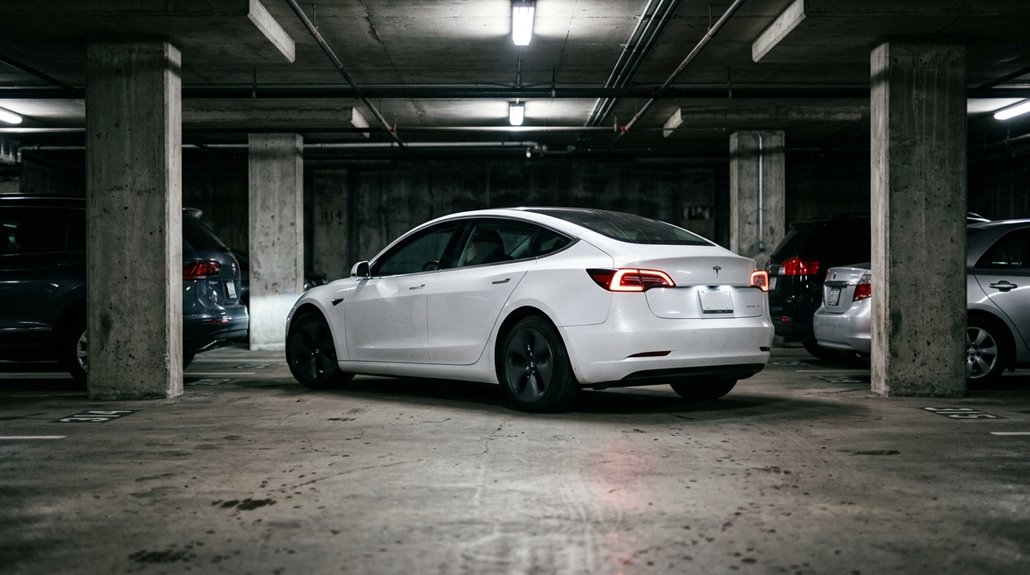
When parallel parking leaves you with about six inches of door clearance on each side, Summon earns its name. This remote retrieval feature moves your Tesla forward or backward up to 12 meters while you stand outside, holding the corresponding button in the Tesla app. Release the button, and the car stops immediately, returning to Park. Simple control, serious usefulness.
The exit maneuver follows a straight path, so alignment matters before you start. Obstacle detection monitors the surroundings continuously, halting movement if something enters the vehicle’s path. Summon won’t steer around blockages to resume course—it simply stops. That’s intentional. The system prioritizes controlled, short-range repositioning over improvised route-finding, which keeps a tight parking retrieval from becoming an expensive fender situation.
How Tesla’s Self-Parking Works in Tight Spaces
Tight spots don’t have to mean white-knuckle steering corrections—Autopark handles the geometry for you, scanning for usable spaces while you creep along at under 8 mph (13 km/h).
Sensor fusion combines camera feeds with ultrasonic data to execute clearance detection across every angle simultaneously.
Here’s what determines whether Autopark engages:
- Speed compliance — Stay below threshold or the system won’t classify the tight space correctly
- Boundary references — Adjacent vehicles or curbs anchor the cushioning maneuver calculations
- Path viability — No adjacent-lane intrusion permitted during entry
- Surface quality — Cobblestone undermines detection reliability
If geometry exceeds system tolerance, Autopark simply declines (politely, without explanation) and recommends manual parking instead.
Why Tesla’s Frunk Has Become a Must-Have EV Feature
Pull the hood release on any Tesla and you’re staring at something that simply doesn’t exist in the ICE world: usable front storage where an engine block would otherwise dominate.
Tesla’s rear-biased drivetrain layout deliberately preserves that nose cavity, converting dead packaging space into weatherproof storage you’ll actually use daily. Toss in charging cables, groceries, or a carry-on bag without disturbing rear cargo at all. Dual-motor variants sacrifice some volume when front drive units move in, but meaningful capacity remains.
Beyond convenience, frunk security matters here — the compartment locks independently, separating prized items from easily accessed rear areas.
Competing EVs frequently surrender this space to front-mounted motors and HVAC hardware. Tesla treated the frunk as a brand signature early, and buyers have reinforced that decision ever since.
What Ludicrous Mode Actually Feels Like From the Driver’s Seat
Frunk storage is a clever use of empty space, but Tesla’s real party trick lives elsewhere — specifically in the powertrain. Ludicrous Mode delivers something most four-door sedans simply can’t: a 0–60 mph run in roughly 2.3–2.8 seconds.
Ludicrous Mode is Tesla’s real party trick — a 0–60 mph run most four-door sedans can only dream about.
Here’s what actually happens when you trigger it:
- Launch Mode pre-loads torque before release
- Instant electric response eliminates throttle lag entirely
- The seatback shove hits hard — loose items relocate themselves
- Cabin acoustics impact becomes noticeable as the sudden g-force sharpens every sound
Your head moves. Passengers react. The experience draws comparisons to roller coasters, not commutes.
Battery state and temperature affect each run, so results vary. Most owners reserve it for merges or demonstrations — not Tuesday morning traffic.
What Makes Tesla’s Safety Ratings So Consistently High
Before you ever touch the brake pedal in an emergency, Tesla’s structural design has already done most of the work. Battery placement sits low in the floor, dropping the center of gravity markedly and reducing rollover probability in ways traditional vehicles simply can’t match. That low-mounted pack also doubles as a reinforced structural barrier during severe impacts.
Crumple engineering handles the rest. Tesla builds large energy-absorbing zones that dissipate collision forces before they reach the cabin, preserving the survival space where you actually sit. Combine that with extensive airbag coverage, pretensioning seatbelts, and a high-rigidity body, and you grasp why Model Y posted Euro NCAP’s highest overall score ever recorded. Five-star NHTSA ratings across the fleet aren’t accidental—they’re the predictable result of deliberate physics-based design decisions.
How Over-the-Air Updates Change the Car Overnight
When Tesla pushes an over-the-air update overnight, you’re not just patching software bugs — you’re potentially enabling hardware capabilities that were physically present in your car since the day you drove it off the lot.
The vehicle’s onboard computer downloads the package via Wi-Fi while parked, then quietly installs changes that can reshape Autopilot braking behavior, charging curve efficiency, and even climate control logic before your alarm goes off.
It’s a genuinely unusual ownership model: the car you wake up to on Tuesday isn’t quite the same machine you parked on Monday.
Instant Feature Unlocking
Tesla’s over-the-air update system turns a parked car into a moving target for obsolescence — in the best possible way.
While you sleep, feature toggles activate capabilities already embedded in your hardware.
No dealer visit, no waiting room coffee.
Here’s what instant upgrades can deliver overnight:
- New Autopilot behaviors and lane-change logic
- Regenerative braking tuning adjustments
- UI redesigns across the touchscreen menus
- Purchased add-ons like Acceleration Boost, applied remotely
Tesla’s app handles the transaction, the download, and the confirmation.
You wake up to release notes explaining what changed — effectively a changelog for your car.
The vehicle you parked isn’t quite the vehicle you access in the morning.
That’s not a sales pitch; that’s just how the system works.
Continuous Performance Improvements
Most car manufacturers freeze a vehicle’s performance profile the moment it leaves the factory — what you buy is what you get, permanently.
Tesla operates differently. Through over-the-air updates, your car receives fleet tuning adjustments that recalibrate software torque delivery, traction control logic, and motor response curves without anyone touching the hardware.
Tesla downloads these changes via Wi-Fi or cellular connection, installs them overnight after your approval, and your vehicle wakes up measurably different. Some updates have demonstrably shortened 0–60 mph times purely through software recalibration.
Battery preconditioning logic, charging schedules, and energy distribution all get revised remotely. Your car effectively participates in a continuous engineering cycle — each release building on real-world fleet data collected from millions of active vehicles worldwide.
How Tesla Easter Eggs Build Loyalty Among Owners
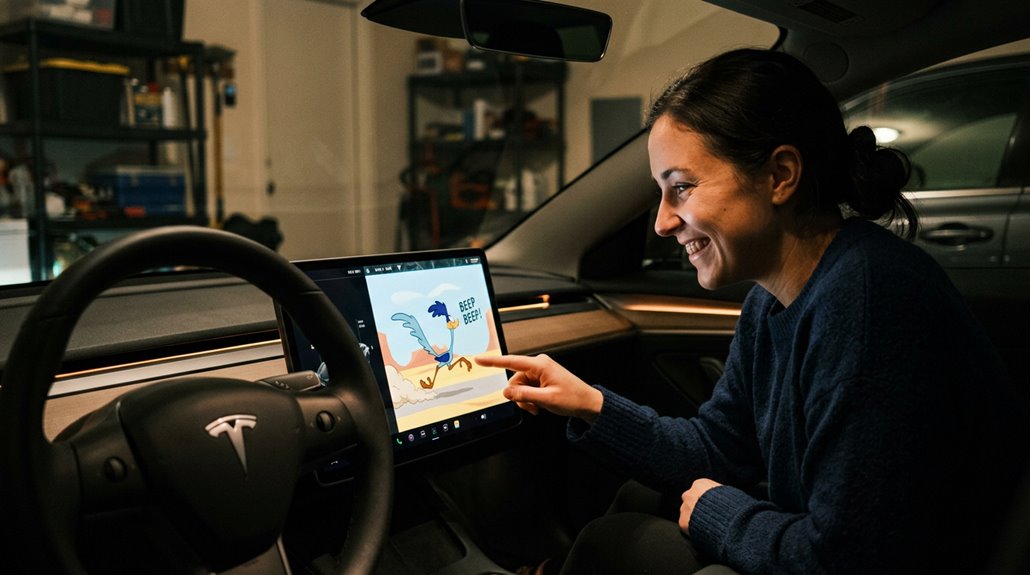
Few automakers bother hiding jokes inside their software, but Tesla has quietly turned Easter eggs into a loyalty engine. These hidden features create owner rituals, repeated menu plunges after every update, hunting for surprises that keep ownership feeling vibrant rather than static.
Here’s why they work so effectively:
- Insider language bonds owners through shared references like Rainbow Road and Mars Mode
- Discovery mechanics reward curiosity, making exploration feel genuinely worthwhile
- Update anticipation converts routine firmware downloads into potential treasure hunts
- Social sharing converts charge-port rainbows into organic brand advertising
You’re not just driving a car; you’re participating in an ongoing conversation Tesla started deliberately. That distinction separates emotional loyalty from simple satisfaction, and Tesla grasps exactly which one keeps customers returning.
How the Tesla App Gives You Full Remote Vehicle Control
Easter eggs keep ownership playful, but the Tesla app handles something more fundamental: actual control over a machine that costs tens of thousands of dollars, sitting anywhere from your driveway to a parking garage two time zones away.
You get a live dashboard showing battery state, remaining range, charge limit, door status, and precise location on an integrated map. Remote controls extend further than most owners realize — you can precondition the cabin, adjust charge scheduling, open the charge port, and trigger Smart Summon, all from your phone.
App security underlies everything here; Tesla encrypts commands end-to-end, requiring authenticated credentials before any action executes. That authentication layer matters because you’re not adjusting a thermostat — you’re moving a two-ton vehicle through a parking structure.
How Tesla’s Software Model Lets It Improve Cars Already on the Road
When you bought your Tesla, you didn’t just buy the hardware sitting in your driveway — you bought into a software platform that keeps updating the machine long after the sale closes. Remote improvements arrive wirelessly through continuous deployment, meaning Tesla pushes enhancements directly to your car.
Here’s what that actually delivers:
- Autopilot enhancements — lane selection, braking smoothness, and traffic response sharpen over time
- New UI features — interface changes appear without touching a service bay
- Safety adjustments — vehicle-specific corrections roll out fleet-wide instantly
- Purchased feature activations — capabilities you bought enable remotely, no visit required
Your car improves while parked in your driveway. That’s not a minor convenience — it fundamentally changes what “owning a vehicle” means.