
Most Tesla owners are quietly degrading their battery without realizing it. The charging strategy that works for a Long Range Model 3 with NMC cells can actively damage a Standard Range model running LFP chemistry—yet almost no one talks about this distinction. Get it wrong consistently, and you’re surrendering real, measurable range that never comes back. What you’re about to read will permanently change how you approach every single charge.
Wall Connector vs. Mobile Connector: Which One Fits Your Charging Life?
Regarding charging your Tesla at home, you’ve got two main options: the Wall Connector and the Mobile Connector — and the right choice depends almost entirely on how you actually use your car.
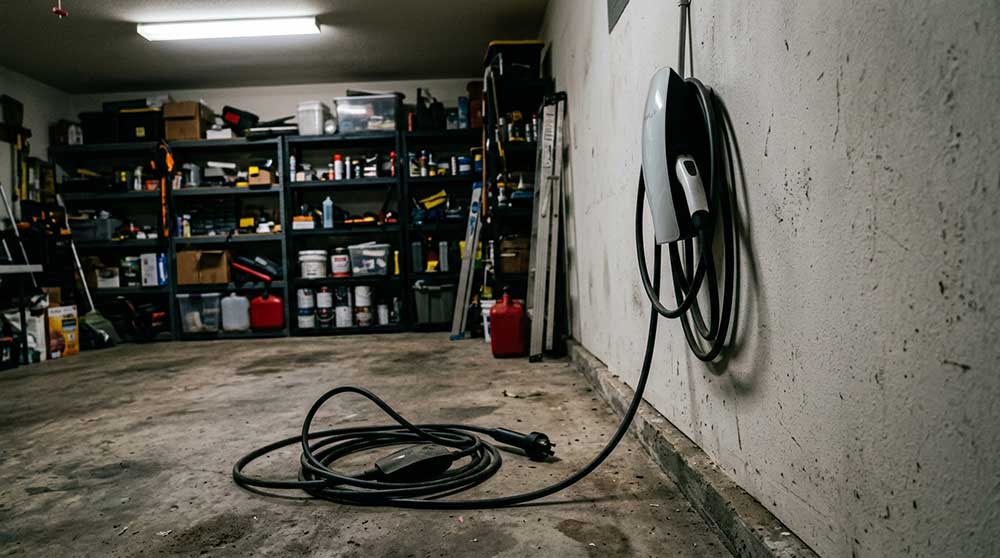
The Wall Connector is a hardwired, permanent installation supplying up to 48 amps and 11.5 kW, adding roughly 44 miles of range per hour. That’s Tesla’s official recommendation for dedicated home charging, and it shows.
The Mobile Connector, meanwhile, tops out at 32 amps and approximately 7.7 kW on 240V, yielding around 30 miles per hour — solid, but noticeably slower. Its real advantage is portable installation across multiple locations, making it ideal for renters or anyone whose charging setup isn’t fixed.
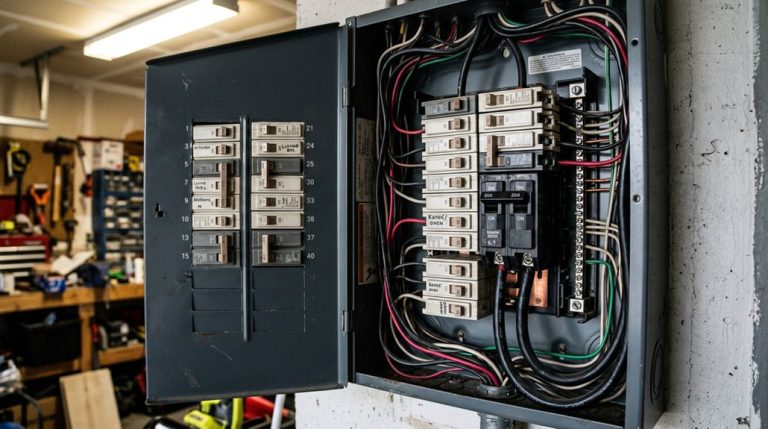
Some households even exploit shared access across properties or vehicles. The Wall Connector requires professional installation and a dedicated circuit, which may also involve a panel upgrade depending on your home’s existing electrical capacity.
Both home charging options use AC Level 2 power routed through Tesla’s onboard AC charger, which imposes an 11.5 kW ceiling regardless of the connector supplying it.
If you’re covering serious daily mileage and charging from a depleted battery regularly, the Wall Connector wins. Otherwise, the Mobile Connector handles most commuting patterns without breaking a sweat.
A messy charging setup doesn’t seem like a big deal until your Tesla cable starts dragging across the floor, picking up grime, bending at awkward angles, or slowly wearing down. Over time, what should be a simple daily routine turns into something you stop trusting, especially when small damage builds up. Keep your home charging setup clean and protected with a wall connector cable organizer and mount kit before daily wear starts shortening the life of your charging gear.
Why Your Tesla Model Changes Everything About Charging Speed
Before you blame your charging setup for sluggish speeds, realize that the bottleneck is often the car itself. Your Tesla’s battery design sets a hard ceiling on how fast power can flow in, regardless of what your charger or electrical panel can deliver.
The bottleneck isn’t your charger — it’s the car. Tesla’s battery sets the ceiling, full stop.
Here’s how that plays out across the lineup:
- Model 3 RWD caps AC charging at roughly 7.7 kW (~30 miles/hour).
- Model Y and standard Model S handle up to 11.5 kW (~44 miles/hour).
- Upgraded Model S variants can accept up to 17.2 kW (~52 miles/hour) under proper circuit conditions.
DC fast charging adds another wrinkle. Most newer Teslas accept up to 250 kW initially, but that rate drops notably around 80% state of charge. A smarter charging strategy means grasping your specific model’s charge curve, not just its peak number. Within the Model Y lineup, the Performance trim supports higher maximum charge rates of up to 250 kW compared to roughly 170 kW for RWD variants, meaning your trim level directly shapes how quickly you can replenish range on a road trip. Level 2 charging, which runs on a 240-volt supply, operates on the same voltage as large household appliances like dryers and air conditioning units, making it a practical and powerful option for overnight home charging.
Most Tesla owners only think about charging when the battery gets low, but the real inconvenience shows up when your usual charging option isn’t available. That’s usually when travel plans get delayed, charging stops become crowded, or you end up waiting longer than expected. Keep a portable Level 2 EV charging adapter with you so you can plug in wherever you land and avoid being stuck relying on a single charging option that might not be there when you need it.
How to Set Charge Limits for NCA, NMC, and LFP Batteries
Not all Tesla batteries play by the same rules, and getting your charge limit wrong costs you long-term capacity. Your battery chemistry dictates everything here.
For NCA and NMC packs, keep your daily limit between 80% and 90% SOC. Sitting near 100% accelerates calendar aging through prolonged high-voltage stress — a process called charge hysteresis, where elevated voltage slowly degrades cell chemistry even without active cycling. Use 80% for routine commuting; bump to 90% when your daily distance demands it. Reserve 100% strictly for road trips, and drive soon after reaching it.
LFP batteries operate differently. Tesla actually recommends charging to 100% regularly because LFP chemistry tolerates high SOC without the same degradation risk. Regular full charges also improve battery calibration (helping your BMS deliver accurate range estimates rather than embarrassingly optimistic guesses). EU and North American vehicles can also differ in thermal management and charging specifications, meaning the charge limit recommendations in your manual may not match guides written for a different region.
Regardless of chemistry, avoid leaving your Tesla parked near 0% or 100% for extended periods. In extreme weather conditions, preconditioning your battery through the Tesla app before driving helps manage temperature stress and preserves overall battery efficiency.
How Phantom Drain and Sentry Mode Affect Your Charging Routine
Your Tesla doesn’t stop working just because you stopped driving — and that quiet, parked energy bleed is called phantom drain. When your car skips sleep mode, background systems stay active and pull continuous power.
Parked doesn’t mean powered down — phantom drain keeps quietly bleeding your battery while you sleep.
Three settings directly sabotage your charging routine:
- Sentry Mode keeps cameras and sensors running constantly, inflating overnight losses and forcing you to charge more frequently even when your driving distance hasn’t changed.
- Third-party polling repeatedly wakes the vehicle before it reaches deep sleep (that 7–10 minute window matters), compounding daily losses invisibly.
- Cabin Overheat Protection and Summon Standby add supplementary idle draw, particularly during warm-weather parking.
The fix is straightforward: disable Sentry when you’re parked somewhere secure, restrict third-party polling frequency, and let your car actually sleep. Your charging intervals will stretch noticeably — which is exactly what smart energy management looks like in practice. For most non-LFP models, keeping your daily charge limit at 80% reduces unnecessary battery stress while still leaving enough buffer to absorb phantom drain without dipping dangerously low. If you’re leaving your Tesla parked for a month or longer, have a friend drive and charge the vehicle periodically to prevent excessive depletion.
Supercharger V2 vs. V3 vs. V4: Speed and Routing Explained
Not all Superchargers are created equal, and the version you plug into directly determines how long you’re standing in a parking lot drinking mediocre gas-station coffee. V2 stalls top out at 150 kW and often share that power between two adjacent vehicles, while V3 pushes up to 250 kW with adaptive power management that largely eliminates the paired-stall penalty—meaning you’re not throttled simply because someone else pulled in next to you.
When you’re planning a road trip, routing through V3 or V4 locations over V2 sites isn’t just a preference; it’s a measurable time advantage, especially at low state of charge where high-rate chargers sustain peak delivery longest before taper begins. V4 takes this further with a modular cabinet architecture capable of distributing up to 1,200 kW across as many as eight dispensers, future-proofing the network for vehicles that can accept significantly higher charge rates than today’s passenger models.
Supercharger Generation Speed Differences
While all Superchargers share the same plug and seamless authentication process, the hardware generation behind the stall determines how fast electrons actually flow into your pack.
Peak throttling and Supercharger etiquette both become relevant once you grasp what each generation actually delivers:
- V2 stalls top out at 150 kW but share that capacity between paired stalls, meaning your neighbor’s session directly cuts your speed.
- V3 stalls deliver up to 250 kW independently per vehicle, hitting 10%–80% in roughly 20–30 minutes under favorable conditions.
- V4 stalls push approximately 325 kW today, with design supporting 500 kW+ future potential and longer cables for easier access.
Choosing the right generation isn’t optional for efficient road-tripping—it’s the decision. Tesla’s proprietary Supercharger network was built specifically to address range anxiety across continents, making generation awareness a practical necessity rather than a technical footnote.
Optimal Route Planning Tips
Knowing which Supercharger generation sits on your planned route isn’t a minor detail—it’s a variable that directly controls how long you’re standing next to a charging stall instead of driving.
Smart charger sequencing means prioritizing V3 (up to 250 kW) or V4 (up to 325 kW) stations over V2 sites, where paired stalls split power and drag your stop longer than necessary.
Your detour thresholds matter here: a V4 station five miles off-route likely saves more time than it costs, while a V2 station directly on-route might not.
Arrive at lower state-of-charge when possible—higher-power stations deliver their best performance in that initial charging window.
Fewer, stronger stops beat many weak ones every time.
On Long Range and Performance trims, peak DC fast-charging reaches up to 250 kW, meaning roughly 100 miles can be added in under 15 minutes when routed through a compatible high-output station.
Schedule Departure and Preconditioning to Protect Tesla Battery Health
Once you know your departure time, use Tesla’s Scheduled Departure feature to delay charging so it finishes shortly before you leave — because parking at 100% state of charge for hours is one of the quieter ways to wear down your battery pack over time.
The feature also triggers cabin and battery preconditioning automatically, warming or cooling the pack to its peak operating range before you ever touch the steering wheel, which meaningfully reduces internal resistance and makes regenerative braking available almost immediately after you pull out.
For daily use, pair this with a charge limit of 70%–80% (unless you’re driving an LFP-equipped Model 3 or Y, where periodic full charges help with calibration), and you’ve built a routine that protects long-term cell health without sacrificing morning convenience. Scheduling charging to align with off-peak electricity rates can also reduce your home charging costs to as low as $0.13 per kWh, depending on your utility provider.
Scheduling Departure for Efficiency
Tesla’s Scheduled Departure feature takes the guesswork out of morning routines by working backward from your planned leave time to coordinate both charging completion and cabin preconditioning automatically.
Think of it as smart departure logic meets energy forecasting — the car calculates start times so everything finishes together, not separately.
Configure it through your Charging menu or Tesla app using these steps:
- Set your departure time roughly 30 minutes ahead of when you actually leave
- Enable preconditioning so cabin temperature reaches comfort levels before you disconnect
- Stay plugged in so conditioning draws grid power instead of draining your battery
Keeping the vehicle plugged in during this window is non-negotiable — it protects long-term battery health while maximizing departure readiness. Tesla pushes over-the-air firmware updates to vehicles roughly once a month, so your Scheduled Departure feature may gain new capabilities or refinements without any action required on your part.
Preconditioning Battery Before Driving
Enable it through the Climate or Charging screen, or use the Tesla app. Thermal optimization works best when you’re plugged in — the car draws grid power instead of draining the pack to warm itself (a meaningful distinction in sub-freezing conditions). Tesla recommends starting 30–45 minutes before departure.
Routing to a Supercharger triggers automatic preconditioning, so the battery arrives ready to accept peak charging rates rather than throttled ones. Smart sequencing, genuinely. Tesla’s system remains SAE Level 2 driver-assistance, meaning that even while the car autonomously navigates to a Supercharger using Navigate on Autopilot, the driver must stay attentive and ready to take control at any moment.
Reducing High Charge Idle Time
Plugging in immediately after arriving home is a perfectly reasonable habit — the problem is what happens next. Sitting at 90–100% for eight hours overnight is rough on battery storage longevity. Tesla’s Scheduled Departure solves this through idle mitigation by timing charge completion to match your departure, not your bedtime.
Here’s what that looks like in practice:
- Set your departure time in the Tesla app or touchscreen, not a start time.
- Enable preconditioning so the cabin and battery reach ideal temperature simultaneously.
- Assign departure times by day to match weekday versus weekend schedules precisely.
The battery arrives at your target state of charge minutes before you leave — not hours before. Less idle time at peak charge means measurably better long-term pack health.
Daily Charging Habits That Actually Extend Tesla Battery Life
Most Tesla owners treat charging like they treat their phone—plug it in overnight, top it off to 100%, and call it a day. That habit quietly accelerates battery degradation. Smart battery cycling means keeping your state of charge between 20% and 80% daily. Lithium-ion cells experience less voltage stress inside that window, which slows capacity loss over time.
Set your charge limit to 80% for everyday driving. Bump it to 90% before longer commutes, and reserve 100% strictly for road trips—then drive soon after reaching full charge to minimize high-voltage idle time.
Temperature management also matters here. Home Level 2 charging generates markedly less heat than Supercharging, and lower heat means slower degradation. Avoid routinely dropping below 20%, too—deep discharges strain cells just as much as chronic overcharging.
Frequent small top-ups beat dramatic swings from near-empty to full every time.
Frequently Asked Questions
Can You Charge a Tesla in Heavy Rain or Flooded Conditions Safely?
You can safely charge in heavy rain thanks to waterproof connectors, but avoid flooded conditions entirely. Standing water compromises ground fault protection and increases your electrical hazard risk markedly. Stay dry and wait it out.
Does Tesla Warranty Cover Battery Degradation From Improper Charging Habits?
Like a double-edged sword, your charging etiquette can make or break your claim. Tesla’s warranty exclusions mean improper charging habits, like frequent 100% charges, aren’t covered — you’re responsible for protecting your battery.
How Does Towing a Trailer Affect Tesla Charging Frequency and Range?
Towing a trailer drastically cuts your range and forces you to charge every 120–170 miles. Poor trailer aerodynamics destroy towing efficiency, pushing consumption beyond 500 Wh/mi, so you’ll stop nearly twice as often as usual.
Can Third-Party Charging Networks Damage a Tesla Battery Over Time?
Third-party compatibility with recognized charging protocols won’t typically damage your Tesla’s battery over time. Your onboard management system regulates incoming power, so your real risks are faulty hardware and unreliable equipment, not the charging network itself.
Is It Safe to Charge a Tesla During a Lightning Storm at Home?
You shouldn’t charge during a lightning storm. The lightning risk of surge damage to your car’s electronics is real. Follow proper grounding procedures and unplug when thunderstorms are active to stay safe.