
Not every NACS adapter works with every EV — and the wrong one could do more than leave you stranded. Your vehicle’s onboard charger, port standard, and regional network all quietly determine what’s actually compatible. Most drivers assume any adapter will do. Most drivers are wrong. The line between a certified, safe connection and a genuine electrical hazard is thinner than the manufacturers want to advertise. Before you spend a cent, there’s critical compatibility information you need to see.
Does Your Tesla Actually Need a NACS Adapter?
Whether you actually need a NACS adapter depends entirely on what you’re driving and where you’re charging — and the answer splits cleanly into two camps.
If you own a Model 3, Model Y, Model S, or Model X, your vehicle already uses a native NACS charge port. No adapter required. Tesla’s own support materials confirm this directly, so don’t let adapter myths convince you otherwise. You’re not missing anything.
The second camp covers non-Tesla EVs — Ford, Rivian, GM, Volvo, Polestar, and Acura’s ZDX among them — that still carry CCS1 ports. These vehicles need a CCS1-to-NACS adapter to access Superchargers. That transition is happening gradually, not universally.
One thing worth clarifying: adapter type matters. NACS-to-J1772 handles AC charging only — it won’t enable Supercharger access. And despite persistent chatter around Tesla free charging promotions, adapters themselves don’t grant any special billing exemptions. The GM and Ford adapters are officially priced at $225 and $230 respectively, setting a clear benchmark for what these adapters cost across the industry.
Regional charging infrastructure also plays a role in compatibility planning, as EU Tesla owners use Type 2 and CCS2 connectors with three-phase AC support up to 11 kW, meaning adapter needs differ significantly from those of North American drivers.
Native NACS vs. Adapter-Dependent: What’s the Real Difference?
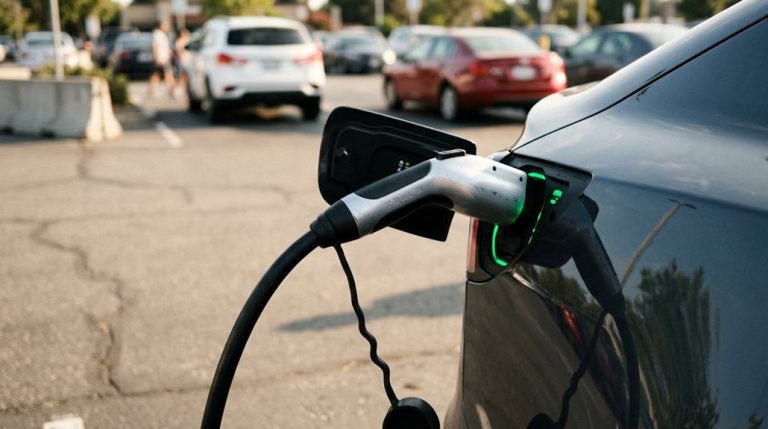
When your Tesla rolls off the line with a NACS port already built in, you’re working with a single compact inlet that handles both AC and DC charging natively — no middleman required.
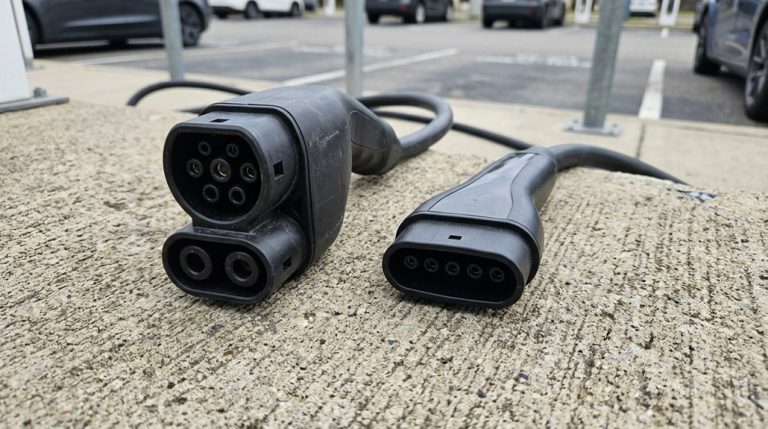
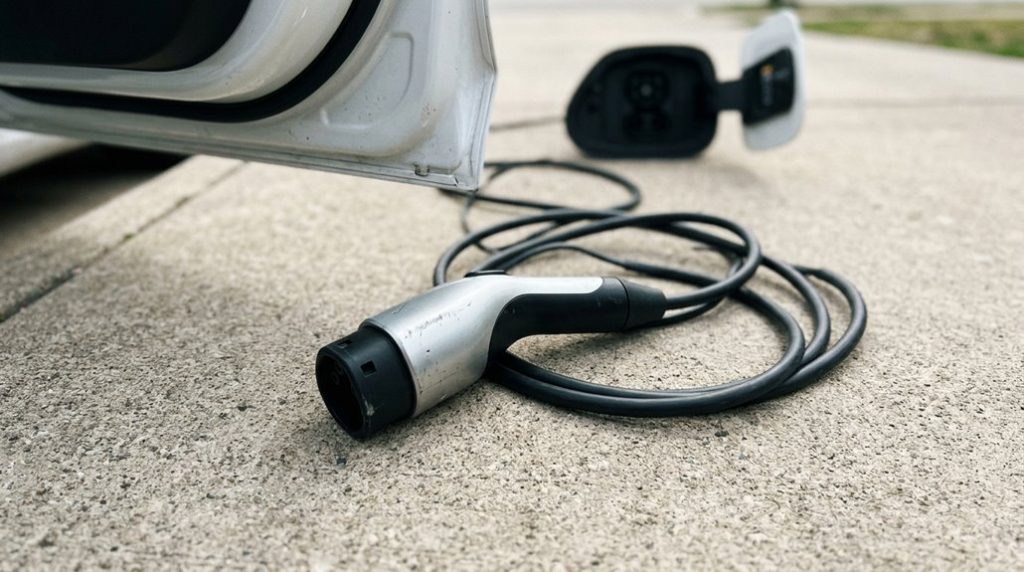
Converter-dependent vehicles, by contrast, rely on an external connector (either J1772-to-NACS for Level 1/2 AC charging or CCS1-to-NACS for DC fast charging) to bridge the gap between the car’s port and whichever charging standard the station uses. Non-Tesla EVs such as the Chevy Equinox EV can access 17,800+ Tesla Superchargers across North America through a dedicated NACS adapter.
The core distinction isn’t just physical — native NACS integrates both charging pathways directly into the vehicle’s framework, while converter-dependent setups route power through an intermediary that splits AC and DC functions into two separate, non-interchangeable tools. DC fast charging adapters are notably bulkier and heavier than their Level 2 counterparts due to the higher power demands involved.
Native NACS Explained
If you’ve ever wondered why some EV owners just plug in while others dig through their trunk for an adaptor first, the answer comes down to one distinction: native NACS versus adaptor-dependent access.
Native NACS means your vehicle’s charge port is physically built into the car from the factory — a J3400 inlet integrated at the vehicle level. That’s vehicle integration working exactly as intended. You connect directly to a NACS-compatible charger, no accessory required.
Charging ergonomics improve markedly because you’re not managing an extra component before every session. Tesla confirms that NACS-equipped vehicles skip the adaptor entirely.
Currently, 28 of 89 tracked 2026 models ship with native NACS ports from brands including Rivian, Hyundai, Kia, and Lucid. The hardware’s already there — just plug in. For broader context, the United States now supports over 130,000 chargers, meaning native NACS drivers have an increasingly dense network to connect to without any adaptor in the equation.
Adapter-Dependent Vehicles Defined
So your EV has a CCS1 inlet — that’s the Combined Charging System port standard that dominated North American non-Tesla EVs before the NACS shift — and you want Supercharger access.
You’re adapter-dependent, meaning you can’t plug directly into a Supercharger without an approved NACS-to-CCS1 adapter. Think of it as a temporary workaround while the industry finishes its conversion.
Tesla must also authorize your specific brand and model before charging works — compatibility is vehicle-specific, not brand-wide. Early Ford models like the F-150 Lightning and Mustang Mach-E followed exactly this path.
Retrofit challenges exist too: some adapters cost money, and not every model year qualifies. Newer vehicles increasingly ship with native NACS ports, making adapters eventually unnecessary for most buyers. The Lectron Vortex Plus is the first publicly available adapter certified under UL 2252, providing verified electrical, mechanical, and thermal safety for high-voltage DC fast charging.
When selecting any charging adapter, always retain purchase receipts and request serial numbers on high-value components, as documentation best practices support warranty claim defense if a charging-related dispute arises with your vehicle manufacturer.
Which NACS Adapter Do You Need: AC or DC Charger?
Before you grab any adaptor, you need to identify whether your charger outputs AC or DC power, because that single distinction determines everything about which adaptor works.
AC chargers (think Level 1 at 120V, Level 2 at 240V, and J1772 stations rated up to 19.2 kW) require a J1772-to-NACS AC adaptor, while DC fast chargers like Tesla Superchargers or CCS1 stations (operating at up to 500A and 1,000V) demand a CCS1-to-NACS DC adaptor instead.
Once you’ve matched your adaptor to the correct power type, you’ve already solved the hardest part of the compatibility puzzle. Tesla originally introduced its proprietary connector with the Model S in 2012 before opening it as an open standard in November 2022. Unlike AC chargers, DC fast chargers bypass the vehicle’s onboard AC charger entirely, delivering power directly to the battery through station-side power electronics for significantly faster charging.
Identifying Your Charger Type
Choosing the right NACS adaptor starts with one question: is the charger pushing AC or DC? Charger signals answer this faster than the connector shape ever will.
A wall-mounted Level 2 station or J1772 plug? That’s AC. A highway Supercharger or CCS1-style fast charger? That’s DC. Simple enough.
Connector myths complicate things unnecessarily. Because NACS physically supports both charging modes, people assume one adapter covers everything. It doesn’t.
AC adapters handle Level 1 and Level 2 conversion through your vehicle’s onboard charger. DC adapters bypass that system entirely, supplying current straight to the battery (which is why fast charging feels fast).
The wiring paths, terminals, and communication protocols differ completely. Reading the station description—not just the plug shape—tells you exactly which adapter category you actually need. It’s also worth noting that hardware limitations on older vehicles can restrict which charging features and software functions are fully supported, so checking your specific model’s specs before purchasing an adapter is a smart step.
Matching Adapter To Charging
Once you’ve identified whether your charger delivers AC or DC power, the converter choice mostly makes itself. AC chargers (Level 1 at 120V, Level 2 at 240V) require a J1772-to-NACS adaptor. DC fast chargers require a CCS1-to-NACS adaptor. Swapping these guarantees failure—adapter longevity depends entirely on correct pairing from the start.
- AC adapter: J1772-to-NACS, supports up to 80A/240V (~19.2 kW)
- DC adapter: CCS1-to-NACS, supports roughly 500A/1000V for fast charging
- AC adapter use cases: home chargers, wall connectors, destination chargers
- DC adapter use cases: Superchargers, CCS1 public fast-charging networks
Good charging etiquette also means knowing which adapter applies before you arrive, preventing unnecessary station blockages. One adapter simply can’t cover both power types. The Universal Wall Connector adds J1772 compatibility for mixed-EV households, making it a practical option for those managing multiple electric vehicles under one roof without purchasing separate hardware.
Which Tesla NACS Adapter Works at Each Charging Network?
Figuring out which adaptor you actually need comes down to two things: your car’s native connector type and which network you’re pulling into.
If you drive a native NACS vehicle, you can plug directly into open Tesla Superchargers, Destination chargers, and any EVgo, Blink, ChargePoint, or Electrify America station that’s already installed NACS hardware. No converter required.
Native NACS drivers plug straight into Tesla Superchargers, Destination chargers, and major networks with NACS hardware—no converter needed.
CCS1 drivers need Tesla’s official NACS-to-CCS1 converter for Supercharger access (roughly 15,000+ V3/V4 ports qualify).
Tesla policy specifically endorses its own converter here—not third-party alternatives. That matters because the converter market includes unofficial options that create real warranty impacts and legalities around vehicle coverage and network authorization. Ford’s guidance mirrors this, explicitly pointing owners toward Tesla’s manufactured converter.
For Destination chargers, CCS1 and J1772 vehicles use a separate AC converter, since those stations run Level 2 charging—not DC fast charging. Different session, different hardware.
At compatible Supercharger stations, higher-trim Tesla models support peak DC fast-charging of up to 250 kW, meaning a meaningful charge stop can add roughly 100 miles in under 15 minutes.
What Safety Certifications Should Your NACS Adapter Have?
Knowing which adaptor fits which network gets you to the right hardware—but it doesn’t tell you whether that hardware is actually safe to run at 500 amps through your charge port. That’s where certifications matter.
Look specifically for NRTL certification—issued by a Nationally Recognized Testing Laboratory like UL or CSA. UL 2252, published March 19, 2025, is the first safety standard designed specifically for DC fast-charging adaptors.
A certified listing should confirm:
- Testing laboratory (UL, CSA, or SGS)
- Standard referenced (UL 2252 for DC adaptors)
- Exact model covered (not just the product line)
- Thermal protection behavior (derating at threshold temperatures, full shutoff if heat persists)
Don’t trust marketing language like “safety certified” without verifying documentation directly. Amphenol’s UL 2252-certified adaptor handles 380 amps peak at 1,000 volts—certified performance you can actually verify, not just a claim on a product page. Tesla’s over-the-air software updates can also modify charge behavior and feature availability post-purchase, meaning the vehicle’s side of the charging equation may shift even after you’ve verified your adaptor’s certification.
How Do You Know If Your NACS Adapter Connection Is Faulty?
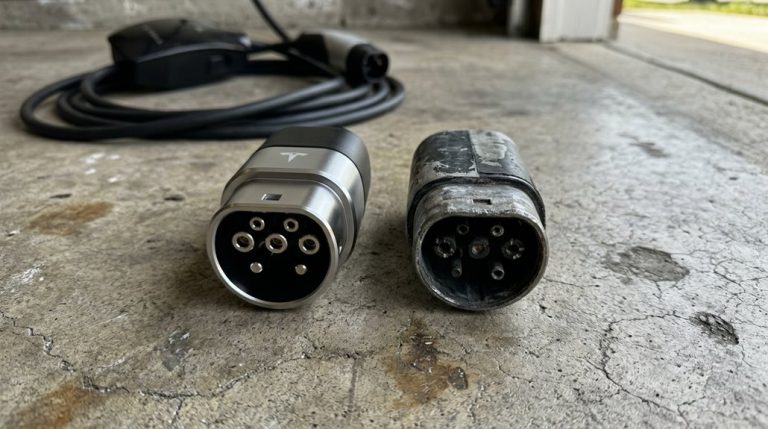
A certified adaptor that passes UL 2252 testing can still fail in the field—certification covers the design, not the cumulative wear of two hundred charge sessions. Watch for poor contact symptoms: sessions that start, stop, and restart repeatedly, or charging that terminates before your target state of charge. A thermal warning often appears first during DC fast charging, where heat stress is highest. Tesla’s vehicle software surfaces these fault conditions through context-aware display overlays that shift information hierarchy based on operational state, meaning a charging anomaly will typically interrupt the normal screen layout with a dedicated warning.
| Warning Category | What You’ll Notice | What It Suggests |
|---|---|---|
| Physical Damage | Bent pins, cracks, burn marks | Electrical arc or structural failure |
| Thermal Warning | Unusual heat, burning smell | Overheating near thermal limit |
| Poor Contact | Wobbly fit, interrupted sessions | Worn connector or debris blockage |
| Error Messages | “Charging not initiated,” red indicators | Handshake or compatibility failure |
If reseating, cleaning, and switching stations doesn’t resolve the issue, replacement isn’t optional—it’s overdue.
Which Non-Tesla EVs Have a Native NACS Port Now?
Adapter failures are worth knowing about, but the cleaner fix is never requiring one in the first place. Several non-Tesla EVs now ship with factory-installed NACS ports, meaning you plug directly into a Supercharger without extra hardware.
Here’s what’s confirmed right now:
- Hyundai Ioniq 5 (2025) became the first non-Tesla with a factory-installed native NACS port
- Kia EV6 (2025–2026) includes native NACS, though GT trims carry exceptions worth checking
- Lucid Gravity launches natively NACS-equipped from the factory
- Rivian R1T and R1S (refreshed 2026 versions) move to native NACS
Future models from Cadillac, Genesis, Toyota, and Lexus are confirmed for 2026 regional rollouts across the U.S. market. Older CCS-equipped vehicles still need adapters regardless of brand.
Native ports eliminate connection variables entirely, which is genuinely the most reliable outcome you can ask for.
How to Store and Maintain Your NACS Adapter Between Uses
Between charging sessions, your NACS converter takes more abuse than most people realize—shoved into a frunk, rattling around the cargo area, occasionally left baking in a summer parking lot. Fortunately, proper storage is straightforward.
Temperature matters first. Both Tesla and GM publish an official storage range of -40°F to 185°F (-40°C to 85°C). Stay within it. Storage cases designed specifically for NACS adaptors keep connectors protected from sharp objects, debris, and impact damage that silently degrades contact quality over time.
Build a simple cleaning schedule: wipe the adaptor body and connector contacts with a dry cloth before and after each session. Skip detergents, solvents, and abrasive materials entirely—they accelerate corrosion rather than prevent it.
Inspect the adaptor each use for cracks, loose components, or corrosion. If something looks wrong, stop using it and contact manufacturer support. Damaged adaptors belong in a service queue, not plugged into your charge port.
Frequently Asked Questions
Can I Use a NACS Adapter on a Leased Tesla Vehicle?
Like a tenant who must ask before remodeling, you’ll need your lessor’s approval first. Leasing policies vary, and lessee permissions aren’t guaranteed, so review your contract before using any NACS adaptor.
Does Extreme Cold Weather Affect NACS Adapter Charging Performance?
Extreme cold doesn’t hurt your NACS connector, but it slows charging through battery warming limitations. During a cold start, your vehicle’s battery management system restricts power intake, making the connector appear less effective than it actually is.
Are Third-Party NACS Adapters Covered Under Tesla’s Vehicle Warranty?
“You reap what you sow”—third-party NACS adaptors aren’t covered under Tesla’s vehicle warranty. You risk manufacturer liability, void service records, and face denied informal repairs with serious warranty implications if damage occurs.
Can One NACS Adapter Work Across Multiple Different EV Brands?
Yes, one adaptor can work across brands if it meets Connector Standards Compliance and your vehicle’s automaker is approved. Cross Brand Compatibility depends on software authorization and Supercharger site access, not just the adapter’s hardware.
How Long Does a Quality NACS Adapter Typically Last Before Replacement?
Like a well-made tool, a quality NACS adaptor’s expected lifespan spans years—often thousands of cycles. With solid build quality, you’ll typically replace it only when wear, damage, or charging faults appear.