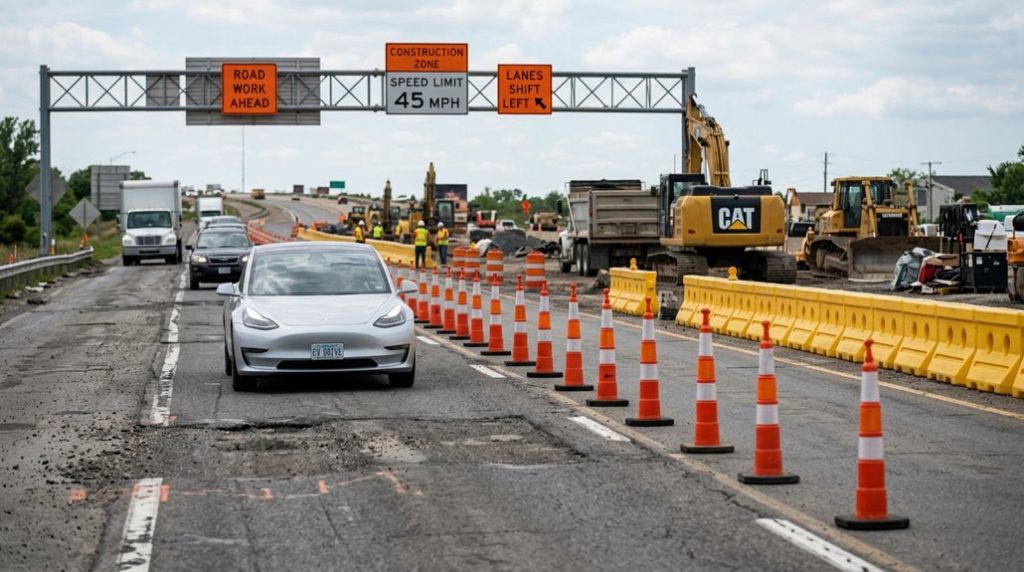

Tesla’s Autopilot handles open highways with impressive confidence—but construction zones are where that confidence gets tested. Missing lane markings, unpredictable cone patterns, and rerouted paths aren’t edge cases; they’re the norm in active work zones. So what actually happens when you leave FSD in control through one? The answer might change how you think about driver assistance technology entirely.
What Tesla’s Manual Actually Says About Construction Zones
Before you assume Tesla’s Autopilot suite can handle orange cones and shifted lane markings, it’s worth reading what the manual actually says — because Tesla doesn’t mince words here. The Model Y manual explicitly states that Autosteer is intended for controlled-access highways with a fully attentive driver. Construction zones? Directly prohibited.
That’s not a footnote — it’s a warning, and the manual interpretation matters. Tesla also flags road geometry changes, adjusted lane markings, and visible previous pavement markings as conditions that degrade Autosteer’s lane detection reliability. All three appear constantly in active work zones. The version of the manual that applies to your vehicle depends on its model year and region, meaning construction zone warnings may be worded differently or carry different regulatory weight depending on whether your documentation aligns with FMVSS or UNECE standards.
There are legal implications here too. If you engage Autosteer in a construction zone and something goes wrong, Tesla’s own documentation places you outside the system’s intended operating domain. The manual doesn’t promise safe guidance through cones, temporary lane shifts, or workers on foot. That’s deliberate language, not an oversight. Historically, static objects like cones have been among the most problematic obstacles for Autopilot’s computer vision system to detect and respond to reliably.
Construction zones are where Autopilot uncertainty meets constant speed changes, and even a brief glance away from the road can lead to costly mistakes. A head-up display keeps your speed fixed in your line of sight, helping you stay aware when limits drop suddenly and conditions change without warning.
Why Missing Lane Lines Confuse Autopilot in Construction Zones?
At the heart of Autopilot’s lane-keeping ability is a deceptively simple dependency: painted lines on the pavement. Remove those lines, and the entire system loses its primary reference point. Sensor fusion helps compensate, but edge detection strength drops markedly when markings are absent or inconsistent.
Here’s why construction zones break lane confidence fast:
- No painted lines force the system to infer path from weaker cues like road edges or adjacent traffic.
- Temporary tape and faded paint register inconsistently across cameras, degrading detection confidence.
- Covered or shifted markings can be misread as a merge rather than a lane shift.
- Visual clutter from cones and barriers obscures the limits that normally anchor lane-centering logic.
When confidence drops below a reliable threshold, Autopilot either drifts, hesitates, or disengages entirely. That’s not a bug — it’s the system correctly admitting it’s lost. Tesla’s vision stack relies on semantic segmentation to identify lane lines and road edges frame by frame, meaning any surface that disrupts clean pavement markings directly undermines the foundational data the system depends on. Additional factors like night driving, glare, rain, or uneven pavement can further reduce visual clarity, compounding the difficulty the system already faces in construction environments.
Can Tesla Autopilot or FSD Handle Cones and Temporary Lane Shifts?
| Scenario | Cone Detection Result | System Behavior |
|---|---|---|
| Cones on both sides | Recognized as lane edges | Follows temporary path |
| One-sided cone line | Partial boundary only | Increased path ambiguity |
| Lane shift with markings | Full lane structure visible | Completes lane change |
| Lane shift without markings | Geometry too ambiguous | Aborts maneuver |
That said, the Tesla manual never *promises* construction-zone competence — it describes prerequisites and abort conditions. Community video evidence confirms occasional success, but treat it as conditional capability, not a guaranteed feature. Tesla’s fleet of approximately 1,000,000 vehicles continuously supplies raw camera images that train the neural networks responsible for recognizing cones, lane shifts, and other construction-zone geometry. When lane markings are absent or ambiguous — a common condition in active construction zones — the system may fall back to lead-vehicle inference, which reduces positioning precision and can introduce a slight edge bias toward one side of the temporary lane.
What FSD Videos Actually Show When Cones Replace Lane Lines
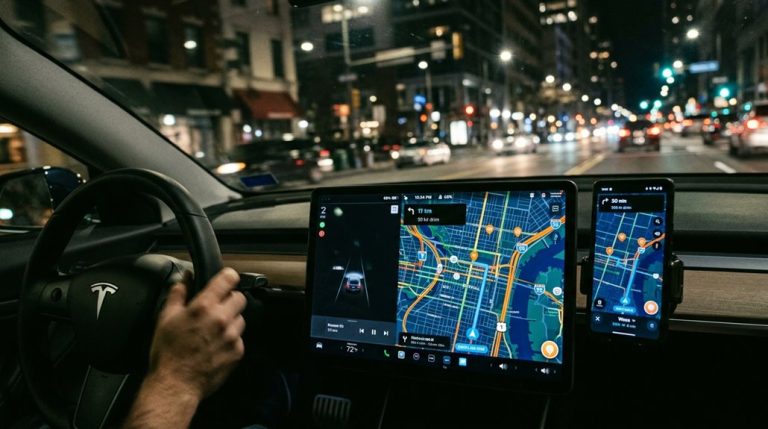
Community-uploaded footage offers the clearest window into how FSD actually processes construction zones, and what those clips reveal is more subtle than either the skeptics or the fanboys tend to admit. The visualization accuracy you see on screen tells a specific story:
- Cones appear as rendered objects in the display, not background noise.
- The green drivable-area overlay shifts away from cone-lined regions, even when painted lane lines are absent.
- Cone detection triggers automatic lane changes before the vehicle gets uncomfortably close to barriers.
- Temporary work-zone geometry can override normal lane-line priority in the perception stack.
That said, these clips are handpicked wins. You’re watching selected scenarios where cone patterns were clean and unambiguous. Confusing partial closures or overlapping cone layouts don’t dominate the highlight reel. Treat the footage as a proof of capability, not a guarantee of consistent performance across every construction configuration you’ll encounter. Tesla’s over-the-air software updates allow the vehicle to improve its construction zone handling without requiring a service visit or hardware change. Tesla’s ability to detect and respond to cones stems from a 2019.36.1 software update that first introduced traffic cone rendering into the driving visualization display.
When Should You Take Over Autopilot in a Construction Zone?
Even if FSD just steered a clean stretch of cones without breaking a sweat, that success doesn’t grant you permission to mentally check out for the next work zone. Conditions shift fast, and driver vigilance isn’t optional—it’s the entire deal.
Trigger a manual takeover the moment lane lines disappear, contradict each other, or get replaced by temporary markings your car can’t reliably interpret. If the system starts drifting toward a shoulder, a bike lane, or a closed section, grab the wheel immediately—don’t wait for a second mistake.
Take over before entering any active zone where cone patterns force complex merges or abrupt lane shifts. Add narrow worker-adjacent lanes to that list, because reduced margins mean zero tolerance for hesitation. Any repeated system warning (Tesla calls the trip-ending version a “strikeout”) tells you the car is already struggling. That’s your cue, not a suggestion. If you’re planning a long drive through construction-heavy corridors, using route guidance to trigger battery preconditioning beforehand ensures the pack is ready for a fast Supercharger stop rather than adding delays to an already disrupted trip.
Construction zones change faster than Autopilot can always anticipate, and that usually means drivers end up splitting attention between the road and last-second navigation updates. A stable, vibration-dampened magnetic phone mount keeps your route visible without clutter or distraction, especially when lane shifts and detours appear without warning.
Frequently Asked Questions
Does Tesla Log Construction Zone Errors to Improve FSD Neural Network Training?
Tesla likely logs your construction zone errors for data collection, but it’s unconfirmed specifically. You’ll notice model updates improving over time, though privacy implications and labeling practices behind that training remain publicly undisclosed.
Can Construction Zone Confusion Trigger Autopilot to Disengage Automatically Without Driver Input?
Yes, sensor ambiguity in construction zones can trigger unexpected disengagement, but it’s not guaranteed. You’ll more likely receive takeover prompts or notice degraded performance before Autopilot fully disengages without your input.
Does FSD Handle Construction Zones Differently at Night Versus Daytime Conditions?
Yes, FSD struggles more at night in construction zones. You’ll find reduced night visibility challenges the cameras, and sensor recalibration becomes critical when temporary markings replace standard lane geometry.
Will Tesla’s Insurance Rates Increase After Autopilot Incidents Inside Construction Zones?
Your insurance premiums will likely rise, your liability allocation will shift toward you, and your claim history will follow you — because Tesla explicitly warns against using Autopilot in construction zones.
How Does FSD Version Number Affect Performance Reliability Inside Active Construction Zones?
Higher software epochs improve map fidelity and cone recognition, but they don’t guarantee reliable performance in active construction zones. You’ll still need to stay alert and ready to intervene immediately, regardless of your FSD version.