
Tesla’s Supercharger network now welcomes non-Tesla EVs—but most drivers are leaving serious charging speed on the table. One wrong selection in the app and you’re stuck waiting 30+ minutes longer than necessary. One right move and you’re pulling 150–250 kW like it’s nothing. The difference comes down to a few specific settings most EV owners never adjust. Here’s exactly what separates a frustratingly slow charge from a blazing-fast one.
Does Your Non-Tesla EV Work at Tesla Superchargers?
Before assuming any Tesla Supercharger will top off your non-Tesla EV, you’ll want to grasp how access actually works — because the answer isn’t a simple yes or no. Charge compatibility depends on three converging factors: your vehicle’s port type, the specific Supercharger hardware, and whether your automaker has enabled access through software partnerships.
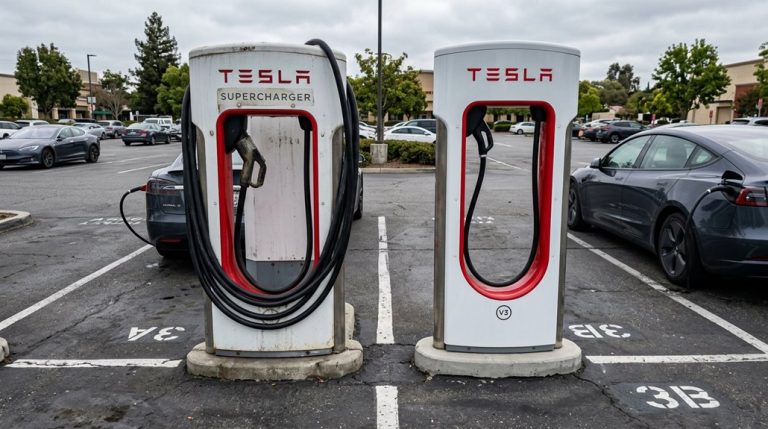
Not every Tesla station qualifies. Older Superchargers remain off-limits to non-Tesla drivers entirely. V3 and V4 stations are your realistic targets, and even then, station limitations apply at the individual stall level — meaning an open site doesn’t guarantee every stall works for you. Magic Dock stalls feature a built-in CCS1 adapter, meaning CCS1 drivers can plug in at those locations without carrying an external adapter at all.
Your port type matters greatly. NACS-equipped vehicles connect directly without an adapter. CCS1 vehicles typically need a Tesla-approved or automaker-provided adapter. CHAdeMO vehicles (like the Nissan Leaf) are largely excluded from current U.S. rollout coverage. So before you pull in, verify the specific station first. Keep in mind that V4 stations support voltages ranging from 400V to 1,000V, making them compatible with a broader range of non-Tesla vehicles operating at different system voltages.
Set Up the Tesla App Before You Arrive
Getting the Tesla app sorted out before you pull into a Supercharger saves you from fumbling through account setup while your battery’s sitting at 12% in a parking lot. Install app from the Apple App Store or Google Play Store, then create or sign in to your Tesla account.
You’ll verify identity by entering basic personal details and completing email confirmation before full access is granted. Once inside, add a payment method immediately — some charging workflows block session starts without one on file. Link your non-Tesla vehicle to your account using the car’s VIN (ownership verification documents may be required), and note that pairing occasionally takes three to five days rather than instantly resolving.
Enable notification permissions so charging alerts actually reach you. Review your charging settings and adjust your charge limit before departure. Tesla recommends setting your charge limit to 80% by default to protect long-term battery health, as higher state-of-charge voltages accelerate cell degradation. Doing this at home means arriving with zero friction between parking and plugging in. If your navigation routes you along an unexpectedly long path to a nearby Supercharger, this may be a map routing error rather than the system extending your drive for battery preconditioning purposes.
What Adapter Does Your Non-Tesla EV Need at a Supercharger?
With your Tesla account set up and a payment method locked in, the next thing standing between you and a successful Supercharger session is the right hardware. Adapter types vary based on one key factor: your vehicle’s charging port.
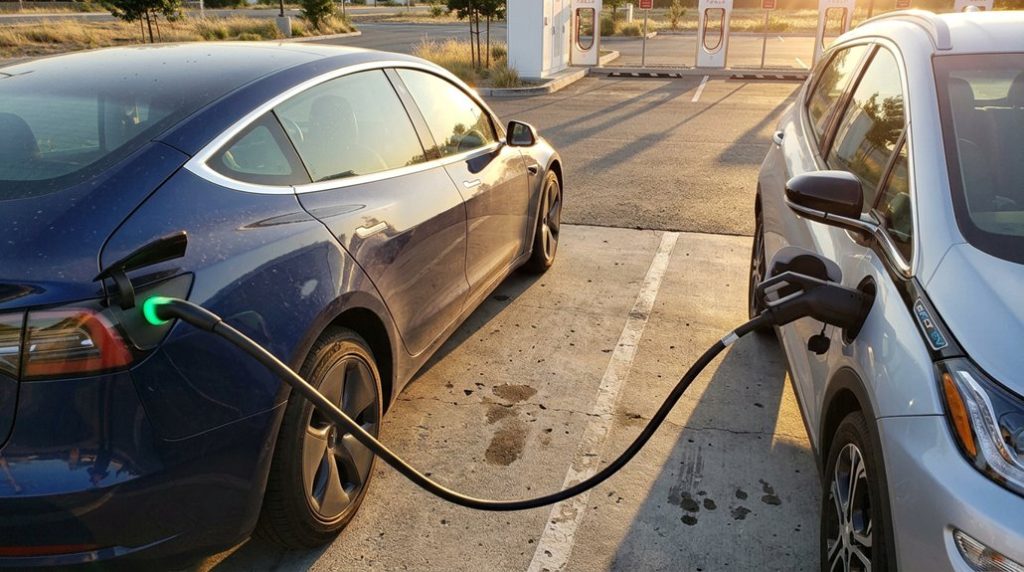
If your EV has a CCS1 port (most non-Tesla North American models do), you’ll need a CCS1-to-NACS converter. Your automaker typically supplies or sells one. Brands like Ford, GM, Hyundai, Kia, Rivian, and several European manufacturers fall into this category.
Port compatibility gets simpler if your vehicle has a native NACS port. Newer 2025–2026 models increasingly include one, meaning you plug directly into compatible Superchargers without any converter. For DC fast charging, third-party adapters from brands like Lectron or A2Z work as alternatives, and your CCS1 adapter should be rated for at least 500 amps. Keep in mind that Supercharger V3 and V4 stations can deliver peak rates of 250 kW, so your adapter and vehicle’s onboard charger will ultimately determine the maximum speed you receive.
Some stations offer Magic Dock, a built-in converter that handles CCS1 vehicles on-site. It’s convenient but location-specific, not standard everywhere. CHAdeMO vehicles, however, remain incompatible with Superchargers in North America regardless of converter workarounds.
How to Find a Compatible Tesla Supercharger for Your EV in the App
Finding the right Supercharger isn’t as simple as tapping the nearest pin on the map—not every station accepts non-Tesla vehicles, and showing up to the wrong one wastes a trip. Open the Tesla app, steer to the user menu, then select “Charge Your Other EV.” Enter your vehicle details so the app’s map customization kicks in, filtering results to only compatible stations.
Not every Supercharger welcomes non-Tesla vehicles—filtering by compatibility before you leave saves wasted trips.
Watch for these labels—they tell the real story:
- “Other EV” means Magic Dock hardware is built in, supporting CCS1-compatible vehicles (your lifeline without NACS)
- “NACS Partner” confirms access for vehicles with a native NACS port or approved adapter
- V2 Superchargers are Tesla-only—filtering them out saves frustration before you even leave the driveway
Before confirming your route, check site details carefully because compatibility varies by station. Newer Superchargers are generally more likely to be open to non-Teslas than older sites, which may remain restricted to Tesla vehicles only. Set up your payment methods during initial configuration so charging starts without unnecessary delays on arrival. V3 Superchargers can deliver up to 250 kW of power, adding roughly 200 miles of range in as little as 15 minutes when conditions are optimal.
Plug In and Start Charging at a Tesla Supercharger Fast
Once you’ve pulled into the right stall, the actual charging process moves fast—if you don’t fumble the sequence. Park alignment matters here: position your vehicle close enough that the cable reaches your charge port without stretching, but don’t crowd the equipment.
If you’re at a Magic Dock site, release the adapter through the app before touching the connector. At a NACS partner station, attach your required adapter first. Then plug the connector firmly into your charge port until you feel the connector latch click—that click confirms a secured connection.
Back in the app, select your stall number and tap Start Charging. Expect a brief initialization period (roughly one minute) while the charger and vehicle complete their handshake. Energy flow doesn’t always begin instantly, so don’t yank the connector assuming failure. Once the session confirms, your app displays charging rate, energy delivered, and estimated time remaining. With over 130,000 chargers available across the United States, you’re rarely far from a backup option if a stall is occupied or malfunctions during your session.
Frequently Asked Questions
Can You Charge a Non-Tesla EV Without Creating a Tesla Account?
While account alternatives and guest access seem possible, you can’t charge a non-Tesla EV without creating a Tesla account—Tesla’s app requires full account setup to activate and manage your charging session.
Does the Tesla App Notify You When Charging Is Complete for Non-Tesla EVS?
The Tesla app may notify you when charging’s complete for non-Tesla EVs, but notification timing and alert customization aren’t guaranteed—they depend on your vehicle’s compatibility, app setup, and the charging method you’re using.
What Tesla App Version Is Required for Non-Tesla Supercharger Access?
You’ll need version 4.2.3 or higher as the minimum firmware. With over select stations expanding across markets, regional availability varies, so you’re updating your Tesla app guarantees non-Tesla Supercharger access works seamlessly.
How Do You Check Supercharger Stall Availability Before Leaving Home?
Open the Tesla app and tap the Supercharger pin to check real-time availability before leaving home. Use this data alongside route planning to confirm stalls are open, so you’re not left waiting upon arrival.
Does Selecting Your Vehicle Model in the App Filter Out Incompatible Chargers?
Want smarter results? Yes, selecting your vehicle model in your app settings filters charger compatibility automatically. The Tesla app updates the map to show only Superchargers that work with your specific EV model.