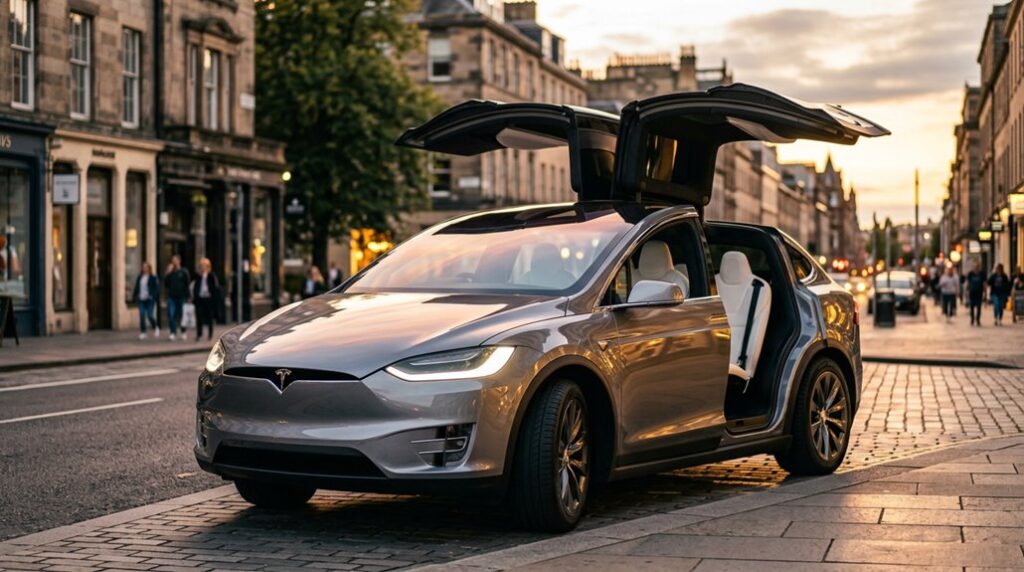

Tesla built the Model X to embarrass every other SUV on the road — and it succeeds. A 5,390-pound electric beast that rockets to 60 mph in 2.5 seconds, seats seven, and somehow still finds room for those ridiculous falcon-wing doors nobody requested but everybody stops to stare at. Long Range or Plaid, this machine rewrites what a family SUV is supposed to be. But the real ownership numbers tell a story most Tesla fans aren’t prepared to hear.
What Is the Tesla Model X?
The Tesla Model X stands out as a battery-electric mid-size luxury crossover SUV that manages to pack genuinely impressive performance — up to 1,020 horsepower in Plaid trim — into a three-row family hauler.
The Model X squeezes up to 1,020 horsepower into a three-row electric SUV without apology.
Tesla built it on the same platform as the Model S sedan, then stretched the concept upward into an egg-shaped wagon with a tall roofline.
You’re looking at a vehicle that appeals to a specific owner demographic: buyers who want luxury features like a panoramic windshield, falcon wing rear doors, and a nearly buttonless cabin without sacrificing practicality.
Production ran from 2015 through 2026, when Tesla announced its discontinuation.
During that run, it held the title of Tesla’s largest SUV — a genuinely capable machine dressed in unmistakably futuristic clothing. The vehicle was designed by Franz von Holzhausen and assembled primarily at Tesla’s Fremont Factory in California.
Model X vs. Model Y: Where Tesla’s Largest SUV Sits
If you’re cross-shopping the Model X against the Model Y, you’re fundamentally comparing two vehicles that share a brand identity but occupy completely different market positions—the X stretches 199.1 inches long and 78.7 inches wide, adding roughly 12 inches in length and 3 inches in width over the Y’s more modest 187-by-75.6-inch footprint.
That extra real estate translates directly into cabin space, with the Model X offering a genuinely usable third row, available six-seat configurations with serious rear legroom, and a commanding road presence that makes the Model Y feel like its younger sibling (because it is).
Performance gaps mirror the size differences: the Model X Long Range hits 0-60 mph in 3.5 seconds with 670 horsepower, the Plaid does it in 2.5 seconds with 1,020 horsepower, and while the Model Y Performance is no slouch at 455 horsepower and 3.5 seconds, it’s working with a smaller battery that also delivers a slightly shorter range ceiling (330 miles versus the X’s 348-mile peak).
On the ownership cost side, the Model X starts at roughly $84,990 compared to the Model Y’s $44,990 entry point, though the X backs up that premium with a stronger battery warranty coverage of 8 years and 150,000 miles versus the Y’s 8 years and 120,000 miles. Drivers focused on maximizing convenience within the Tesla ecosystem will also appreciate that the Model X has full access to Tesla’s Supercharger network, which now spans 17,800+ charging locations that are also increasingly accessible to other EVs through adapter compatibility.
Size and Space Differences
Compared with the Model Y, the Model X is a noticeably larger vehicle in nearly every measurable dimension—but “larger” doesn’t mean “better in every situation,” so it’s worth unpacking exactly where that extra size shows up and what it costs you.
Here’s where the differences actually matter:
- Interior ergonomics: The X adds ~0.7 inches of front headroom and 4.3 inches of shoulder room per row.
- Cargo accessibility: X delivers 92.3 cu ft versus Y’s 76.2 cu ft—a meaningful gap.
- Third row usability: The X’s third row fits adults; the Y’s suits children.
- Garage fitment: At 199.1 inches long and 66.1–68.5 inches tall, the X demands more overhead and length clearance. The Model X is also 12.1 inches longer than the Model Y, which measures 187 inches in total length.
Performance and Range Comparison
Sizing up these two SUVs on raw numbers alone misses something important—the Model X doesn’t just carry more passengers and cargo than the Model Y; it outperforms it across nearly every metric that matters on a spec sheet. Better thermal management keeps the larger 100 kWh battery operating efficiently, supporting battery longevity across high-demand driving cycles.
| Metric | Model X Long Range | Model Y Long Range |
|---|---|---|
| Horsepower | 670 hp | ~455 hp |
| 0–60 mph | 3.5 sec | 4.8 sec |
| Top Speed | 155 mph | 135 mph |
| EPA Range | 330–348 mi | 318–330 mi |
| Battery Capacity | ~100 kWh | ~79 kWh |
More power, more range, more SUV—you’re simply getting more. When it comes to hauling, the Model X also pulls ahead decisively, with a towing capacity of 4,960 pounds compared to the Model Y’s 3,500-pound limit.
2026 Model X AWD vs. Plaid: Which Should You Buy?
Choosing between the 2026 Model X AWD and Plaid comes down to one honest question: how much do you actually need that extra thrust?
The AWD delivers a dual-motor all-wheel drive setup with up to 352 miles of EPA-estimated range and the flexibility of six- or seven-passenger seating, while the Plaid’s tri-motor system hits 0–60 mph in 2.5 seconds (Tesla’s figure; Motor Matchup simulates 2.65) but sacrifices roughly 17 miles of top-end range and locks you into six seats regardless of your family’s headcount.
You’re paying a noticeably higher premium for the Plaid, so unless shaving fractions of a second off your launch times genuinely matters to your daily life, the AWD makes the stronger all-around case. The Plaid’s 1,020 horsepower output also comes paired with 1,050 lb-ft of torque, enabling a quarter-mile run of 9.8 seconds at 145 mph — numbers that belong in a supercar conversation, not a family SUV one.
Key Performance Differences
When you’re dropping serious money on a Model X, the AWD versus Plaid decision comes down to one core question: how much acceleration do you actually need?
Here’s what separates them:
- Launch technique: Plaid hits 0-60 mph in 2.5 seconds (tri-motor, 1,019 hp); AWD manages 2.6 seconds (778 hp)
- Quarter-mile gap: Plaid ran 6.55 seconds at 111.75 mph versus AWD’s 7.35 seconds at 95.75 mph
- Top speed: Plaid reaches 163 mph; AWD caps at 155 mph
- Thermal management: Plaid’s tri-motor layout sustains repeated hard pulls better, making it genuinely track-capable
AWD suits daily drivers wanting strong performance. Plaid suits enthusiasts who need every last tenth. Both models are capable of towing up to 5,000 lb, making either a practical choice for drivers who need utility alongside performance.
Price and Range Tradeoffs
The $15,000 gap between the Model X AWD ($86,630) and Plaid ($101,630) buys you roughly 4 extra miles of EPA range—a trade that makes no financial sense if range is your priority. Both variants share identical 100 kWh battery design, so ignore battery myths suggesting the Plaid carries superior energy storage. It doesn’t. The AWD delivers 0.0038 miles per dollar spent versus the Plaid’s 0.0033—a measurable efficiency gap favoring restraint.
Where resale strategies shift the math: Plaid retains 36.6% of value after five years, marginally outperforming the AWD. That retention edge softens the premium slightly, but it won’t recover $15,000. Buy the Plaid strictly for its 2.5-second 0-60 mph capability—not range. New buyers can also offset ownership costs through free unlimited Supercharging, reintroduced as a promotion for first owners, though it remains non-transferable and subject to termination at any time.
Dual-Motor AWD Performance Numbers Explained
Powering a three-row SUV that weighs over 5,000 pounds to 60 mph in 3.8 seconds takes some serious engineering — and Tesla’s dual-motor AWD system delivers exactly that.
Getting a 5,000-pound, three-row SUV to 60 mph in 3.8 seconds demands serious engineering.
Each motor handles its own axle independently, with torque biasing shifting power between front and rear as conditions demand.
Motor cooling keeps both units operating efficiently under sustained acceleration loads. The front motor uses an induction motor design, while the rear motor is a permanent magnet synchronous unit.
Here’s what the numbers actually mean:
- 670 combined horsepower (493 kW) splits across two motors
- 800 Nm of torque hits almost instantaneously
- Quarter-mile runs complete around 11.2 seconds
- Top speed is governed at 155 mph (250 km/h)
No mechanical coupling required — just two independent motors doing serious work.
Plaid Tri-Motor: What 1,020 HP Actually Feels Like
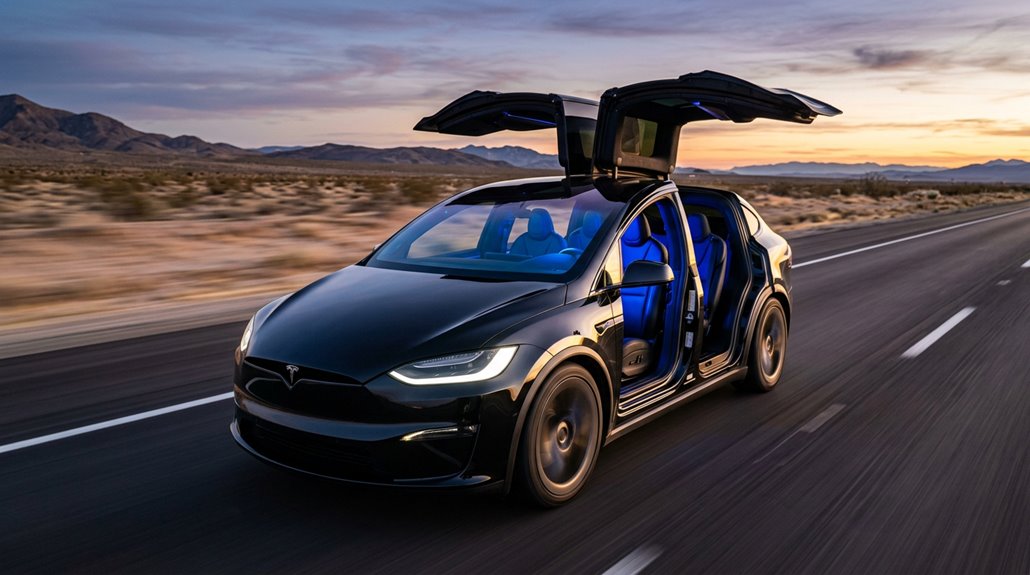
Dual-motor AWD pulling a 5,000-pound SUV to 60 mph in 3.8 seconds is genuinely impressive — but Tesla’s Plaid tri-motor layout treats that benchmark like a warm-up drill.
One front motor (314 kW) and two rear motors (309 kW each) combine for 1,020 horsepower total, with carbon-sleeved rotors and torque vectoring handling traction distribution.
Instant torque arrives from zero rpm, which rewires your launch psychology entirely — you stop expecting buildup and start bracing instead.
The 0-60 mph claim sits at 2.5 seconds (with rollout), while independent tests recorded 9.83 seconds at 146.68 mph through the quarter-mile.
Thermal management keeps repeated launches consistent rather than degraded. Battery state also plays a measurable role in output — more power is available when the battery is near full charge, meaning a topped-up pack produces noticeably stronger launches than one sitting at 50 percent.
Seat comfort absorbs the violence reasonably well, though passengers unfamiliar with Plaid launches tend to audibly react regardless.
EPA Range Ratings and What They Mean in Real Life
The EPA range rating on your Model X sticker is a standardized estimate built for cross-shopping EVs, not a promise your road trip will pan out exactly that way.
Your 2024 Long Range AWD (rated at 335 miles on 20-inch wheels) will realistically deliver closer to 315–320 miles of highway range under favorable conditions, since sustained highway speeds drain the battery faster than the city-heavy EPA test cycle implies.
A practical rule: plan around 80% of the EPA figure, skip the last 10% of charge on long hauls, and expect an additional 10–20% penalty if temperatures drop, speeds climb, or you’re hauling a full cabin of passengers and gear. The 2023 Long Range on 20-inch wheels carried a 348-mile EPA combined rating, meaning the 2024 model-year reduction reflects a stricter test cycle rather than any meaningful hardware change.
Understanding EPA Range Estimates
When shopping for a Model X, you’ll inevitably encounter the EPA range figure plastered across every spec sheet and configurator page — but grasping what that number actually means separates informed buyers from disappointed ones. The EPA’s testing protocol establishes a controlled baseline, not a daily driving guarantee.
Here’s what actually matters:
- EPA variability exists across trims — the 2024 Long Range AWD hits 335 miles; the Plaid manages 326 miles.
- Wheel impact is real — swapping 20-inch for 22-inch wheels costs you 13–26 miles depending on trim.
- Real world adjustments typically push highway results below the official figure.
- MPGe (roughly 96–102) lets you compare efficiency across configurations meaningfully.
Treat EPA figures as benchmarks, not promises. The 2024 Model X is powered by a 100-kWh battery, which underpins the range figures across all trims and configurations.
Real-World Range Factors
EPA numbers give you a useful ceiling, but real-world range is where things get genuinely complicated. Speed alone reshapes everything—sustained 70–75 mph driving typically delivers 260–310 miles versus the rated 335–355 miles. Physics isn’t negotiable; aerodynamic drag scales sharply with velocity.
| Factor | Impact on Range |
|---|---|
| Wheel choice (20″ vs. 22″) | Up to ~20 miles difference |
| Temperature effects (freezing) | Drops to 210–280 miles |
| Highway speed (70–75 mph) | 15–25% below EPA rating |
Driving style compounds everything further. Aggressive acceleration, headwinds, and heavy cargo all chip away quietly. Smart owners typically plan around 75–80% of rated range—especially in winter—treating the EPA figure as an optimistic benchmark rather than a guarantee.
Towing introduces the steepest penalty of all, with boxy campers and tall enclosed trailers commonly causing a 40–50%+ range reduction that can shrink a 290-mile charge down to as little as 140–180 miles at highway speeds.
How the Model X Handles Cold Weather Range Loss
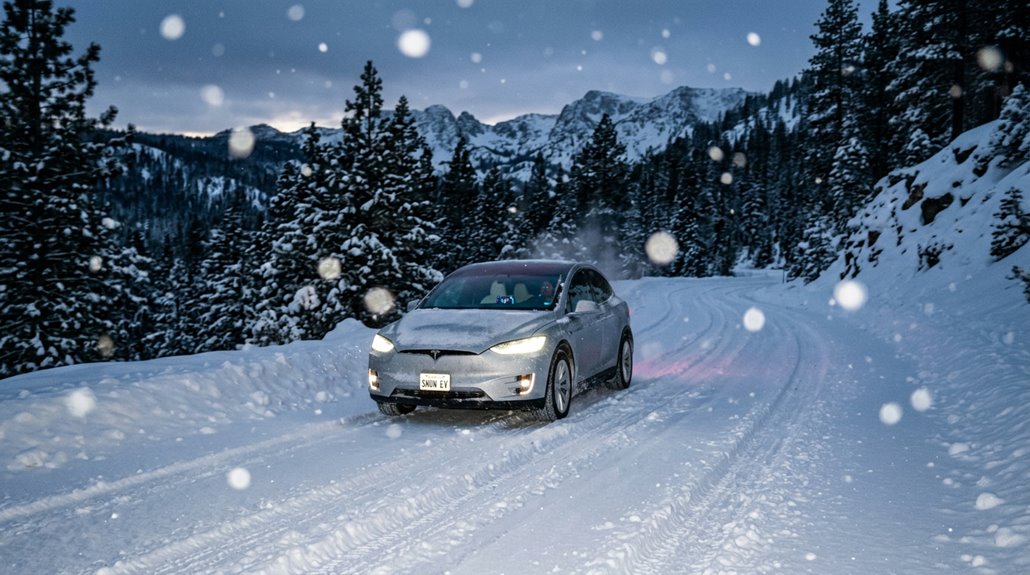
Cold weather doesn’t just inconvenience Model X owners — it actively steals range, and grasping why helps you plan smarter trips instead of nervously watching the battery percentage tick down.
Cold weather doesn’t just inconvenience Model X owners — it actively steals range mile by mile.
Four culprits explain most of your winter losses:
- Battery warming pulls energy before you’ve moved an inch
- Cabin insulation works harder below 25°F, demanding more draw from auxiliary heaters
- Range preconditioning (scheduling heat before departure) recovers roughly 10–15% efficiency
- Tire pressure drops silently raise rolling resistance
Newer Model X variants with heat pumps typically retain 80–90% rated range in moderate cold.
Harsh conditions below 10°F can slash that to 60–70%.
Plan winter travel around 60–80% of your EPA figure — and precondition while plugged in, always. Short, cold-soaked errands can show 35–50% apparent loss that snaps back to normal figures once the battery and cabin have fully warmed up.
Why the Model X’s Weight Works Against Its Range
Hauling around 5,200-plus pounds takes a measurable toll on every mile the Model X delivers, and that weight doesn’t come from padding or excess — it comes from structural necessity. Battery mass alone accounts for a significant portion, and every pound demands more energy during urban acceleration cycles.
Stop-and-go driving compounds the penalty because you’re repeatedly pulling dead weight from rest. Regenerative braking recovers some energy, but never all of it.
Hills make things worse. Climbing requires direct gravitational work proportional to mass — no shortcut exists there.
Tesla’s 2026 weight reduction (roughly 400 lb) pushed AWD range from 329 to 352 miles, proving the earlier configuration was quietly suppressing efficiency the entire time. Part of that gain came from swapping the rear motor to a permanent-magnet design, which extracts more efficiency from the same energy input.
Supercharging at 250 kW: Charge Times Broken Down
Plug a newer Model X into a V3 or V4 Supercharger and the spec sheet says 250 kW — which sounds fast until you realize that number describes a peak, not a promise.
Battery preconditioning before arrival helps you actually reach that ceiling.
Without it, cold cells drag peak rates down markedly.
Here’s what realistic sessions actually look like:
- 20%→60% on V3: roughly 15–20 minutes
- 10%→80% road-trip stop: approximately 25–30 minutes
- 20%→70% on V2: expect 25–35 minutes
- Near-empty→90%: plan for 45–55 minutes
Above 80%, tapering slows everything considerably.
Good charging etiquette means grabbing what you need (typically 60–80%) and moving on, keeping stalls available for the next driver. For long-term pack health, daily DC fast charging stresses the battery more than overnight AC charging at home.
How Long Does It Take to Charge the Model X From Empty?
Charging a Model X from empty depends almost entirely on which charger you’re plugging into — and the range is almost comically wide.
A standard 120V outlet needs 60-plus hours to complete a full charge, adding only 2–4 miles per hour. A 32A Level 2 setup cuts that charging time to roughly 10–12 hours.
A Tesla Wall Connector (48A) brings it down further to about 8–9 hours. At a Supercharger, you’re looking at around 80 minutes for a full 0–100% session — though battery tapering slows things considerably past 80%, stretching that final stretch markedly.
The practical takeaway: stopping at 80% on a Supercharger saves meaningful time. Full charges are rarely necessary and always slower than people expect. For road trips, thinking in shorter 10–60% charging hops rather than pushing toward a full battery keeps overall travel time lower and reduces unnecessary stress on the battery.
How the Falcon Wing Doors Actually Work
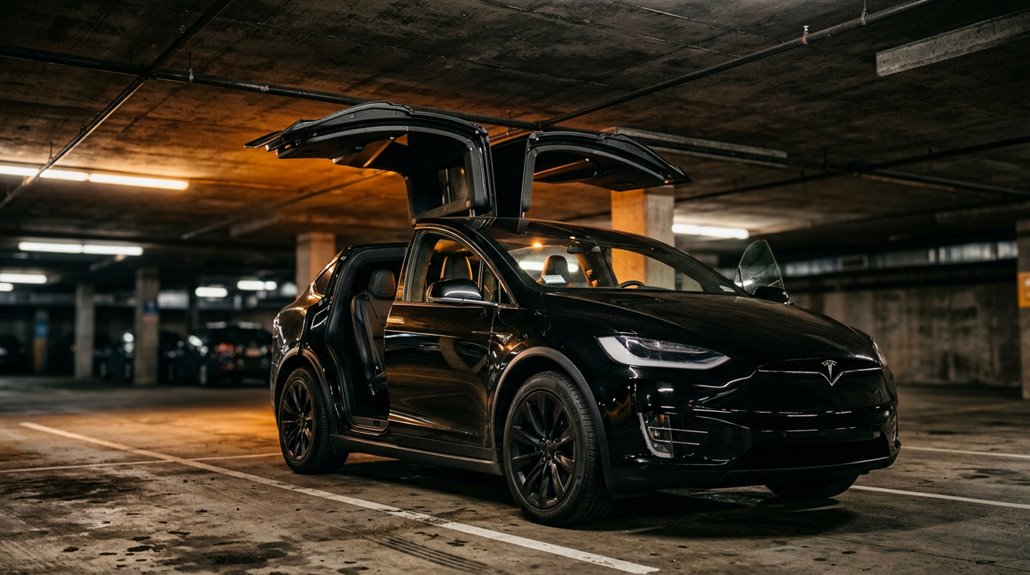
The Falcon Wing doors look theatrical, but there’s actual mechanical logic behind the spectacle. Two hinges—not one—handle the articulation, letting the door fold upward rather than swing outward like a conventional door.
Here’s what’s actually happening during operation:
- The inner hinge initiates upward rotation near the body
- Torsion springs carry most of the door’s weight through the lift
- Electric actuators refine positioning while sensors scan surroundings
- Low-clearance detection automatically reduces the opening height
Your vehicle adjusts the door path in real time, stopping completely if an obstacle appears. Sensor calibration keeps detection accurate over time, while spring maintenance guarantees consistent lift force. Stationary-only operation isn’t a limitation—it’s physics respecting practicality. Cold weather, rain, and reflected sunlight are known to trigger phantom obstacle detection, causing the doors to stop or misfire mid-cycle.
How the Falcon Wing Doors Sense Obstacles Before They Hit Anything
The Falcon Wing doors don’t just swing open and hope for the best — they actively scan their surroundings using a layered system of ultrasonic sensors (positioned mid-door and along the bottom edge), capacitive sensors integrated into the door assembly, and two roof-mounted sensors that measure overhead clearance before the door moves an inch.
If any sensor detects an obstruction in the door’s path — whether that’s a concrete pillar, a low garage beam, or a child standing too close — the control system processes those inputs simultaneously and either stops the door cold or reverses its direction without requiring you to intervene.
It’s a sophisticated real-time adjustment system, though it’s worth noting that some owners report false positives at a rate of roughly 2-3 phantom detections per 10 operations, a problem Tesla has addressed through multiple firmware updates including v7.1 and beyond. Software update v7.1 also introduced the ability to save door height settings by location, allowing the system to automatically limit how high the doors open based on previously detected overhead clearance at a given spot.
Ultrasonic Obstacle Detection
Every Falcon Wing door carries a set of exterior sensors that actively measure the distance between the door and whatever’s nearby before and during movement. Sound waves emit outward, hit surrounding objects, and return as echoes the system interprets instantly.
Here’s what that detection system actually handles:
- Walls and posts positioned alongside the vehicle
- Adjacent parked cars within the door’s sweep path
- Fingers and hands caught near the door edge
- False detections triggered by loose sensor mounts or wiring faults
When clearance shrinks below a safe threshold, the door stops or adjusts its arc automatically. False detections remain a documented service issue—loose cabling and mounting problems routinely send phantom signals that freeze door operation entirely, requiring diagnostic inspection to resolve. The system also incorporates capacitive sensors that work alongside ultrasonic units to broaden obstacle detection coverage across the full door arc.
Real-Time Door Adjustment
Falcon Wing doors don’t just swing open and hope for the best—they continuously read their surroundings and adjust course in real time based on what the sensors detect. Spot something overhead? The hinge mechanics shift the door’s arc outward while reducing peak height. Something standing beside the vehicle? Outward travel compresses markedly.
This isn’t a one-time scan at ignition—sensor calibration runs throughout the entire opening and closing cycle, feeding live data into the door’s motion planning system.
The result is a door that genuinely reacts rather than simply executes a preset path. Objects can influence both vertical and lateral movement simultaneously, meaning the system weighs multiple variables at once—quietly, quickly, and without needing you to intervene. The system can also save preferred clearance settings per location, so door height limits are remembered automatically each time you return to the same spot.
Common Falcon Wing Door Faults and How to Fix Them
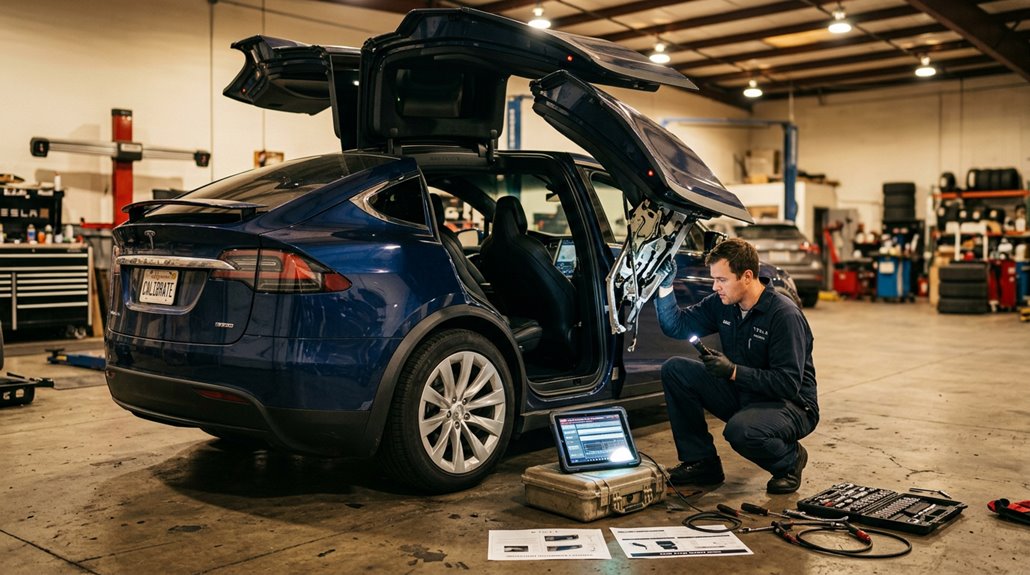
Owning a Tesla Model X means living with one of the most mechanically ambitious door systems ever fitted to a production vehicle — and like anything ambitious, the Falcon Wing doors can and do develop faults.
The Falcon Wing doors are mechanically brilliant — and like anything ambitious, brilliance comes with its share of faults.
Knowing what breaks helps you fix it faster.
The four most common issues you’ll encounter:
- Calibration errors — doors stall mid-cycle, requiring a control module reset
- Sensor adhesion failure — door-mounted sensors detach above 115°F, triggering false obstacle detection
- Hinge lubrication breakdown — dried lubricant causes sluggish movement and excessive mechanical play
- Software glitches — doors open spontaneously or ignore commands entirely
Most faults resolve through recalibration or a software update.
Persistent problems need diagnostic scanning to pull fault codes before replacing hardware unnecessarily. Continuing to operate a malfunctioning Falcon Wing door can accelerate wear on hinges and motors, compounding repair scope and cost over time.
Do Falcon Wing Doors Work in Low-Clearance Parking Garages?
One of the first questions shoppers ask about the Model X is whether those dramatic Falcon Wing doors can actually function inside a standard parking garage — and the honest answer is: sometimes, depending on the geometry. Garage compatibility isn’t guaranteed. The doors extend roughly 85 inches overhead when fully open, barely clearing the standard 84-inch minimum garage height. Fortunately, sensors detect overhead obstacles and limit the opening arc accordingly — useful, but sensor limitations mean irregular surfaces, hidden beams, or protruding racks can still catch the system off guard.
A 220 cm (7 ft 2 in) ceiling demonstrated workable clearance in testing. Your safest move: physically inspect your specific parking spot before trusting automation alone.
Passengers caught in tight spaces aren’t necessarily stranded — the doors can open partway for exit if full clearance isn’t available, giving rear occupants a reasonable means of getting out even when the ceiling won’t permit a complete swing.
How the Auto-Presenting Front Doors Work
The Model X front doors don’t just release — they actively present themselves to you, which sounds like a luxury gimmick until you’re juggling groceries in the rain. Detecting your key nearby, the driver’s door unlatches and begins presenting itself, stopping between 20° and 45° based on obstacle clearance.
The Model X door doesn’t just open — it meets you halfway, literally presenting itself as you approach.
Here’s how the sequence works:
- Key detected — the door unfastens and begins presenting itself
- Actuator engages — the pop actuator (above the latch) breaks ice resistance and initiates movement
- Obstacle logic activates — safety protocols halt travel if something’s in the door’s path
- Passenger door follows — a second double-click opens the front passenger door
Enable everything under Controls > Locks. Run actuator diagnostics if the door hesitates unexpectedly — that pop mechanism earns its keep in winter. This capability wasn’t available at launch but was later rolled out across the fleet through over-the-air software updates.
Walk-Away Door Close: Setup and Common Issues
To enable Walk-Away Door Lock on your Model X, navigate to Controls > Locks on the touchscreen and toggle the feature on — straightforward enough that you’ll wonder why it isn’t on by default.
Once active, the exterior lights flash once to confirm the lock, and if you’ve enabled Fold Mirrors, the side mirrors retract simultaneously (a satisfying two-for-one).
If your doors aren’t locking as expected, check whether a door or rear trunk is fully closed, since Tesla’s system flashes the hazard lights three times and refuses to lock when any opening remains — the automotive equivalent of a passive-aggressive reminder. You can also check that a phone key or key fob is detected, as the walk-away lock feature requires one of these to function.
Enabling Walk-Away Close
From there, configure these four options:
- Auto lock – activates automatically when your phone key or key fob leaves the vehicle’s detection range
- Mirror folding – enables mirror folding simultaneously with locking, keeping things tidy
- Confirmation sound – triggers an audible chime so you actually know it worked
- Home exclusion – prevents auto-locking at your saved home address, avoiding accidental lockouts in your driveway
Note that key fob walk-away functionality requires a fob purchased after approximately October 1, 2019. Walk-Away Door Lock is part of a broader vehicle security suite that also includes Sentry Mode and Dashcam.
Troubleshooting Door Issues
Check your Tesla app settings first (free, takes two minutes). Then watch for repeated reopen cycles or an “ajar” warning, both indicating mechanical or sensor-level resistance.
Alignment adjustments fix doors that only close under extra pressure—rubbing against trim confirms misalignment. Applying moderate reverse pressure to the outer edge of a raised falcon wing door can resolve stubborn misalignment without professional service.
Intermittent success doesn’t mean hardware is fine; unreliable behavior almost always signals calibration or sensor faults requiring Tesla service.
The Model X Panoramic Windshield: Size, UV Blocking, and Cabin Heat Buildup
When Tesla designed the Model X, it didn’t just give you a windshield—it gave you roughly 31 square feet of forward glass that doubles as the roof, stretching from the base of the front fascia up and over your head like a helicopter cockpit.
That solar tinting helps, but the glass curvature and sheer surface area still let radiant heat build up fast.
Here’s what you’re actually dealing with:
- Size: Approximately 57.1 in × 58.4 in of curved glass
- UV/IR blocking: Built into the tinting, reducing solar gain without killing visibility
- Shade effectiveness: Tesla’s factory sunshade blocks roughly two-thirds of heat and light
- Replacement costs: Expect around $2,300 due to specialized glass curvature and precision fitting
If you’re tinting this windshield, the dimensions alone mean you’ll need a 60-inch roll—a standard 36-inch roll won’t come close to covering it.
Glass Roof and Cabin Glare: What Owners Actually Report
The panoramic windshield‘s sheer surface area explains a lot of the heat equation, but glass roof glare is its own separate conversation—and owners have plenty to say about it.
The all-glass cabin creates a noticeably bright interior, and roof glare hits hardest when sunlight enters at low or high angles. Overhead heat is generally less disruptive than windshield-sourced glare, but both contribute to cabin discomfort in hot climates.
Fortunately, heat mitigation solutions are well-established in the community. Ceramic tint ranks highest for tint effectiveness, cutting both brightness and heat load without sacrificing visibility. Shade options—particularly aftermarket sunshades—consistently earn strong reviews for daily practicality. The factory glass is tinted, but you’ll likely want added protection if you drive regularly in intense sun. The page this content is served from is configured for serverRender build level, meaning the experience is optimized before it ever reaches your screen.
The Model X’s panoramic glass roof creates an open, airy cabin, but it also lets in a significant amount of heat and glare, especially during long summer drives or when the vehicle is parked in direct sunlight. Tesla Model X Glass Roof Sunshade & Windshield Sunshade Set helps reduce heat buildup and harsh sunlight inside the cabin, keeping the interior noticeably more comfortable while easing the load on the climate system during everyday use.
5-Seat vs. 6-Seat vs. 7-Seat Layout: What Changes
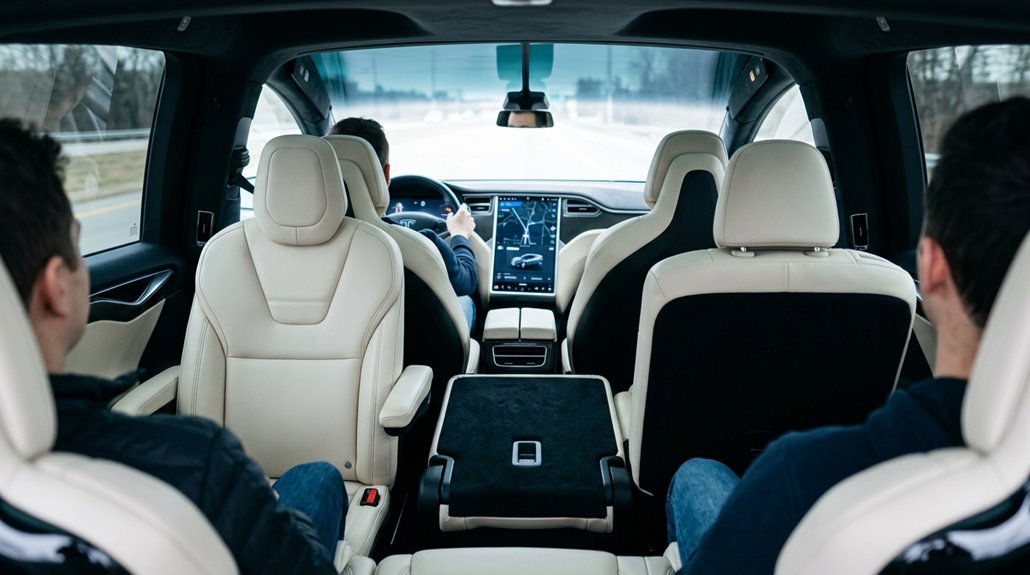
Choosing between the 5-, 6-, and 7-seat Model X isn’t just a headcount decision—it directly reshapes how much cargo you can carry, how easily passengers reach the third row, and how premium the cabin feels day-to-day.
The 5-seat layout (a 2+3 front-and-middle configuration with no third row) gives you the flattest, most generous load floor, while the 6-seat version trades some cargo width for two captain’s chairs and a clean center walkway that makes third-row access genuinely effortless.
If you’re regularly hauling seven adults, the 7-seat 2+3+2 bench layout gets them all in, though the second-row fold-and-slide routine required to reach that third row will test your patience—especially with a child seat anchored in the middle.
Despite these interior differences, ride and handling remain consistent across all three configurations, with the same air suspension and low-mounted battery weight delivering an identical driving experience regardless of which seating layout you choose.
Seating Configuration Breakdown
Picking the right Model X seating configuration isn’t just a comfort decision—it’s a structural one, and Tesla’s three layouts differ in ways that aren’t obvious until you’re actually loading passengers. The bench dynamics and captain’s chairs each serve fundamentally different households.
Here’s what each layout actually delivers:
- 5-seat: Two front seats plus a second-row bench—no third row, maximum cargo flexibility.
- 6-seat: Two front seats, two captain’s chairs (with pass-through access), plus two third-row seats.
- 7-seat: Two front seats, a full bench, plus two third-row seats with a sliding second row.
- Third-row upgrade: Either six or seven-seat configurations cost an additional $3,500.
The six-seat configuration is the most expensive upgrade at $6,500, making it the priciest of the three layout options.
Your passenger mix determines everything here.
Cargo Space Trade-Offs
Swapping between the 5-, 6-, and 7-seat layouts doesn’t just change how many people you can carry—it fundamentally reshapes how much usable cargo volume you’re working with and, more critically, how flat and accessible that space actually is.
The 5-seat configuration delivers the longest continuous load floor (roughly 85–92 cubic feet folded), making loading ergonomics straightforward for furniture, appliances, and anything requiring a flat surface.
The 6-seat’s captain’s chairs don’t fold completely flat, which kills cargo practicality for bulky loads despite offering decent aisle access.
The 7-seat bench folds reasonably well, landing around 81.7–83.9 cubic feet.
Across all layouts, you’re getting 6.5 cubic feet of frunk storage plus built-in tie downs and reinforced floor durability engineered for genuine work, not just grocery runs.
Which Layout Fits
Cargo space tells part of the story, but the seat layout decision cuts deeper—it defines who sits where, how comfortably, and whether getting to the third row requires a yoga certification.
Here’s how each configuration breaks down:
- 5-seat (2+3): Two rows, maximum simplicity, zero third-row ergonomics concerns.
- 6-seat (2+2+2): Captain’s chairs improve second row materials choices and shoulder room while creating a natural center aisle for effortless third-row entry.
- 7-seat (2+3+2): A bench replaces those chairs—you’ll gain one passenger but lose the walkthrough path.
- Capacity vs. comfort: The 7-seat fits more bodies; the 6-seat treats them better.
Your household’s actual usage pattern—not your hypothetical one—should drive this decision.
The Model X cabin is designed for comfort and space, but that same open layout means dirt, moisture, and everyday wear can spread quickly across all three rows, especially in family use or frequent passenger driving. All-Weather Floor Mats for Tesla Model X create a protective barrier across the entire floor area, helping keep the interior clean and easier to maintain long after daily trips, school runs, or road travel start adding up.
Third-Row Space After the 2025 Refresh Improvements
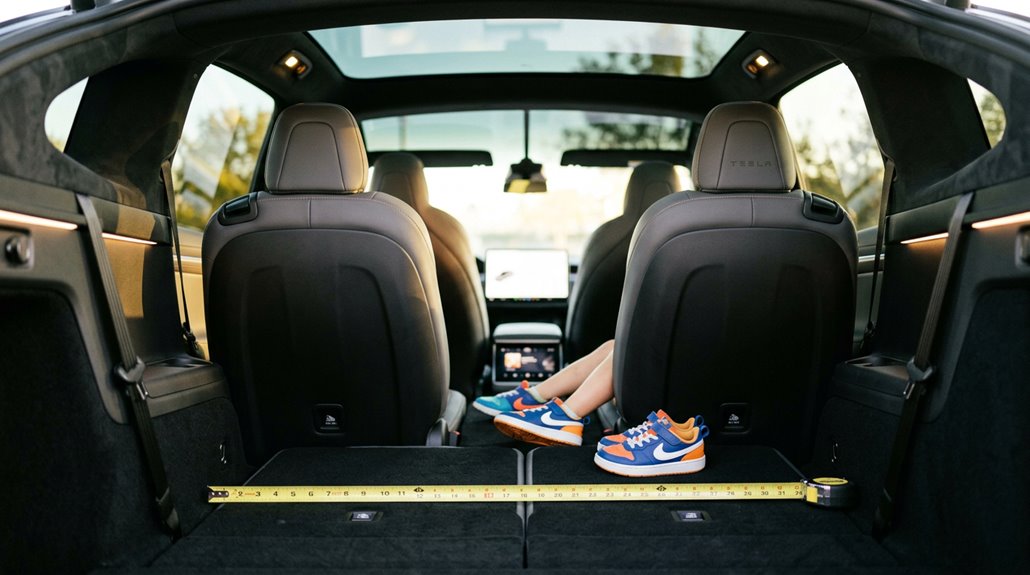
When Tesla refreshed the Model X in June 2025, it quietly addressed one of the SUV’s long-standing criticisms: the third row’s cramped feel. The update wasn’t a dramatic redesign—the platform stayed identical—but the rear interior panels were reshaped with a creased indent that slimmed the bulky haunches flanking the third row. That single change meaningfully improved third-row ingress, making climbing in and out noticeably less awkward.
Cargo packaging also benefited, with better space efficiency behind the third row rather than a physically larger cargo bay. One report noted the refreshed Model X grew just 0.1 inch longer, so the gains came from smarter interior geometry, not extra sheet metal. The third row still suits shorter passengers best, but access improved considerably.
Model X Second-Row Legroom, Recline, and Long-Trip Livability
The third row gets all the drama—Falcon Wing doors swinging wide, passengers ducking and shuffling into position—but the second row is where most adults actually spend their time on long trips, and it deserves a closer look.
Here’s what the numbers actually tell you:
- 5-seat/7-seat legroom: 38.7 inches (bench layout)
- 6-seat legroom: 39.8 inches (captain’s chairs add 1.1 inches)
- Headroom: Nearly identical across configurations (~41 inches)
- Shoulder room: Practically equal between layouts
The 6-seat configuration wins on seat ergonomics because captain’s chairs naturally encourage better posture than a flat bench.
That aisle convenience—a genuine walk-through center—reduces confinement during extended highway travel.
You’re not climbing over anyone, which matters more than one extra inch of legroom ever will.
Cargo Space Across All Three Seat Configurations
Seating configuration does more than determine how many passengers you can carry—it directly controls how much cargo fits behind them. The 5-seat layout wins on cargo optimization, offering roughly 83.9 cu ft behind the first row with its flat, uninterrupted load floor.
The 6-seat version trades that flatness for captain’s chairs, yielding about 88.0 cu ft maximum but with a less practical load-securing surface.
The 7-seat configuration balances both worlds: 90.3 cu ft maximum, 35.2 cu ft behind the second row, and 14.8 cu ft behind the third.
The frunk adds 6.5 cu ft for accessories compatibility and roof storage overflow. Each layout shapes your daily hauling reality, so choose accordingly—cargo doesn’t negotiate with fixed captain’s chairs.
Model X Frunk Size and What Actually Fits
The Model X frunk checks in at 183 liters (6.5 cubic feet), making it the largest front trunk in Tesla’s current lineup and a genuinely useful secondary storage zone once you stop thinking of it as bonus trunk space and start treating it as a dedicated grab-and-go compartment.
It handles groceries, charging gear, soft duffel bags, and emergency kits without complaint, though its tapered, vehicle-shaped interior (roughly 44 inches wide, 32 inches deep, and 30 inches tall) punishes rigid hard-sided luggage the way a square peg punishes a round hole.
Keep loads under the recommended 110 lb (50 kg) ceiling, distribute weight evenly, and you’ll find the frunk quietly offloads clutter from the rear cargo area—especially when the main hold is already committed to larger bags or gear.
Frunk Capacity And Dimensions
Here’s what that actually means for frunk ergonomics and cargo mounting:
- Dimensions run roughly 44 inches wide, 32 inches deep, and 30 inches tall — non-rectangular, so real capacity runs smaller than the math suggests
- Weight ceiling sits at 110 lbs (50 kg) — exceed that and you’re risking structural strain
- Shape favors soft bags over hard-sided luggage — the geometry punishes rigid cargo
- Max total cargo reaches 88.0 cubic feet — the frunk adds meaningfully to that system
What Fits Inside
Knowing what actually fits inside the Model X frunk saves you from standing in a parking lot playing three-dimensional Tetris with your luggage.
The cavity holds 6.5 cubic feet (183 liters), but its irregular shape means usable space is slightly less than that number suggests. Everyday wins include grocery bags, backpacks, charging cables, and soft duffel bags. Grocery organization becomes genuinely practical here — keeping produce separate from cabin cargo is a legitimate advantage.
Wet gear storage works equally well; muddy boots or damp jackets stay isolated from passengers. Avoid tall hard-shell cases, which contact the hood structure. Tesla caps the weight limit at 110 lbs (50 kg), so pack evenly. Collapsible strollers and smaller rigid suitcases fit with deliberate arrangement.
Frunk Versus Trunk Trade-Offs
Stacking the Model X frunk against its rear cargo hold makes one thing immediately clear: you’re working with two very different tools.
The frunk offers 6.5 cu ft (183L); the rear delivers 39.2 cu ft behind the second row alone.
Here’s how to think about the split practically:
- Frunk ergonomics favor quick-grab items — charging cables, groceries, prized items you’d rather keep separate
- Rear cargo handles everything bulky, with 93.7 cu ft total available in 7-seat configurations
- Weight distribution benefits when you load heavier items rearward, keeping front axle loads sensible
- Planning hierarchy flows rear-first, frunk-second — always
The frunk isn’t your primary workhorse.
It’s a capable assistant that earns its keep through convenience, not cubic footage.
What the Model X Can Actually Tow
Lightweight campers and streamlined trailers (think 2,000–3,000 lbs) hit the sweet spot. Trailer aerodynamics matter here—boxy enclosed trailers create drag that strains range and stability.
| Trailer Type | Typical Weight | Realistic Fit |
|---|---|---|
| Lightweight camper | 1,500–2,500 lbs | Excellent |
| Small boat/utility | 1,000–2,000 lbs | Excellent |
| Boxy travel trailer | 3,500–5,000 lbs | Manageable |
Tongue weight caps at 500 lbs, and passenger or cargo load reduces that further—so calculate your total before hitching anything.
How Towing Affects Model X Range and Energy Use
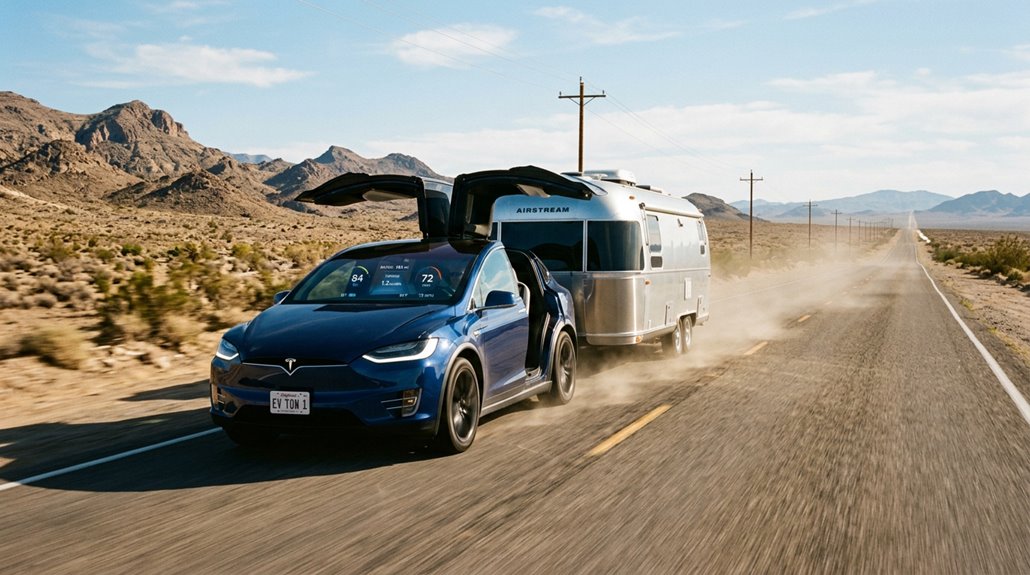
Towing cuts your Model X’s real-world range by roughly 40–60% depending on trailer shape, speed, and terrain, which means that a 330-mile EPA rating can shrink to somewhere between 130 and 200 usable miles on a towing trip.
Aerodynamics matter more than weight at highway speeds (drag scales with the square of velocity, so even modest speed increases punish efficiency hard), and a boxy camper will drain your battery far faster than a sleek, low-profile trailer at the same gross weight.
Managing energy while towing comes down to three practical levers: keep your speed in the 55–65 mph range, choose the most aerodynamic trailer your trip allows, and plan charging stops around your reduced towing range rather than the EPA number on Tesla’s spec sheet.
Towing’s Range Impact
Hitching a trailer to the Model X comes at a measurable cost—range drops markedly the moment you pull away from the driveway. Expect these realities:
- Speed penalties accelerate consumption — above 60 mph, energy use climbs toward 800–900 Wh/mile
- Aerodynamic trailers matter enormously — a refined design (like the Bowlus Terra Firma) limits loss to roughly 29% versus 60%+ for boxy rigs
- Battery thermal load increases — sustained towing stress pushes the pack harder, shrinking usable capacity faster
- Charging stops become frequent — plan for 90–150 mile legs between Supercharger visits
Your 300+ mile EPA rating effectively becomes 120–170 miles of comfortable towing range. That’s not failure—it’s physics doing exactly what thermodynamics promised it would.
Managing Energy While Towing
Once a trailer’s hooked up, the Model X doesn’t just carry extra weight—it fights extra drag, and at highway speeds, drag wins almost every argument.
Boxy trailers can push consumption to 575 Wh/mi on flat roads and 800–900 Wh/mi on grades. You’ll want to stay around 50–55 mph, where range holds noticeably better than at 70-plus.
Battery conditioning matters too—arriving at Superchargers with a thermally prepared pack keeps charging stops shorter, which matters more when you’re stopping twice as often.
Enable trailer sway control before departure, not after something feels wrong.
Aerodynamic trailers (teardrop, Airstream-style) consistently return 70–71% of normal range. Heavier, boxier loads? Budget considerably less.
Plan shorter legs, prioritize pull-through charger spaces, and treat elevation changes as guaranteed range penalties.
Model X Air Suspension Behavior Under Towing Loads
When you hook up a trailer to the Model X, the responsive air suspension doesn’t just sit there and suffer—it actively works to keep the vehicle level from front to rear, counteracting the rear sag that a tongue weight would otherwise introduce. This air ride load leveling preserves steering precision by keeping the front axle properly weighted.
Here’s what the suspension actively manages for you:
- Rear sag prevention – distributes tongue weight more evenly
- Front-axle grip – maintains braking effectiveness (front brakes do most of the work)
- Aerodynamics – Low mode reduces drag even while towing
- Tire contact consistency – levels the stance for predictable handling
Regular maintenance keeps these systems calibrated correctly under heavy loads.
How to Program the Model X to Raise or Lower Itself at Specific Locations
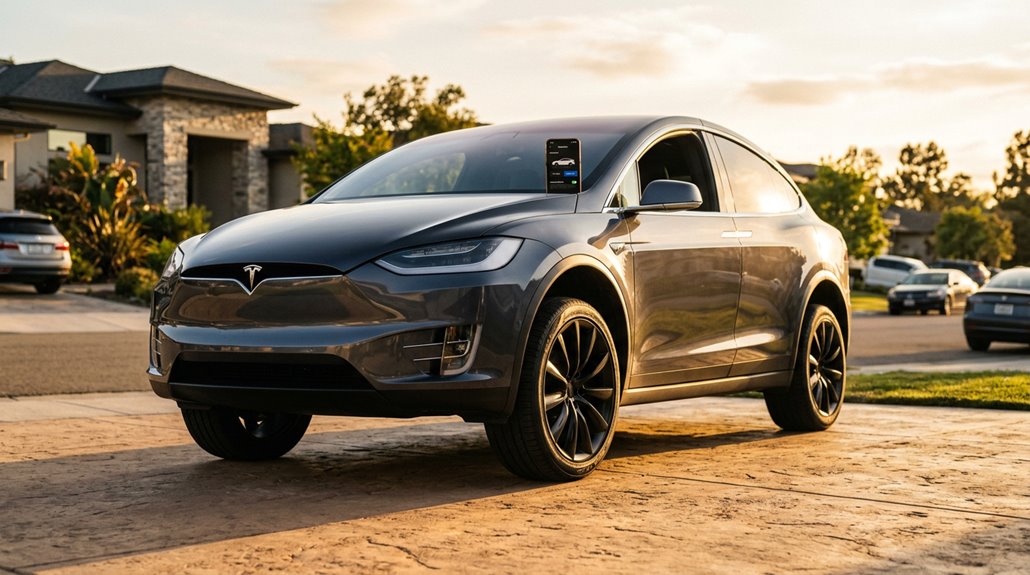
The air suspension’s ability to keep the Model X level under a trailer load is impressive on its own, but the same system can do something arguably more practical in everyday driving—it can remember exactly how high or low to sit at specific locations you’ve programmed in.
That’s location-based suspension calibration working quietly in the background.
| Step | Action |
|---|---|
| 1 | Manually adjust liftgate or suspension height on-site |
| 2 | Touchscreen prompts you to save that height for this location |
| 3 | Vehicle automatically repeats that height every future visit |
Press and hold the liftgate’s underside button until you hear a confirmation chime—that’s your signal the preference saved. Your garage ceiling won’t argue with the trunk anymore.
Model X Air Suspension Failure: Warning Signs and Repair Costs
Air suspension earns its keep through years of responsive adjustments, pressurized components, and continuous load sensing—but it isn’t immortal. Watch for these four warning patterns:
- Overnight sagging at one corner signals an air leak in the spring or line
- Hissing sounds near the wheel well indicate escaping pressure
- Dashboard alerts like “Air Suspension Disabled” confirm the system detected a fault
- Rougher ride quality suggests compressor wear or failing height sensors
Repair costs escalate fast when an undetected air leak forces the compressor into overdrive—eventually killing it entirely. Replacing a single air spring costs less than replacing a spring *plus* a burned-out compressor. Early diagnosis isn’t optional; it’s financially smart.
The Central Touchscreen: What It Controls and What It Lacks
Your Model X’s 17-inch front touchscreen handles nearly everything you’d expect from a modern EV—climate zones, route guidance, Falcon Wing door controls, charge port access, and even Autopilot settings all live behind that single glass panel.
You’ll also find drive mode shifting (Park, Reverse, Neutral, Drive) handled through an on-screen strip rather than a physical stalk, which means the touchscreen isn’t just a convenience layer—it’s operationally essential.
That said, it’s not flawless: the rear screen offers a noticeably reduced feature set compared to the front, voice commands can’t search settings directly, and an unresponsive screen requires a full system restart (not exactly ideal when you’re trying to open the trunk in a parking garage).
Touchscreen Core Functions
Tesla’s 17-inch touchscreen takes over practically everything in the Model X cabin — climate, media, route guidance, vehicle customization, and a surprising amount of mechanical control that used to live behind physical buttons. You’ll notice ambient adjustment kicks in automatically, adjusting brightness to match surrounding light conditions. Screen latency stays minimal under normal operation, though heavy route rendering can occasionally introduce brief delays.
Here’s what the touchscreen manages directly:
- Climate and comfort — temperature, fan speed, and seat heating
- Routing — destination search, route settings, and map orientation
- Drive mode shifting — Park, Reverse, Neutral, and Drive via the controls strip
- Privacy modes — locking rear display access through touchscreen settings
Gesture shortcuts aren’t heavily featured, but voice commands efficiently supplement screen-based controls.
Notable Missing Controls
While the Model X’s touchscreen handles an impressive range of functions, it doesn’t cover everything — and the gaps are worth knowing before you assume a feature exists somewhere in a submenu.
Several controls you’d expect app limitations to handle simply aren’t there. The Tesla mobile app omits the Climate button, Schedule button, Safety and Driver settings, and Charge Limit controls — features fully accessible on the touchscreen itself. That inconsistency catches owners off guard.
Older variants (2015–2020) face steeper restrictions: no phone key support, remote features requiring active internet, and scroll wheel glitches demanding hardware fixes when software resets fail.
Blind Spot Camera controls also don’t appear on all touchscreen configurations. Knowing these gaps upfront saves you from chasing phantom menu options.
Driver Display, Rear Passenger Screen, and Cabin Tech
The Model X doesn’t just give you one screen — it gives you three, each handling a distinct role without stepping on the others.
Three screens, three jobs, zero overlap — the Model X keeps every part of the cabin doing exactly what it’s meant to.
Here’s how the cabin tech breaks down:
- Dashboard personalization starts with the driver’s instrument cluster, which displays speed, charge level, and a live driving visualization you can configure using the left steering wheel buttons.
- Touch responsiveness on the 17-inch front touchscreen feels smartphone-fast, handling everything from climate to drive modes.
- Rear entertainment runs on a second 17-inch screen, letting passengers stream Netflix or adjust their own climate independently.
- Cabin acoustics stay controlled through the rear touchscreen’s volume settings, keeping front and back zones separate.
Voice commands tie everything together without requiring you to tap anything.
Why the Yoke Was Dropped and What Replaced It
When Tesla made the yoke standard on the Model S and Model X back in 2021, it looked bold on paper — a flat-bottomed, aircraft-inspired control surface that signaled autonomous driving was just around the corner.
Reality hit differently. Yoke ergonomics proved genuinely problematic: parking maneuvers, three-point turns, and tight urban routing all became awkward exercises in hand repositioning. Safety regulators noticed. Owners complained loudly. The material itself peeled (Service Bulletin SB-24-32-005 covered affected builds through January 2024).
Tesla eventually offered a $700 round-wheel retrofit in early 2025 — which sold out in under a week, making retrofit demand the clearest possible market signal. By 2025 production, the round wheel became standard again, with the yoke surviving only as a $1,000 Plaid-exclusive option.
Over-the-Air Updates: What They Can and Cannot Change
Your Model X gets smarter over time without you lifting a finger—Tesla pushes over-the-air (OTA) software updates wirelessly, typically over Wi-Fi, that can add new features, enhance driver-assist behavior, and even resolve safety recalls that would’ve required a dealership visit in any other vehicle.
What those updates can’t do, however, is change the hardware underneath: sensors, cameras, and physical components stay exactly as Tesla built them, regardless of how many software versions roll through. So while your touchscreen might wake up one morning with improved Supercharger routing logic or a recalibrated Autopilot response, the actual radar array or onboard computer sitting behind your dashboard isn’t going anywhere.
What Updates Cover
Over-the-air updates are one of Tesla’s most practical advantages, letting your Model X receive new features, bug fixes, and performance improvements without ever pulling into a service bay.
Update cadence varies by rollout phase, but the coverage is genuinely broad:
- Driving behavior — acceleration feel, regenerative braking response, and stability logic can all shift post-purchase.
- Infotainment and UI — menus get redesigned, expanded, or simplified through software alone.
- Navigation — Supercharger routing, trip-planning tools, and charging logic sharpen over time.
- Driver-assist systems — safety warnings and Autopilot refinements arrive quietly overnight.
OTA limitations do exist, though. Software can’t restructure hardware or activate options your vehicle wasn’t configured for from the factory.
What it *can* do is keep your Model X meaningfully current without dealer visits.
Hardware Stays Fixed
That breadth of OTA coverage comes with a hard ceiling, though — and it’s a physical one. Hardware permanence means whatever cameras, computers, and sensors your Model X left the factory with are staying exactly there. Tesla can push code overnight, but it can’t push new silicon through your Wi-Fi connection.
This is where update limitations become real. If your vehicle runs HW2.5 (an older Autopilot computer), a software update might install cleanly yet leave certain advanced features grayed out permanently — because the required compute simply doesn’t exist onboard. Software hones what hardware already does; it doesn’t manufacture what hardware doesn’t have.
Think of it like upgrading an app on a decade-old phone — the download completes, but the experience tells a different story.
Dynamic Ambient Lighting and the 2025 Interior Refresh
The 2025 interior refresh finally brought ambient lighting to the Model X, catching it up to the newly redesigned Model 3 and Model Y Juniper that had already shipped with the feature. You’re getting full-spectrum color across the cabin, controlled entirely through the touchscreen.
Here’s what the system covers:
- Dashboard and door frames — hidden illumination that stays invisible until activated
- Center console and footwells — continuous color wrapping the cabin perimeter
- Entry ambient animations — lively light sequences trigger when you open the door
- Brightness and color controls — real-time adjustments, no service appointment required
Earlier Model X variants (2021–2024) can pursue aftermarket upgrades, but factory integration delivers noticeably cleaner results.
What the 2025 Model X Added: Adaptive Headlights and Bumper Camera
The 2025 Model X picked up responsive headlights through Tesla’s spring software update, bringing pixel-level high-beam dimming to U.S. and Canadian owners whose vehicles carry the required matrix headlight hardware — so instead of your high beams switching off entirely for oncoming traffic, individual pixels dim selectively to cut glare while preserving your visibility.
You’ll find the toggle under Controls > Lights > Responsive Headlights, and it’s enabled by default, automatically re-enabling itself if you’ve turned it off and then engage Autosteer or Full Self-Driving (Supervised).
As for a front bumper camera upgrade, that feature didn’t appear in the confirmed 2025 spring release notes for the Model X, so treat any claims about it separately from what Tesla actually documented.
Adaptive Headlight Upgrade
Tesla quietly rolled out one of its more practical lighting upgrades with the 2025 spring software update (version 2025.14.x), bringing responsive Headlights to Model X vehicles in the U.S. and Canada.
Matrix compatibility is the key requirement—without matrix LED hardware, your car simply won’t access this feature.
Here’s what the system actually does:
- Beam shaping — Individual pixels dim selectively around oncoming drivers and cyclists
- High-beam persistence — Your lights stay active longer without blinding others
- Curve adjustment — The beam adjusts directionally as roads bend
- Auto-enable — Autosteer and Full Self-Driving (Supervised) can reactivate adaptive headlights independently
Tesla began installing compatible hardware in late 2022, so older Model X builds remain excluded regardless of software version.
Front Bumper Camera
Joining the responsive headlights upgrade in 2025, the front bumper camera rounds out the most meaningful hardware addition the Model X has received in recent memory. Mounted on the front fascia, it delivers a 180-degree field of view, capturing ground-level obstacles that windshield-mounted cameras simply can’t reach. You’ll notice its value immediately during tight parking maneuvers, where improved distance judgment genuinely reduces collision risk.
It also supports Smart Summon and strengthens FSD’s unprotected left-turn execution. Unlike thermal management systems that operate invisibly, this camera’s presence is something you’ll actually see working. Privacy concerns are reasonable (you’re adding another outward-facing lens), though it records externally, not internally. HW4 vehicles can retrofit it, since Tesla pre-installed the necessary wiring infrastructure well before activating the feature.
How Tesla Autopilot Works on the Model X
Autopilot on the Model X isn’t magic — it’s a disciplined system of cameras, radar logic, and real-time data processing that handles the monotonous parts of highway driving so you don’t have to white-knuckle every mile. Sensor redundancy across front, rear, and side cameras creates a full 360-degree environmental image, while driver monitoring (via the cabin camera) keeps you accountable throughout.
Autopilot isn’t magic — it’s cameras, radar logic, and real-time data keeping you honest at highway speed.
Here’s what the system manages simultaneously:
- Lane centering — keeps you precisely positioned using road marking detection
- Speed regulation — TACC locks velocity without pedal input
- Following distance — adjustable via cruise control lever rotation
- Collision response — Automatic Emergency Braking activates when threats appear unavoidable
You’re still responsible. Automation assists; it doesn’t replace judgment.
Full Self-Driving on the Model X: Capabilities and Limits
Full Self-Driving (Supervised) lets your Model X navigate destinations autonomously across residential streets, city blocks, and highways — handling turns, lane changes, stop signs, traffic lights, and even roundabouts at speeds up to 85 mph (140 km/h).
Despite the ambitious name, it’s a Level 2 driver-assistance package, meaning you stay fully attentive with hands ready at all times while the cabin camera monitors whether you’re actually doing that.
Eight surround cameras scanning up to 250 meters and twelve ultrasonic sensors give the system a detailed depiction of its surroundings, though user reports note occasional stumbles on tricky turns and road transitions — a reminder that “supervised” isn’t just legal boilerplate.
What FSD Can Do
Tesla’s Full Self-Driving package takes the Model X well beyond basic Autopilot, stacking a suite of capabilities that handles everything from highway route guidance to maneuvering crowded parking lots.
You’re getting a system that reacts to real-world complexity, not just straight-line cruising.
Here’s what FSD actually does:
- Navigates full routes — entering and exiting highways autonomously, including automated turn signal engagement
- Responds to traffic signals — adaptive braking kicks in at stop signs and red lights automatically
- Manages lane changes — checks blind spots using 360-degree cameras before shifting
- Handles parking autonomously — Smart Summon retrieves your vehicle without you inside
Understand the legal implications, though — you’re still legally responsible for every mile driven, regardless of what the software manages.
Driver Supervision Requirements
Everything FSD can do only matters if you’re actually paying attention while it does it. Tesla is explicit: FSD (Supervised) is SAE Level 2, meaning you’re legally responsible every second. Keep your hands on the wheel and your eyes on the road — the system will periodically request slight steering input just to confirm you’re present. Ignore those prompts and escalating warnings follow quickly.
Driver vigilance isn’t optional theater. A cabin camera actively monitors your attentiveness whenever FSD engages, displaying a green indicator in the status bar (camera privacy concerns aside, it’s a real safety layer). Construction zones, complex intersections, and pedestrian interactions are specifically flagged scenarios where Tesla expects immediate takeover. The car assists; you drive.
Is Full Self-Driving on the Model X Actually Safe?
When you hand your Model X the wheel via Full Self-Driving (Supervised), the obvious question isn’t whether it feels impressive—it’s whether it’s actually keeping you safer.
Tesla’s data suggests yes, but with important circumstances:
- Collision definitions matter — Tesla counts crashes involving airbag deployment or an 8 km/h delta-V threshold, excluding many minor fender-benders.
- The mileage looks strong — roughly one collision per 5 million FSD miles, versus one per 700,000 for average U.S. drivers.
- Highway bias exists — FSD runs heavily on structured roads, where crashes are already rarer.
- Driver supervision remains non-negotiable — FSD assigns collisions if active within five seconds before impact.
Safety assistance isn’t safety guaranteed.
Blind-Spot Alert, Lane Departure, and Collision Warning Systems
FSD’s safety record leans heavily on structured highways—environments where lane markings are clear, traffic flows predictably, and the system runs at its best.
Beyond FSD, the Model X layers in dedicated safety features worth grasping separately. Blind-spot camera displays use side repeater cameras, showing adjacent lanes when you activate the turn signal—a red vertical bar flags detected vehicles. Driver monitoring ties into Lane Departure Avoidance too: repeatedly ignored hands-on-wheel prompts trigger gradual deceleration to 25 km/h below your set speed, with hazard lights flashing. Emergency Lane Departure Avoidance goes further, applying automatic steering correction regardless of signal status. Camera ergonomics matter here—the blind-spot feed can temporarily displace routing visuals on the main screen. These systems supplement your mirrors; they don’t replace shoulder checks.
Surround-View Cameras and Parking Sensor Coverage
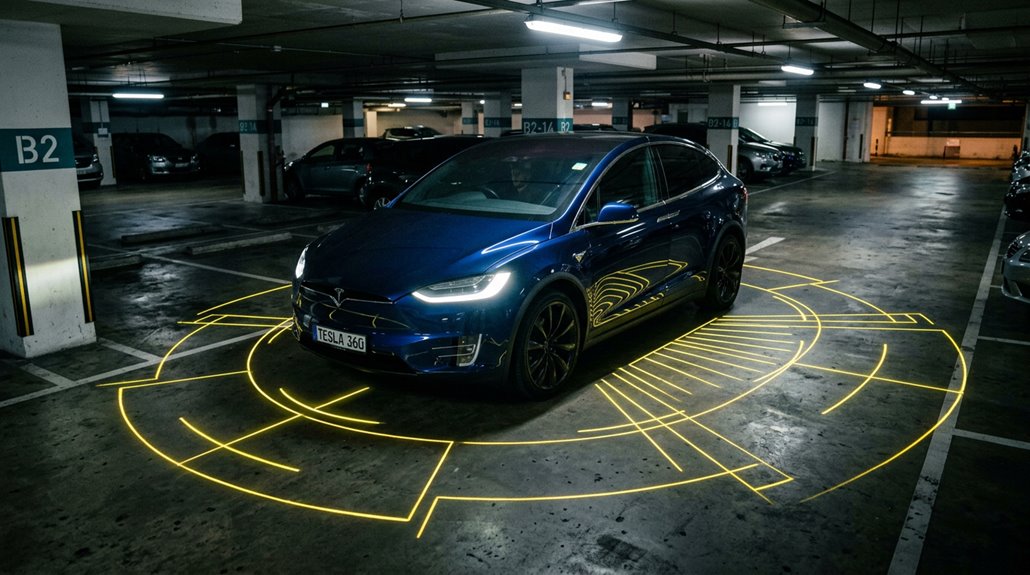
How well does the Model X actually see its surroundings at low speed? Eight exterior cameras provide broad coverage, but camera blindspots exist because current angles prioritize road monitoring over downward parking views. Tesla assembles perspective from multiple feeds rather than providing a traditional bird’s-eye stitched image.
Here’s what you’re actually working with:
- Rear camera mounts above the license plate for reverse guidance
- Front-facing camera sits above the grille on supported configurations
- Side repeater cameras activate automatically when turn signals engage
- Ultrasonic sensors supplement front and rear bumpers on select trims
Follow these calibration tips: after windshield replacement, expect 32–40 km of highway driving before the system recalibrates fully. Contact Tesla service if calibration remains incomplete beyond 160 km.
How Many Airbags Does the Model X Have and Where Are They?
Five distinct airbag zones protect occupants across the Model X cabin, covering everything from your knees to the roof rail. Tesla’s manual identifies five specific airbag locations: front airbags, knee protection units, seat-mounted side airbags, curtain airbags, and door airbags.
Front airbags handle larger frontal impacts, while knee airbags manage lower-body movement (think femur and pelvis positioning during sudden deceleration). Seat-mounted side airbags protect your pelvis and thorax on both impacted and non-impacted sides during severe angled collisions—a subtle but meaningful distinction.
Curtain airbags run along the front roof rail, and uniquely, door airbags mount directly inside the Falcon Wing door trim, functioning effectively as side curtain extensions. All systems are supplemental—your seatbelt remains primary protection.
Model X Warranty Coverage: What Tesla Actually Covers
When you’re spending north of $80,000 on a vehicle, knowing exactly what the manufacturer will and won’t fix matters.
Dropping $80,000 on a vehicle means you deserve to know exactly what you’re protected against — and what you’re not.
Tesla splits coverage into two distinct warranties.
Here’s what protects you:
- Basic Vehicle Warranty — 4 years or 50,000 miles, covering defects in materials and workmanship (excludes wiper blades and brake pads).
- Battery and Drive Unit Warranty — 8 years or 150,000 miles, guaranteeing minimum 70% capacity retention.
- Warranty Transfers — Coverage follows the vehicle, not the original owner, within the active term.
- Battery Exclusions — Accident damage, abuse, pre-existing damage, and unauthorized modifications aren’t covered, regardless of circumstances.
Tesla also offers an Extended Service Agreement once your basic warranty expires, though it doesn’t extend battery protection.
Battery Degradation in the Model X Over Time
Battery degradation is one of the most searched topics among Model X owners, and the reality is far less dramatic than the internet would have you believe. Tesla’s fleet data shows roughly 12% capacity loss around 200,000 miles — that’s genuinely impressive longevity.
| Timeframe | Typical Capacity Retained |
|---|---|
| Years 0–2 | 94–96% |
| Years 3–7 | 88–93% |
| Years 8–10 | 85–90% |
| 200,000 miles | ~88% |
Early drops often reflect BMS calibration rather than true chemical wear. Your battery warranty covers significant defects, and pack refurbishment remains an option beyond warranty. Moderate charging habits — staying below 90% daily — meaningfully extend your pack’s practical lifespan.
Model X Drive Unit Reliability and Common Mechanical Issues
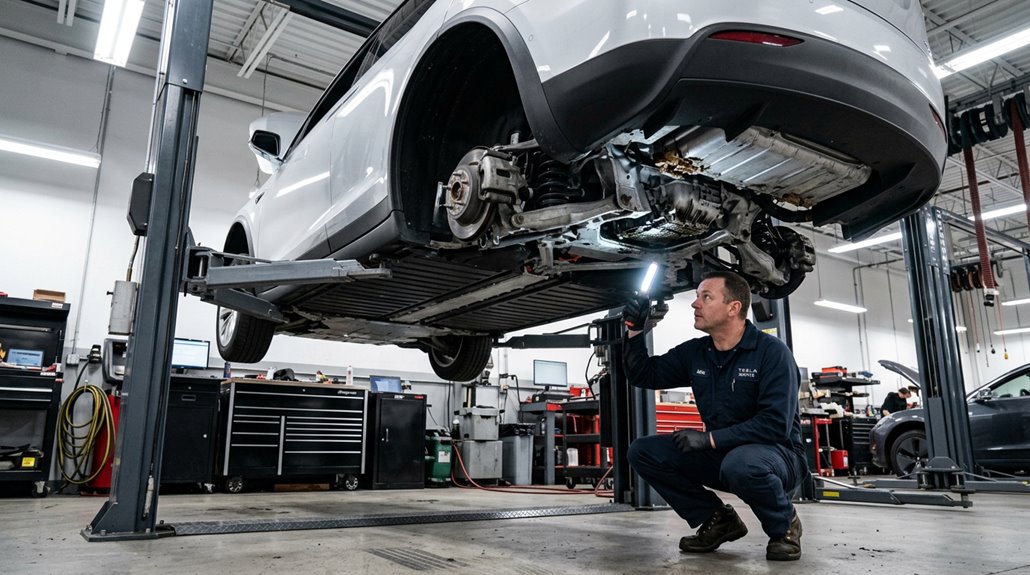
While your battery pack is quietly outlasting everyone’s expectations, the drive units powering the Model X deserve equal scrutiny — because longevity at the pack level means nothing if the motors sending torque to the wheels give out first.
A long-lasting battery means nothing if the drive units pushing your Model X forward fail first.
Early builds (2016–2018) carry documented vulnerabilities worth knowing:
- Bearing wear produces grinding or whining under load — early warning you shouldn’t ignore.
- Coolant corrosion from leaking motor seals contaminates internal components, accelerating mechanical breakdown.
- Reduction gear damage can escalate from minor friction into full drivability loss.
- Preventive maintenance — including gear oil replacement around 50,000 miles — meaningfully reduces replacement risk.
Post-2019 units run considerably cleaner. Warranty coverage typically extends eight years, but verify your specific configuration’s terms before assuming protection exists.
Model X Service Costs vs. Gas SUV Ownership: What You’ll Actually Save
Owning a Model X strips out a surprising chunk of the service expenses that gas luxury SUV drivers treat as just part of the deal. No oil changes, no spark plugs, no transmission service — those line items simply disappear. Tesla estimates annual maintenance between $421–$748, while comparable gas luxury SUVs routinely run $900–$1,400 yearly.
Over 10 years, CarEdge projects $4,885 total, beating the luxury SUV average by $7,568. Charging savings compound that gap further. Your warranty impact matters too — covered years keep early costs modest, typically $500–$650 annually. Yes, tires wear faster given the X’s weight, and an 18.79% major repair probability exists. But the math still favors you considerably over a decade of ownership.
Home Charging Setup for a Vehicle This Size
Most Model X owners will tell you the car itself is the easy part — figuring out your home charging setup is where the real decisions live.
Your garage electrification situation determines everything.
Your garage wiring isn’t a footnote. It’s the decision that shapes everything about living with this car.
Here’s what you’re choosing between:
- Standard outlet (120V): Adds ~3 miles/hour. Fine if you barely drive.
- NEMA 14-50 outlet (240V): Adds ~30 miles/hour at 7.6 kW — the practical sweet spot.
- Wall Connector (hardwired): Delivers up to 11.5 kW on a 60A circuit. Best for high-mileage households.
- Panel upgrades: Often unavoidable if your electrical service is older or underpowered.
Overnight charging handles most daily routines comfortably.
Schedule installations before delivery — waiting costs you time you don’t need to lose.
Model X Annual Ownership Costs: Insurance, Energy, and Maintenance
The sticker price on a Tesla Model X is the opening act — the real financial story plays out over years of insurance bills, charging sessions, and service visits. Your insurance breakdown starts around $3,500 annually for clean-record drivers, climbing past $5,500 for Plaid trims or younger profiles.
| Cost Category | Typical Annual Range |
|---|---|
| Full-coverage insurance | $3,500–$5,500 |
| Electricity (home charging) | $600–$1,200 |
| Tires and consumables | $400–$900 |
| Brake/filter service | $150–$400 |
Energy optimization matters here — home charging beats public rates markedly. Regenerative braking reduces pad wear, trimming traditional service costs. You’ll skip oil changes entirely, though tire replacement arrives faster given the X’s weight and launch capability.
Is the Tesla Model X Worth the Price in 2026?
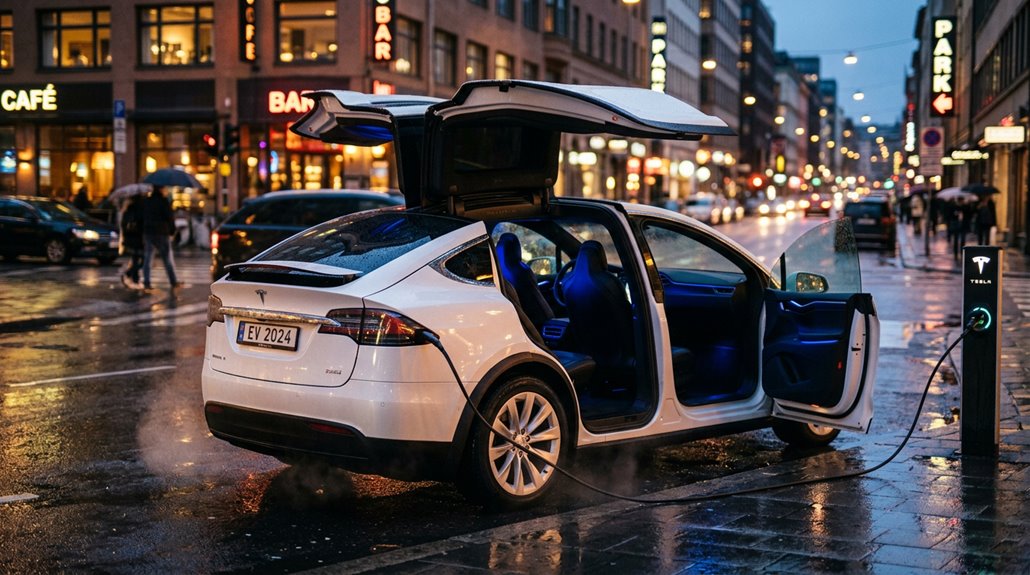
Spending six figures on a family SUV demands a clear-eyed answer to one question: what exactly are you getting for the money?
Dropping six figures on a family SUV means one question deserves an honest answer: what are you actually paying for?
Here’s what justifies the ~$101,000 base price:
- Performance: 3.6-second 0–60 mph runs and 670 hp from a family hauler
- Range: 335–352 miles of real-world usability per charge
- Utility: Three-row seating, Falcon Wing doors, and serious towing capability
- Long-term value: Strong used value recovery relative to peers, though long term depreciation remains steep (roughly 60–70% over five years)
New buyers pay for flagship specs. Used buyers (targeting $65,000–$80,000 2023–2024 examples) essentially get supercar performance wrapped in an SUV for considerably less.