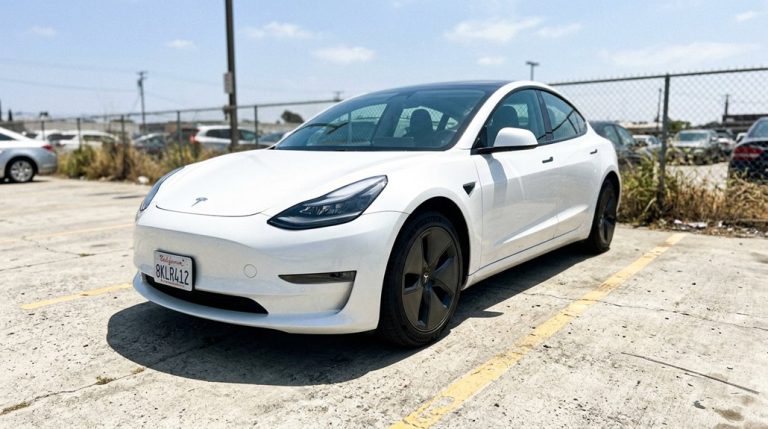

Two Model 3s. Same price. Wildly different real-world performance. The reason comes down to something Tesla doesn’t exactly advertise loudly — battery chemistry. LFP cells, NMC, NCA — each formula changes how far you drive, how you charge, and how long your pack survives. Most buyers never think to ask which one they’re actually getting. The full breakdown of every Tesla battery specification reveals details that could genuinely change which model you buy.
Tesla Battery Specs by Model: kWh, Range, and Chemistry Compared
Spanning a usable capacity range of roughly 50 kWh to 82 kWh across the lineup, Tesla’s battery portfolio is less a single technology than a carefully segmented stack of chemistry choices, cell formats, and pack sizes tuned to specific trims and price points.
Your Model 3 sits somewhere between 50 kWh and 82 kWh depending on trim, while a Model Y typically lands between 60 kWh and 79 kWh usable. Model S pushes furthest, conveying up to 405 miles of EPA-rated range.
The chemistry comparison matters more than the raw numbers suggest. Standard Range trims frequently use LFP (lithium iron phosphate), which tolerates daily 100% charging without complaint.
Long Range and Performance trims lean on nickel-based chemistries (NCA or NMC) for higher energy density, trading some cycle durability for impressive range figures. Grasping these battery capacities helps you choose the right trim — and charge it correctly afterward.
The Cybertruck stands apart from the rest of the lineup, as all of its trims rely exclusively on 4680 NMC cells produced at Giga Texas, with no LFP or 2170-format options offered across any configuration as of 2026. Beyond its battery chemistry, the Cybertruck’s pack also functions as a structural load-bearing element, doubling as the floor of the vehicle to lower the center of gravity and reduce overall part count.
Wall Connector or Mobile Connector: Which One Charges Your Tesla Faster?
When you’re deciding between Tesla’s Wall Connector and Mobile Connector, the answer hinges on one variable more than any other: amperage. The Wall Connector delivers up to 48 amps (11 kW), while the Mobile Connector caps at 32 amps (7.2 kW). That gap translates directly into miles recovered per hour.
| Feature | Wall Connector | Mobile Connector |
|---|---|---|
| Max Amperage | 48A / 11 kW | 32A / 7.2 kW |
| Miles Per Hour | Up to 44 mph | Up to 30 mph |
| Home Installation | Hardwired, permanent | Plug-in, portable |
| Portability Tradeoffs | Fixed location | Multi-outlet flexibility |
| Best For | Daily high-mileage drivers | Travelers, renters |
Home installation favors the Wall Connector when speed matters most. However, portability tradeoffs make the Mobile Connector genuinely useful for renters or road trips. If your 240-volt circuit supports higher amperage, the Wall Connector simply wins. Both connectors use the NACS connector standard, which unifies home, destination, and Supercharger charging under a single plug design. The Mobile Connector also supports travel charging by topping up from regular powerpoints while away, reducing reliance on public fast-charging stops.
Battery specifications on a Tesla often get all the attention—range, chemistry, and efficiency—but what really shapes long-term battery health is how consistently and predictably the car is charged. That’s why many Tesla owners eventually move toward setups like the Tesla Wall Connector, since having a dedicated home charging point allows the battery to stay on a steadier, more controlled charging routine.
How to Set Charge Limits for NCA and LFP Batteries in the Tesla App
Once you know whether your Tesla runs an NCA (nickel-cobalt-aluminum, the standard lithium-ion chemistry) or LFP (lithium iron phosphate) pack, setting the right charge limit in the Tesla app takes about ten seconds — open the app, select your vehicle, tap the charging screen, and drag the slider to your target percentage.
For NCA batteries, that daily target should sit at 80% (bumped to 100% only before a long trip), because prolonged time at full charge quietly degrades cell chemistry over hundreds of cycles. LFP owners, by contrast, can routinely charge to 100% — and should hit that ceiling at least once a week to let the battery management system balance the cells and keep the state-of-charge readout accurate. To confirm which chemistry your Tesla uses, navigate to Controls → Software → Additional Vehicle Information on the touchscreen, where LFP packs will be explicitly labeled as “High Voltage Battery type: Lithium Iron Phosphate.”
It is also worth noting that regional variants can differ in battery cell sourcing and thermal management thresholds — for example, EU Performance models use Chinese cells while US Performance variants use Panasonic cells, meaning power output and pack behavior are not identical across markets even on the same trim level.
Setting NCA Charge Limits
The slider offers sticky increments (50%, 60%, 70%, 80%, 90%), making 80% easy to lock in. Reserve 100% for trips, and when you do charge fully, drive soon after completion—sitting at maximum state of charge accelerates the same degradation you’re trying to avoid. Unlike traditional vehicles, Tesla delivers battery management updates remotely via Wi‑Fi overnight, meaning your charge strategy can be refined without a service visit.
Your battery’s chemistry, not personal preference, dictates the right limit. LFP battery owners can charge to 100% daily and are actually advised by Tesla to do so at least once per week.
Adjusting LFP Battery Settings
LFP batteries play by different rules entirely, and your charge settings need to reflect that. Unlike NCA chemistry, LFP tolerates — and actually benefits from — regular 100% charges. Tesla explicitly recommends setting your LFP charge limit to 100% for daily use, which flips conventional charging etiquette on its head.
Here’s why: LFP calibration depends on full charges to keep the battery management system accurate. Without weekly 100% cycles, your state-of-charge estimates drift, leaving you guessing how much range you actually have.
Adjust your limit through the Tesla app’s slider (with clean stops at 50%, 60%, 70%, 80%, 90%, and 100%) or directly via your car’s charging screen. Confirm you have LFP installed under Controls > Software > Additional Vehicle Information before changing anything. Tesla’s over-the-air software updates can also modify charging behavior and battery management parameters after your vehicle has already left the factory.
Supercharger V2, V3, and V4: Real Speeds and How to Find Them on a Route
Across Tesla’s Supercharger network, three distinct hardware generations exist—V2, V3, and V4—and knowing which one sits along your route directly affects how long you’ll be standing next to a vending machine waiting for electrons.
V2 stations peak at 150 kW but use paired stalls, meaning a neighboring car actively steals your speed. V3 jumps to 250 kW with independent power delivery and liquid-cooled cables that eliminate the cable limitations plaguing older hardware.
V4 hotspots currently deliver 250–325 kW, with future-capable cabinets pushing toward 500 kW per stall.
Real speeds depend heavily on your battery’s state of charge and temperature. Hit a V4 between 5–30% after proper preconditioning tips like activating route guidance to your destination, and peak rates become genuinely impressive.
The V4 cabinet’s modular tray-based design houses roughly 16 internal power conversion modules and can distribute regulated high-voltage DC across up to eight dispensers, with some configurations supporting up to 1.2 MW for Semi deployments.
Use PlugShare or Tesla’s in-car route guidance to identify stall generations before committing to a stop.
How Preconditioning, Sentry Mode, and Idle Fees Silently Kill Your Tesla Range
Knowing which Supercharger generation sits on your route is half the battle—but the electrons you actually arrive with depend just as much on what your Tesla was doing while it sat in the parking lot. Battery preconditioning draws power before you ever move, warming a cold pack to improve performance. Useful? Absolutely. Free? Not remotely. When unplugged, that thermal work pulls directly from stored range.
Sentry Mode compounds the problem. Tesla explicitly flags it as a standing idle drain, accumulating losses over hours or days of parking. Combined with Dog Mode, Cabin Overheat Protection, or active USB ports, those background loads quietly reduce your range impact before you’ve touched the accelerator.
The practical fix is straightforward: stay plugged in whenever possible, keep your state of charge near 50% during storage, and disable Sentry Mode in low-risk environments. Your battery didn’t lose range—your parked car spent it. For longer trips, setting a scheduled departure time through the Tesla app allows preconditioning to run while still connected to the grid, preserving stored range for the road ahead.
Cold Weather, Road Trips, and the Tesla Charging Habits That Protect Long-Term Range
Winter doesn’t just cut into your Tesla’s range—it eats through it in layers. Cold battery chemistry, cabin heating demands, and highway speeds combine to strip 20–35% of your Model Y’s rated range under typical conditions. Severe cold pushes that closer to 40–45%.
Three habits that protect your range and battery long-term:
- Use winter preconditioning 30–45 minutes before departure — warming the battery while still plugged in means you’re burning grid power, not pack capacity.
- Prioritize seat heaters over the cabin heater — cabin heater optimization matters because the resistive heater draws considerably more energy than heated seats.
- Keep daily charging at 80% and Supercharge sparingly — reserve 100% for road trips, and plan winter legs every 120–180 miles rather than trusting the EPA number.
The Model Y’s heat pump system delivers up to 300% greater efficiency than resistance heating, making it one of the most effective tools for reducing cold-weather energy drain on the battery pack.
Plug in when parked. Charge frequently. Your battery’s longevity depends less on luck and more on consistent, boring discipline.
Tesla battery specs tell you a lot about capacity and range, but in real-world use, what often matters more is how easily you can access the right kind of charging when you need it. That’s why many owners keep a Tesla NACS / J1772 Charging Adapter on hand, because it removes the friction between where you can plug in, helping you make better use of more battery-friendly charging options instead.
Frequently Asked Questions
What Is the Total Weight of a Tesla Battery Pack?
Tesla battery pack weight ranges from 900–1,800 lbs. If you’re driving a Model 3, its battery mass sits around 1,054 lbs—a reflection of how pack density affects your vehicle’s overall performance and handling.
Can a Tesla Battery Pack Be Replaced at Home by the Owner?
You can’t perform a DIY replacement of your Tesla’s main battery pack at home. It requires specialized tools, trained technicians, and could void your warranty concerns if mishandled. Leave this to the professionals.
How Long Does a Tesla Battery Pack Typically Last Before Degrading?
Your Tesla’s battery typical lifespan runs 300,000–500,000 miles before significant capacity fade sets in. You’ll likely see only 10–15% loss by 200,000 miles with proper charging habits.
Does Towing a Trailer Significantly Reduce Tesla Battery Performance and Range?
Yes, towing markedly reduces your Tesla’s range. You’ll face increased aerodynamic drag from the trailer, faster battery drain, and reduced regenerative braking efficiency, forcing more frequent Supercharger stops than you’d normally need.
Are Tesla Battery Packs Waterproof and Safe to Drive Through Floods?
Tesla’s battery packs are water-resistant, not waterproof—don’t let waterproofing myths fool you. Floodwater above wheel-rim height risks short circuits. Without hydrostatic testing standards, you shouldn’t drive through floods, as serious electrical damage can occur.