
Most Tesla owners never touch their charging settings — and quietly lose hours of range every week. Your Wall Connector can push up to 48 amps (11.5 kW), nearly four times what a standard outlet delivers, yet battery chemistry, charge limits, and hardware choices interact in ways that remain completely invisible to the average driver. The difference between a sluggish overnight trickle and a full morning top-up isn’t luck — it’s configuration. A faster, smarter setup is already within reach.
Wall Connector Gen 3 vs. Mobile Connector: Which Charges Your Tesla Faster?
When you’re deciding between Tesla’s Wall Connector Gen 3 and the Mobile Connector, the core question is simple: how many amps can each unit push through your car’s onboard charger?
The Wall Connector Gen 3 delivers up to 48 amps on a hardwired circuit, translating to roughly 15% battery per hour on a Model 3 or Y. The Mobile Connector typically caps at 32 amps, yielding around 10% per hour. That gap matters on single-phase power, though both units effectively tie at approximately 7 kW when the Mobile Connector runs a 32A tail.
The Wall Connector outpaces the Mobile Connector on speed — until single-phase power levels the playing field at 7 kW.
On three-phase power, the Wall Connector pulls ahead decisively, reaching up to 11 kW where residential service supports it. Most Teslas support an 11.5 kW onboard charger ceiling for Level 2 charging, meaning three-phase Wall Connector installations can push close to the vehicle’s maximum AC acceptance rate.
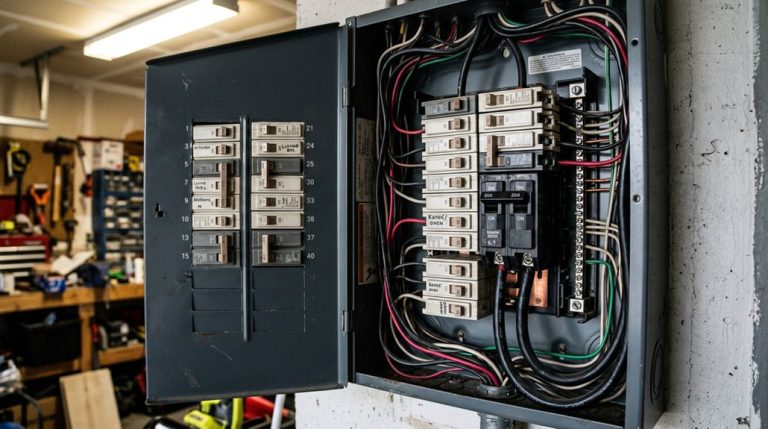
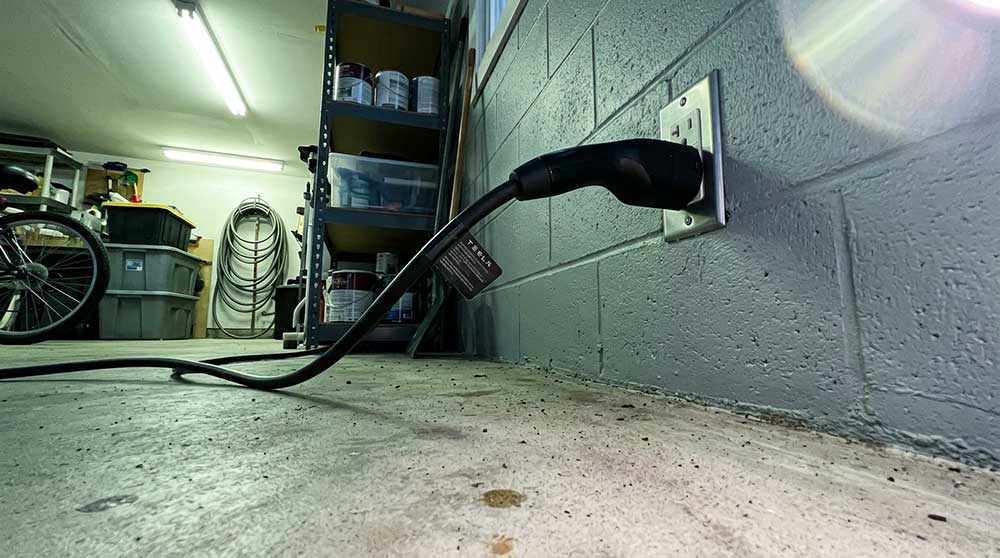
The trade-off is straightforward: the Wall Connector wins on speed, but its installation costs and permanent mounting eliminate portable convenience. The Mobile Connector travels with you, adjusts to various outlets, and costs less upfront. Both options require a dedicated circuit and isolation switch for safe operation.
Home charging speed is one of those things Tesla owners don’t think much about until it becomes the bottleneck in their routine. Over time, that slow turnaround quietly changes how convenient EV ownership feels day to day. That’s where setups built around the Tesla Wall Connector start to matter, higher-capacity charging at home removes the uncertainty of whether you’ll wake up with enough range for the next drive.
How to Set Charge Limits for NCA and LFP Battery Chemistry
Knowing how fast your Wall Connector or Mobile Connector can push electrons into your battery pack is only half the equation — the other half is telling your Tesla where to stop.
Chemistry-specific limits matter here. NCA/NMC packs stress at high voltage (around 4.2V per cell), so cap daily charging at 80%. LFP cells top out near 3.65V and handle 100% routinely without degradation penalties. You can confirm your battery chemistry and hardware configuration by navigating to Settings → Software → Additional Vehicle Information on your touchscreen.
| Chemistry | Daily Limit | Trip Limit | Storage Recommendations | Voltage Peak |
|---|---|---|---|---|
| NCA/NMC | 80% | 100% | 50–60% | ~4.2V |
| LFP | 100% | 100% | 50% | ~3.65V |
| NCA/NMC | 80–90%* | 100% | 50–60% | ~4.2V |
| LFP | 100% | 100% | 50% | ~3.65V |
| Universal | Chemistry-dependent | Pre-trip only | Mid-range | Varies |
Your vehicle’s charging screen tells you which rulebook applies — “Daily” and “Trip” options signal nickel chemistry. Adjust accordingly. Use a programmable charge timer to finish charging just before you drive, minimizing the time your pack sits at peak state of charge and reducing cumulative calendar aging stress.
Tesla Supercharger V2, V3, and V4: How to Precondition and Charge Faster
Choosing the right Supercharger generation matters less than showing up prepared — because even a V4 stall can’t save you from a cold, sluggish battery pack. V2, V3, and V4 hardware all deliver progressively higher peak power, but your battery’s temperature dictates how much of that power it actually accepts.
Battery preconditioning solves this. Pilot directly to a Supercharger in your Tesla’s app, and the system automatically warms the pack before arrival. Since software update 2025.2, supported third-party fast chargers trigger the same behavior. Cold weather optimization matters most here — a frigid pack can dramatically throttle initial charge rates regardless of station hardware.
Arrive below 70% state of charge for the fastest session; charging noticeably tapers above that threshold. Keep the car plugged in while preconditioning at home so the grid, not your battery, absorbs that energy cost. The charging curve peaks when the battery is low and tapers progressively as it fills, making early arrival state of charge one of the most impactful variables in your session. For the best results, begin preconditioning 30–45 minutes before your Supercharger arrival, extending to at least 45 minutes in cold temperatures. Simple logistics, significant payoff.
Charging speed flexibility is something most Tesla owners only think about when they’re stuck at a public charger that isn’t quite as fast as expected. That’s where having a Lectron Tesla Charging Adapter quietly changes the experience, because it opens up access to a much wider range of charging stations while keeping your day moving instead of waiting around for the “right” setup to appear.
How to Use the Tesla App to Schedule Charging and Avoid Idle Fees
Getting the battery to the right temperature before you arrive at a Supercharger is half the battle — the other half is making sure you’re not still sitting there, fully charged, racking up idle fees while you grab a second coffee.
App scheduling solves both problems. Open your Tesla app, navigate to Charging (or Schedule > Charge > Schedule Charging**, depending on your app version), and set a start time that aligns with your off-peak electricity window** or intended departure. The vehicle charges only within that configured window — plug in outside it, and it stops within roughly one minute.
Idle fee mitigation works the same way: tighten your schedule so charging finishes near departure, leaving minimal time for fees to accumulate. You can save location-specific rules (home, work) as repeating schedules, adjust them later when tariffs change, or toggle individual entries off without deleting them entirely. Smart charging strategies can bring home electricity costs down to as low as $0.13 per kWh when aligned with off-peak utility rates. Scheduling charging within optimal battery levels, such as keeping charge between 40–60 percent, also reduces wear and tear on the battery over time.
Daily Tesla Charging Habits That Slow Battery Degradation Over Time
The physics here is straightforward: high voltage and heat are lithium-ion’s two worst enemies.
Control both, and your battery chemistry stays stable far longer than neglect would allow.
Frequently Asked Questions
Can I Adjust Tesla Charging Current Directly From the Vehicle Touchscreen?
Yes, you can adjust your Tesla’s charging current directly from the touchscreen. Use the local controls in the charging menu to set touchscreen limits, lowering amperage to suit your circuit’s needs.
How Do I Reduce Wall Connector Amperage Using the Tesla One App?
You can reduce your Wall Connector’s amperage through App Control in Tesla One by accessing Firmware Settings during setup, then selecting a lower circuit breaker rating to cap your charging current output permanently.
Does a Lower State of Charge Actually Make Tesla Charging Faster?
Yes, lower SOC means faster charging. Your battery accepts power more readily when it’s less full, and Tesla’s thermal management reduces charge rates as cells approach capacity to prevent heat and voltage stress.
What Is the Maximum Output Wattage of Tesla’s Wall Connector at Home?
Like a river capped by its narrowest channel, your Wall Connector’s maximum wattage tops out at 11.5 kW (48 amps) in the U.S., though circuit sizing finally determines what you’ll actually deliver.
How Do I Temporarily Charge Past My Tesla’s Recommended Daily Charge Limit?
Slide your charge limit above the daily recommendation, then confirm the temporary override pop-up. Your Tesla charges higher once for long distance trips, then automatically resets to your normal daily limit afterward.