
Forget paper invoices and awkward payment moments — Tesla Mobile Service settles everything silently through an app while you’re barely paying attention. Warranty repairs? Your total drops to a clean $0.00. But paid services bring specific payment methods, installment options, and account details that catch many owners off guard. Knowing exactly how the billing works before your technician arrives could save you real confusion.
What Determines the Cost of Tesla Mobile Service
Because Tesla’s mobile service pricing isn’t a flat fee, what you’ll actually pay depends on a handful of interconnected variables that can swing your final bill from a modest $100 to well over $475.
Labor complexity is the heaviest driver. A wiper blade swap takes minutes; a camera replacement requiring calibration and programming takes considerably longer, and Tesla’s reported labor rate runs around $150 per hour.
Your vehicle model matters too. A Model X involves different access procedures and parts than a Model 3, which directly affects how long the technician works.
Distance also factors in, with some owners reporting roughly $1 per mile (round trip) from the nearest service center.
Finally, your warranty status reframes everything. Covered defects cost you nothing, but out-of-warranty work means you absorb every line item. If your vehicle is still under warranty, mobile service is offered at no additional charge compared to bringing the vehicle into a store. Serious failures involving the battery or drive unit are covered under an 8-year warranty spanning 100,000 to 150,000 miles on most modern Teslas, which can eliminate costs entirely for qualifying repairs. Know these variables before your appointment, and the final invoice won’t catch you off guard.
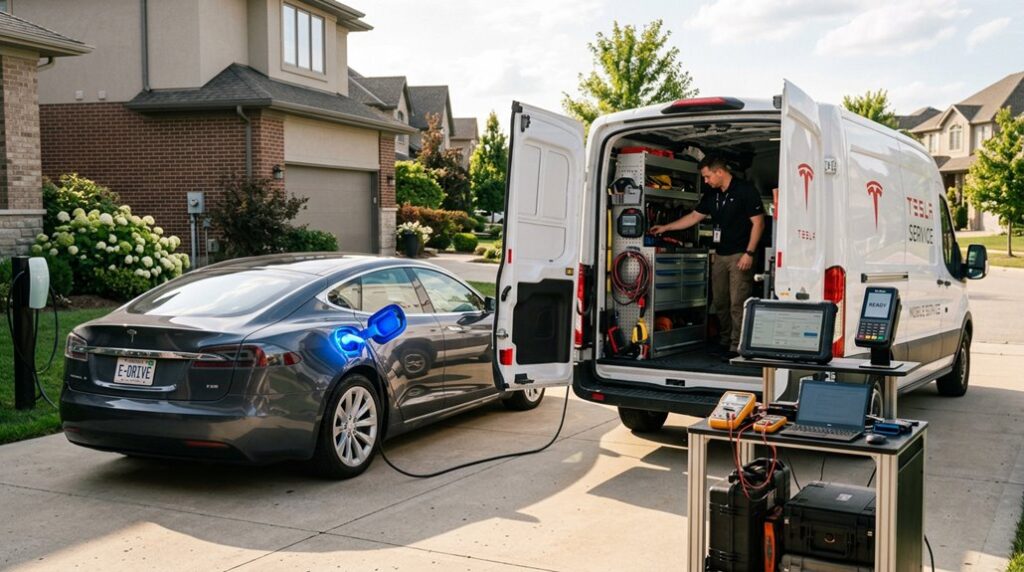
Mobile Tesla service visits are usually quick and convenient, but small oversights—like blocked access areas, missing documents, or a cluttered cabin—can slow things down or even require a reschedule that most owners don’t anticipate. Having a Tesla mobile service preparation and access organizer kit keeps everything in order before the technician arrives, making sure the vehicle is easy to access and all necessary information is ready so the appointment runs without unnecessary delays.
How Tesla Sends and Processes Your Mobile Service Invoice
The Messages section sometimes shows a service summary or estimate first, with the finalized invoice following shortly after.
Even warranty invoicing generates a formal document (showing $0.00 due), so you’ll still have a paper trail regardless of whether money changed hands. That record matters for reimbursements, tax documentation, and resale history. Keeping this documentation is especially valuable if you later need to defend a warranty claim, since Tesla evaluates each repair individually and must establish a direct causal link between any modification and a specific failure before denying coverage.
If your invoice isn’t appearing, the work order likely hasn’t fully closed yet. Give it time, force-refresh the app, or contact Tesla service directly to expedite the closure.
Before a Tesla mobile service visit, many owners assume the issue is straightforward, but a large number of service delays come down to unclear electrical conditions at home—especially when charging faults or intermittent power issues are involved. A smart EV power and voltage diagnostic monitor helps identify unstable voltage or inconsistent current delivery ahead of time, giving both the owner and technician clearer insight into whether the problem originates from the vehicle or the home power supply.
Which Payment Methods Tesla Accepts for Service Bills
Once your invoice lands in the Tesla app, paying it’s straightforward—Tesla accepts a handful of methods, and the app’s final payment screen lets you select whichever one fits your situation.
Once your Tesla invoice arrives, selecting a payment method is simple—just choose from the available options on the app’s final screen.
Your primary payment card is the most common choice, stored directly through the app’s Wallet Management system. You can add, remove, or set a default card there, which speeds up checkout considerably.
Tesla Credit is another listed option on that final payment screen—useful if you’ve accumulated credit through Tesla’s ecosystem.
Beyond those two, the app also surfaces buy-now-pay-later options (Affirm and Klarna) for eligible U.S. and Canada customers, introduced in app version 4.46.0. These prompt a payment calculator before you confirm, so you’re never flying blind on installment costs.
One thing worth noting: personal checks aren’t accepted. Tesla keeps service billing firmly inside the app, which honestly keeps the process cleaner than mailing a check ever would. Many routine Tesla service needs are handled remotely anyway, since over-the-air updates resolve a number of issues without requiring a physical service visit at all. When adding a card, Tesla accepts Visa, Mastercard, American Express as valid credit or debit card options.
Your Options for Paying Tesla Service Bills in Installments
Among those payment methods, the installment options deserve a closer look—especially if you’re staring down a larger out-of-warranty repair bill and don’t want to absorb the full cost in one hit. Tesla app update 4.46 introduced buy-now-pay-later support through two providers: Affirm and Klarna.
Here’s how it actually works:
- The Service Estimate screen displays a “Pay over time” prompt if you qualify
- Tapping it opens a repayment calculator showing monthly costs before you commit
- BNPL eligibility is assessed through the provider’s own approval workflow (soft credit check, no FICO impact claimed)
- Approved invoices are typically split into equal monthly installments—some reports indicate three-payment structures
Not every invoice or customer qualifies, and availability varies by region. Think of it as a useful pressure valve for expensive repairs—not a guaranteed checkout option. Tesla’s Supercharger network scale has grown to over 45,000 chargers globally, reflecting the same phased expansion approach the company has applied to rolling out financial features like BNPL across its service ecosystem. It’s worth noting that this buy now, pay later capability was previously limited to accessories before being expanded to cover the full service and repair ecosystem.
Frequently Asked Questions
Can You Pay a Tesla Mobile Service Invoice Using Multiple Payment Methods?
You can’t split payments across multiple methods for a single Tesla Mobile Service invoice. Tesla’s app processes one payment method per transaction, and partial refunds don’t apply here—choose your preferred method before confirming checkout.
What Happens if Your Payment Fails After Tesla Completes the Mobile Service?
If your payment fails, you’ll have an outstanding balance that Tesla won’t ignore—expect collection attempts and a possible payment dispute if unresolved. Retry immediately using a valid card in your Tesla app Wallet.
Does Tesla Charge Sales Tax on Mobile Service Labor and Parts?
In 49 states, labor taxation varies. Tesla charges state taxes on parts but you’ll typically get tax exemptions on labor. In Texas, for example, repair labor isn’t taxable—you only pay sales tax on parts.
Can Someone Else Pay Your Tesla Mobile Service Bill on Your Behalf?
Tesla doesn’t offer a formal friend payment or third party reimbursement option. Another person can help fund the bill, but you’ll need to complete payment yourself through your Tesla app account.
Will Paying a Tesla Service Invoice Affect Your Vehicle’s Warranty Status?
Like Caesar’s fate, it’s *how* you drive—not *how* you pay—that matters. Paying your Tesla service invoice won’t affect warranty transfer or trigger coverage exclusions; those hinge on repair cause, parts used, and service history.