
Your Tesla doesn’t lose range in summer because of the heat outside — it loses it because of what’s happening inside, quietly, before you even start driving. Thermal management and cabin cooling can silently drain up to 40% of your battery on a scorching day, and most drivers never see it coming. Knowing exactly where that energy disappears — and how to take it back — changes everything about how you use your car.
Why Summer Heat Hurts Your Tesla Battery and Range
Lithium-ion cells have a preferred operating temperature — roughly 68°F (20°C) — and summer pushes your pack well outside that window.
Lithium-ion cells run best around 68°F — and summer doesn’t care about that.
Once ambient temps climb past 90°F (32°C), you’re already absorbing roughly a 5% range penalty, not because the battery chemistry fundamentally breaks down, but because your thermal management system is burning energy just keeping the pack stable.
Push past 100°F (37°C+), and real-world data shows average range losses hitting 17–18%.
In extreme cases, efficiency can drop 40%. That’s not a rounding error — that’s a meaningful chunk of your usable miles evaporating before you’ve gone anywhere.
There’s also a slower, less visible cost: thermal degradation.
Repeated heat exposure accelerates cell-level wear, gradually eroding your pack’s maximum capacity over months and years. Tesla’s over-the-air software updates can adjust thermal management parameters post-purchase, but they cannot undo the cumulative cell wear that heat exposure introduces over time. Running your climate control in hot weather also increases power draw, pulling additional energy away from driving range.
The range you lose on a hot day is temporary. The degradation compounds.
A Tesla parked in direct sun can turn into an oven fast, and once the cabin heats up, the A/C has to fight an uphill battle before you even start driving. Stop letting the heat build up in the first place with a front windshield sunshade for Tesla Model 3 and Model Y that blocks harsh UV rays and keeps cabin temperatures noticeably lower while parked before every hot-day drive starts with a blast of trapped heat.
Park in the Shade Before You Even Start Driving
Before you touch the accelerator, your battle with heat’s already underway. Solar loading through glass—particularly the windshield and roof panels—raises cabin temperatures dramatically before you’ve even accessed the car. Smart shade selection directly reduces that thermal load, meaning your climate system starts from a lower baseline and burns less energy reaching target temperature.
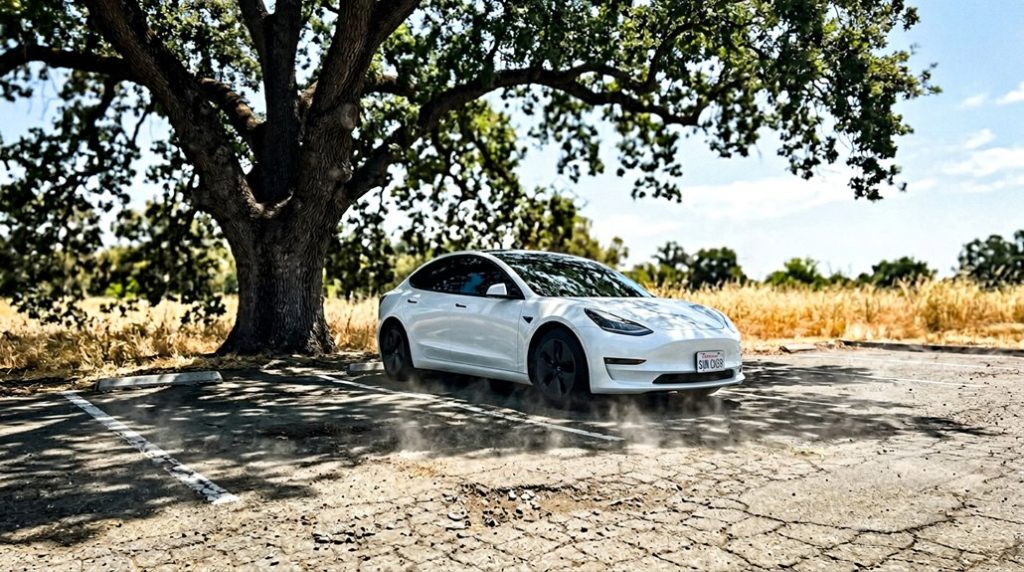
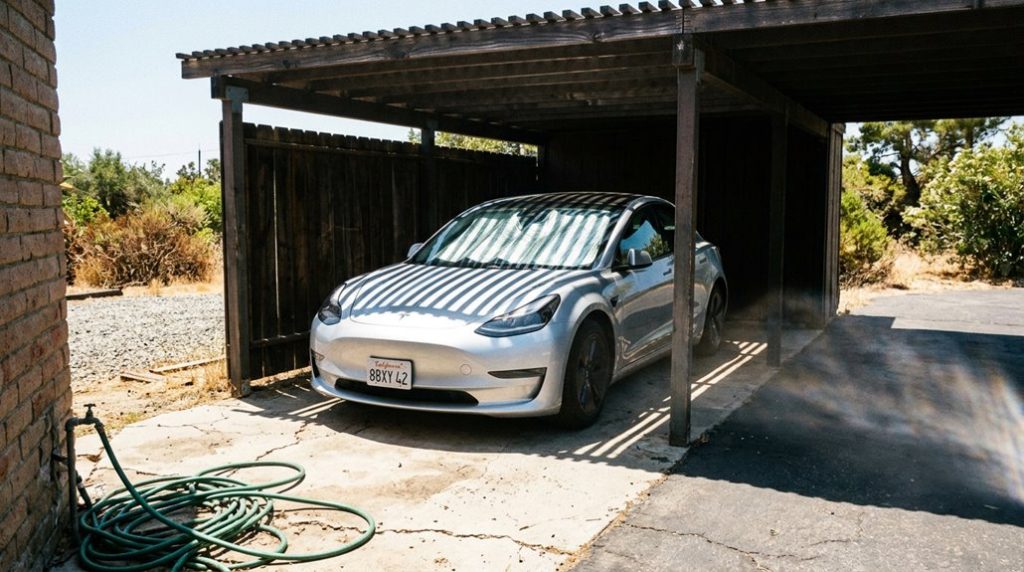
Prioritise covered parking: garages, carports, and covered lots block direct radiation entirely. When those aren’t available, tree canopies work, though inconsistently. Roof covers and windshield sunshades are your next line of defence, reflecting radiant heat before it penetrates the glass. The roof glass on Model 3 and Y spans a significant surface area—blocking that alone meaningfully reduces interior heat gain. You can also use the Tesla app to activate cabin preconditioning before entry, bringing the interior to a comfortable temperature without drawing energy from the drive battery while you’re still connected to a charger.
Checking satellite imagery before parking in unfamiliar areas (Google Maps does the job) helps identify shaded spots or structures. A cooler parked cabin requires less immediate AC output, which preserves range before your first kilometre. When shade isn’t available, end parking spots are worth targeting, as they reduce your exposure on at least one side and also lower the risk of door dings from adjacent vehicles.
If you’ve ever stepped into your Tesla after it’s been parked in the sun, you already know the glass roof doesn’t just let light in—it traps heat that lingers long after you start driving. Cut that heat at the source with a Tesla Model Y glass roof sunshade designed to block overhead sun and reduce cabin heat buildup before it overwhelms your air conditioning before every summer drive feels like you’re cooling down a greenhouse instead of a car.
Precondition Your Tesla Before Every Summer Drive
Parking in the shade buys you a head start, but it’s preconditioning that actually puts the cabin climate on your terms before you’ve touched the door handle. Remote scheduling handles this automatically—set your departure time once, enable weekly repeat, and the car calculates its own start window.
Three factors define an effective preconditioning setup:
- Timing – Activate at least 30–45 minutes before departure; hotter ambient conditions demand more lead time.
- Power source – Precondition while plugged in to cool the cabin without drawing from the battery, protecting range.
- Comfort stack – Enable ventilated seats through the app’s Climate menu so cooling starts seat-level, not just air-level.
Cabin Overheat Protection covers gaps between sessions, holding interior temps below 105°F (40°C). Together, these tools mean you’re never negotiating with a heat-soaked cabin at drive time. Preconditioning also helps keep the battery within its optimal temperature range, reducing cell strain and supporting long-term battery lifespan. When planning longer summer drives, use Tesla’s onboard navigation to let the system preheat or pre-cool the battery in advance, since Tesla navigation routing actively optimises battery temperature ahead of Supercharger stops for more efficient discharge.
Use These Climate Settings to Stretch Your Range
Preconditioning gets you into a cool cabin, but how you manage climate once you’re rolling determines how much of that saved energy actually translates to usable range.
Set climate to Auto mode and leave it there. Independent testing recorded a jump from 344 Wh/mile to 402 Wh/mile simply by switching HVAC off to automatic 72°F — that’s roughly 34 miles of predicted range erased. Auto prevents the system from overshooting your target temperature, which wastes energy you won’t recover.
Windows up, always. Open windows create aerodynamic drag that compounds at highway speeds, undermining everything else you’re doing right. If you’re parked with pets or cargo, Dog Mode maintains your set cabin temperature without requiring the full drive system to stay active.
Seat and steering wheel heating are worth prioritising over cabin air heating because they warm occupants directly, meaning the HVAC system doesn’t need to work as hard to reach your target temperature — a principle similar to why Tesla’s heat pump and octovalve redistribute thermal energy efficiently rather than generating it from scratch.
| Setting | Recommended | Why |
|---|---|---|
| Cabin climate | Auto, 72°F | Minimises overshoot energy cost |
| Seat/steering heat | Auto | Warms occupants directly, reduces air heating demand |
| Windows | Closed | Eliminates aerodynamic drag penalty |
Small inputs, measurable returns.
Charge Smarter to Protect Your Tesla Battery in Heat
Heat doesn’t just affect how far you drive — it quietly works against your battery while it sits. Smart charging habits in summer aren’t optional; they’re maintenance.
Keep these three principles in mind:
- Stay in a moderate window. Target 20–80% for daily use. Sitting at 100% in 38°C heat accelerates degradation faster than the drive itself.
- Use scheduled charging. Program your Tesla to finish charging near your departure time, minimising how long it holds peak charge overnight.
- Stay plugged in. A connected Tesla draws grid power for Cabin Overheat Protection and thermal management — sparing your battery that workload entirely.
For extended parking (think holidays or airport trips), target 50% and leave it plugged in if possible. The battery isn’t asking for much — just avoid cooking it fully charged while it waits in a car park. If you’re adding any charging accessories like wireless pads or wall connectors, note that charging ergonomics upgrades are considered low-risk modifications that won’t trigger warranty disputes under the Magnuson-Moss Warranty Act.
Frequently Asked Questions
Does Uv-Blocking Window Tint Meaningfully Reduce Tesla Battery Drain When Parked?
UV blocking myths aside, tint performance won’t dramatically slash your parked drain. You’ll see real battery savings only when IR-rejecting ceramic film cuts cabin heat load, reducing your Tesla’s need to self-cool automatically.
How Does Sentry Mode Specifically Impact Battery Depletion During Hot Summer Days?
Sentry Drain costs you 7–14% daily in summer. Thermostat Cycling from Cabin Overheat Protection stacks on top, pushing combined loss toward 10%+ per day when you’re parked unplugged in direct heat.
Can Cabin Overheat Protection Be Customised Below the Default 105°F Threshold?
Like a thermostat you can finally dial in, yes—you can set a custom temperature below 105°F if your software supports it. Otherwise, manual activation defaults remain limited to Off, No A/C, or On.
Does Hot Weather Accelerate Long-Term Tesla Battery Degradation Beyond Temporary Range Loss?
Yes, sustained heat accelerates long-term degradation by speeding up battery chemistry reactions beyond what your thermal management system can fully offset, with Recurrent data confirming hotter climates correlate with greater cumulative range loss over time.
Is Overnight Charging Always More Efficient Than Daytime Charging During Summer Months?
No—overnight scheduling cuts costs via grid pricing, but daytime solar self-consumption, cooler ambient temps, and smarter thermal management can outperform it. Your best window hinges on solar access, utility rates, and peak demand timing.