
Tesla just opened 60,000+ Supercharger stalls to non-Tesla drivers—but most people have no idea what they’re walking into. Show up with the wrong setup, and you’re stranded in a parking lot while your battery drains. The compatibility rules are stricter than Tesla‘s marketing suggests, and skipping the app configuration step alone can kill your entire charging session. This guide covers everything a non-Tesla EV driver needs before touching a single Supercharger cable.
Which Non-Tesla EVs Can Use a Supercharger
Not every electric vehicle can pull into a Tesla Supercharger stall and start charging — compatibility depends on a few hard technical requirements. Your vehicle needs DC fast-charging capability plus either a NACS port, a CCS port with adapter support, or access to a Magic Dock-equipped station.
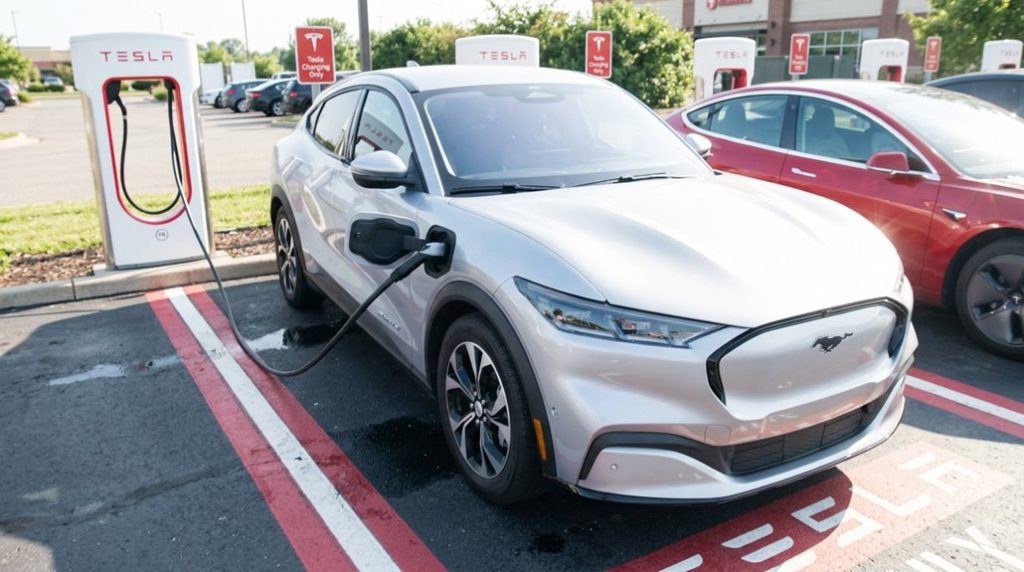
Eligible models now span several major automakers. Ford’s E-Transit, Mustang Mach-E, and F-150 Lightning qualify. So do Rivian’s R1S and R1T. GM’s lineup includes the Bolt EV, Bolt EUV, Equinox EV, Blazer EV, and Silverado EV. Hyundai, Kia, Volvo, and Volkswagen models with CCS ports can connect through adapter availability programs. For Equinox EV owners specifically, a NACS adapter guide unlocks access to more than 17,800 Tesla Supercharger locations across the country.
CHAdeMO limitations shut out older Nissan Leaf owners entirely — that connector simply isn’t supported. Plug-in hybrids face the same wall.
The manufacturer NACS shift is gradually eliminating adapter dependency, as newer vehicles ship with built-in NACS ports — making the process considerably cleaner for everyone involved. The 2026 Toyota bZ stands as one example of this transition, shipping from the factory with a native NACS port alongside two included adapters for CCS and J1772 stations.
Find a Compatible Supercharger Before You Leave Home
Knowing your vehicle qualifies is only half the equation — finding a Supercharger that actually works with your EV before you pull out of the driveway is where the real planning happens. Start with Tesla’s official Supercharger map, the most authoritative tool for current station status. Third-party apps exist, but Tesla’s own location finder updates directly from the source.
Compatibility checking requires more than spotting a pin on a map. Filter specifically for “Open to Other EVs” (Magic Dock sites with integrated NACS-to-CCS1 adapters) or “NACS Partners” locations. Tesla Exclusive sites won’t work for you — full stop. Route planning gets easier once you recognize that Tesla places Superchargers along major travel corridors near restaurants, restrooms, and Wi-Fi, so stops serve double duty. With over 80,000 global Superchargers available, filtering down to compatible sites narrows your options meaningfully without leaving you stranded.
Partner access is currently available to drivers of Ford, Rivian, and General Motors vehicles, among others, making the NACS Partners filter relevant to hundreds of thousands of non-Tesla EV users already on the road. Tesla’s network expansion strategy prioritized high-traffic intercity corridors first, which means compatible stations are most densely concentrated along the routes where you’re most likely to need a charge on a longer drive.
How to Set Up the Tesla App for Non-Tesla Charging
Before you pull up to a compatible Supercharger, you’ll need to set up the Tesla app — and yes, that means creating a Tesla account even though you’re not driving a Tesla. Download the app from the iOS App Store or Google Play Store, then update it to the current version before doing anything else.
Account setup starts with basic details: name, email, and password. Complete account verification through the confirmation email Tesla sends — skipping this step locks you out of charging features entirely. Once verified, grant the necessary app permissions so the app can access location data and payment processing.
Inside the app, find the Add Non-Tesla Vehicle option, then enter your VIN, make, and model. Confirm your vehicle’s CCS2 port compatibility during setup. Finally, head to the Wallet section and add a credit or debit card. Your payment details tie directly to your account, enabling session control and billing history.
During setup, you will be prompted to fill out your information specifically as a non-Tesla user, distinguishing your account type from standard Tesla vehicle owners. Non-Tesla drivers can access 17,800+ Tesla Superchargers across North America once their account and vehicle details are confirmed in the app.
How to Plug In and Start Charging at a Non-Tesla Supercharger
Pulling into a Tesla Supercharger stall as a non-Tesla driver is straightforward once you know the sequence — and the sequence matters. Parking alignment isn’t optional; your cable must reach the charge port without stretching across adjacent stalls.
| Step | Action |
|---|---|
| 1 | Select your stall number (e.g., 2A, 11B) in the Tesla app |
| 2 | Attach the CCS adapter if your vehicle lacks an NACS port |
| 3 | Tap “Start Charging” and wait up to 1 minute for initialization |
Once parked correctly, attach your adapter to the Tesla connector before inserting it into your vehicle’s port. Push firmly until it seats fully — your vehicle should confirm the connection. Starter safety here means verifying the stall number matches physically before tapping start. The app then displays live session data, including charging rate (some sessions show 75.1 kW) and estimated time remaining.
Tesla’s broader vehicle ecosystem relies on collective cloud data from all vehicles to refine system behavior over time, and the Supercharger network benefits from that same infrastructure expansion to support non-Tesla drivers. To find a compatible station before you arrive, use Tesla’s official map at tesla.com/findus and uncheck the “Tesla” box in map settings to filter for Superchargers open to non-Tesla vehicles.
Frequently Asked Questions
Can I Pay for Supercharging Without Using the Tesla App?
Yes, you can at select Superchargers. Some stations support guest payments through a browser or card tap, while third-party billing options may also apply, though availability varies by location.
How Short Are Supercharger Cables, and Will They Reach My Car?
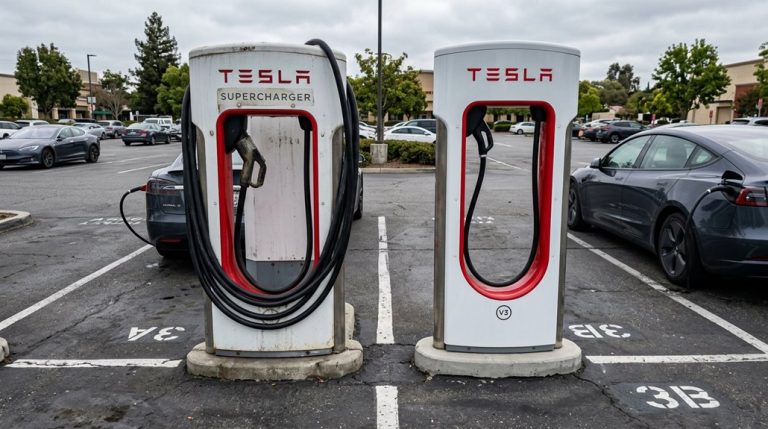
V3 Supercharger cable length runs about 6 to 6.5 feet, which can make converter fitment tricky if your port isn’t rear-left. V4 cables stretch roughly 9.5 feet, giving you much better reach.
What Happens if I Select the Wrong Stall Number in the App?
Selecting the wrong stall sends everything into chaos! App confusion will completely stall your session before it even starts. If you’ve chosen the wrong stall, stop, reselect the correct number, and restart immediately.
Is It Rude to Occupy a Supercharger Stall After Charging Completes?
Yes, it’s rude. Etiquette expectations require you to unplug and move immediately after charging completes. Charger blocking consequences include forcing other drivers to wait unnecessarily, reducing station throughput for everyone who’s still waiting to charge.
How Long Does It Take for a Supercharger Session to Initialize?
Once you plug in, the initial handshake completes within seconds, and session latency is minimal—you’ll typically see your display shift from processing to active charging in just 3 to 10 seconds.