
Rivian’s redesigned mobile app lets EV owners track their vehicle’s energy use in real-time and manage charging remotely. The app shows battery drain when parked and recommends charge levels for trips. Owners can precondition their battery for faster charging, customize menus with drag-and-drop features, and use their phone as a key. The app connects to Rivian’s route system to find charging stations and sends alerts for ideal charging stops. These connectivity features change how drivers interact with their electric vehicles.
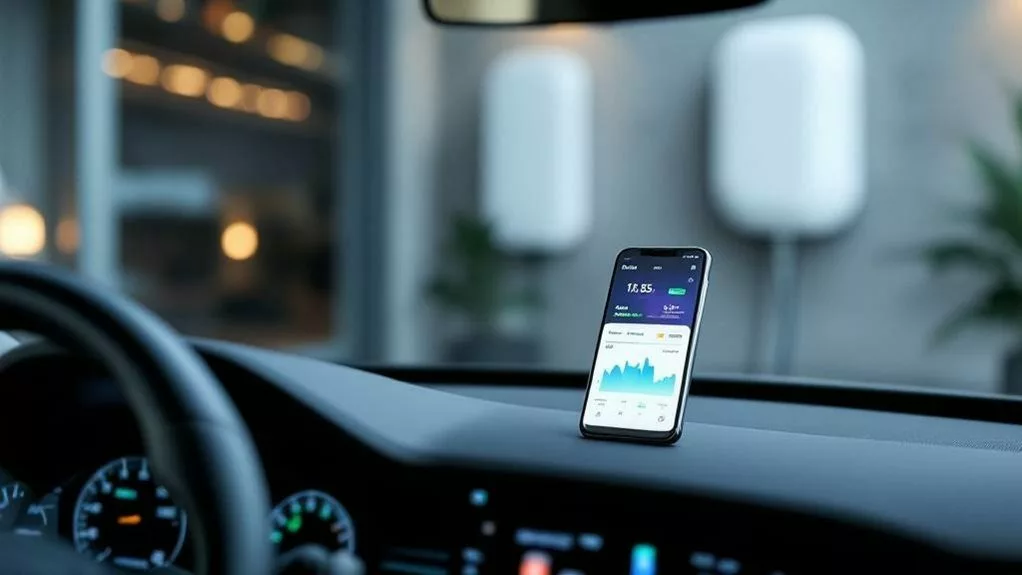
Rivian’s pushing out a major update to its mobile app that’ll change how owners interact with their electric trucks and SUVs. The redesigned app brings cleaner layouts and better tools for managing energy use, charging sessions, and vehicle controls.
The update adds real-time energy monitoring that shows drivers exactly where their power goes. Owners can track consumption across different timeframes and see how much energy flows to systems like Gear Guard, outlets, and climate control. When parked, the app displays battery drain details. During trips, it shows projected range impacts by comparing actual consumption against expected values.
Charging gets smarter with the new features. The app now displays interactive graphs of charging sessions, both current and past. It recommends target charge levels based on planned trips and integrates these suggestions into the route system.
Interactive charging graphs and personalized recommendations make managing your Rivian’s battery effortless and intelligent.
Drivers can precondition their battery through the app, warming or cooling it for faster DC charging speeds. The update also connects with Rivian’s Wall Charger, letting owners monitor and control home charging remotely.
The interface received a complete makeover with drag-and-drop menu customization. Owners can arrange control panels to match their preferences. New widgets provide quick access to climate controls, energy data, Gear Guard, and location services. However, iOS users have noticed the widget feature removed in version 3.0.0, disappointing those who relied on this functionality.
The simplified design uses better color schemes and enhanced spacing to make features easier to find. A key security addition is Multi-factor Drive, requiring authentication through the mobile app or smartwatch before shifting out of Park.
Vehicle control expands with phone-as-key functionality for touchless entry. Owners can lock or secure their vehicles remotely and set climate preconditioning before trips. The app connects directly to Rivian support for troubleshooting and includes service management for roadside assistance requests.
Trip planning improvements include improved routes that balance distance with charging station availability. The app searches for charging points and shows their status on maps.
Drivers can send destinations from their phone to the vehicle’s route system. During trips, the app sends alerts about ideal charging stops based on the route.
These updates represent Rivian’s commitment to improving the ownership experience through better connectivity between drivers and their vehicles. The company plans to build on this foundation with future tools for delivery setup and pre-owner experiences.
Frequently Asked Questions
Is the Rivian Mobile App Available in Countries Outside the United States?
The Rivian app can be downloaded in many countries, including parts of Africa, the Middle East, and India.
However, it won’t work fully outside the U.S. and Canada. That’s because Rivian only sells and delivers vehicles in these two countries right now.
People in other countries can download the app, but they can’t buy a vehicle or use most features.
Rivian says international sales are “coming soon.”
Can Multiple Users Share Access to the Same Vehicle Through the App?
Multiple users can share access to the same Rivian vehicle through the app. The primary owner adds others as “Authorized Drivers” in the Security & Access section.
These users receive email invitations to link their accounts to the vehicle. Each person needs their own Rivian account with a unique email and password.
Shared users can view the vehicle’s battery level, lock status, and location through their apps.
Does the App Work With Older Smartphone Operating Systems?
Older smartphones might not run Rivian’s app properly. The app needs newer operating systems to work well. Some features won’t function on outdated phones.
Apple’s App Store and Google Play set minimum requirements for downloads. Bluetooth problems happen more often with older phone software. Users report connection delays even with newer phones.
The company hasn’t listed official minimum versions, but older systems can’t handle modern app features.
Are There Any Monthly Subscription Fees for Using the Rivian App?
The Rivian app itself doesn’t require monthly fees. Owners can use basic features like phone-as-key, remote commands, and charging management for free.
However, there’s an optional Connect+ subscription for $14.99 monthly or $149.99 yearly. This paid service adds extras like in-vehicle hotspot, satellite maps, and streaming apps. New owners get a 60-day free trial of Connect+.
The core app functions remain free without any subscription.
Can the App Control Third-Party Accessories Installed on My Rivian?
The Rivian app doesn’t control third-party accessories like rock sliders or running boards.
Rivian’s software only works with built-in vehicle features such as locks, climate control, and windows. The company hasn’t opened its system to outside developers.
There’s no app store or way to add third-party controls. Owners who install aftermarket parts must control them separately.
Rivian focuses on native features and hasn’t announced plans for third-party integration.